


Surface Pro 3 + Photoshop CS6 + Latest N-trig Driver = TOTAL FAILURE!!!...or is it just me???
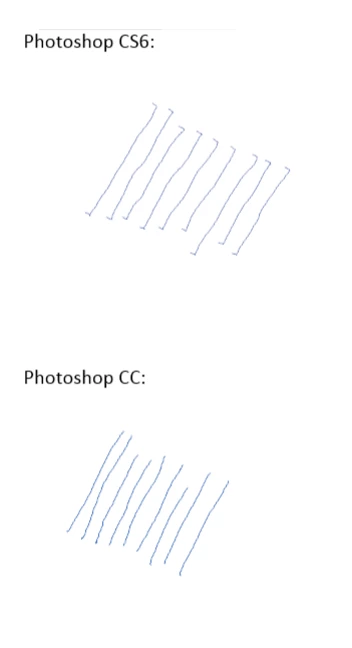
I recently purchased a Surface Pro 3 (i7/256GB) for the main purpose of getting back into drawing. I wanted to run Photoshop CS6 (I'm not buying into Adobe's CC subscription crap) with N-trig's latest 64bit driver that is supposed to add pen pressure support. But, now I can't draw a single straight line because the new N-trig driver is causing the pen to jump at the beginning and end of each stroke. The result is that every stroke I make ends up with an "L" shaped hook at both ends. The issue does not occur in my trial version of Photoshop CC or any other drawing application... it only affects Photoshop CS6. And, the problem occurs whether or not I've enabled the pressure sensitivity option. Furthermore, the problem goes away if I uninstall the N-trig driver... but, then I lose the pen pressure feature. Am I the only one having this issue? This is super frustrating because my main reason for getting the Surface Pro 3 was to use Photoshop CS6. And let me tell you... it's not easy for an Apple "Fanboy" like myself to admit the allure of the Surface Pro 3;)
 AdChoices