

Pattie-F
Legend
October 20, 2020
Question

Swap skies in seconds

  • October 20, 2020
  • 13 replies
  • 50431 views


Use Sky Replacement to shorten your Photoshop editing workflow



Now, with Sky Replacement, it's easier than ever to create amazing landscape photos, even when your original photo has a boring sky. The Sky Replacement feature automatically isolates the sky in your image from the foreground so you can replace the sky in a matter of seconds. Machine learning models powered by Adobe Sensei do the masking and blending for you and then harmonize the foreground of your image with the chosen sky!


Give it a try by selecting Edit > Sky Replacement from the menu, and then choosing a new sky from our library or yours.   
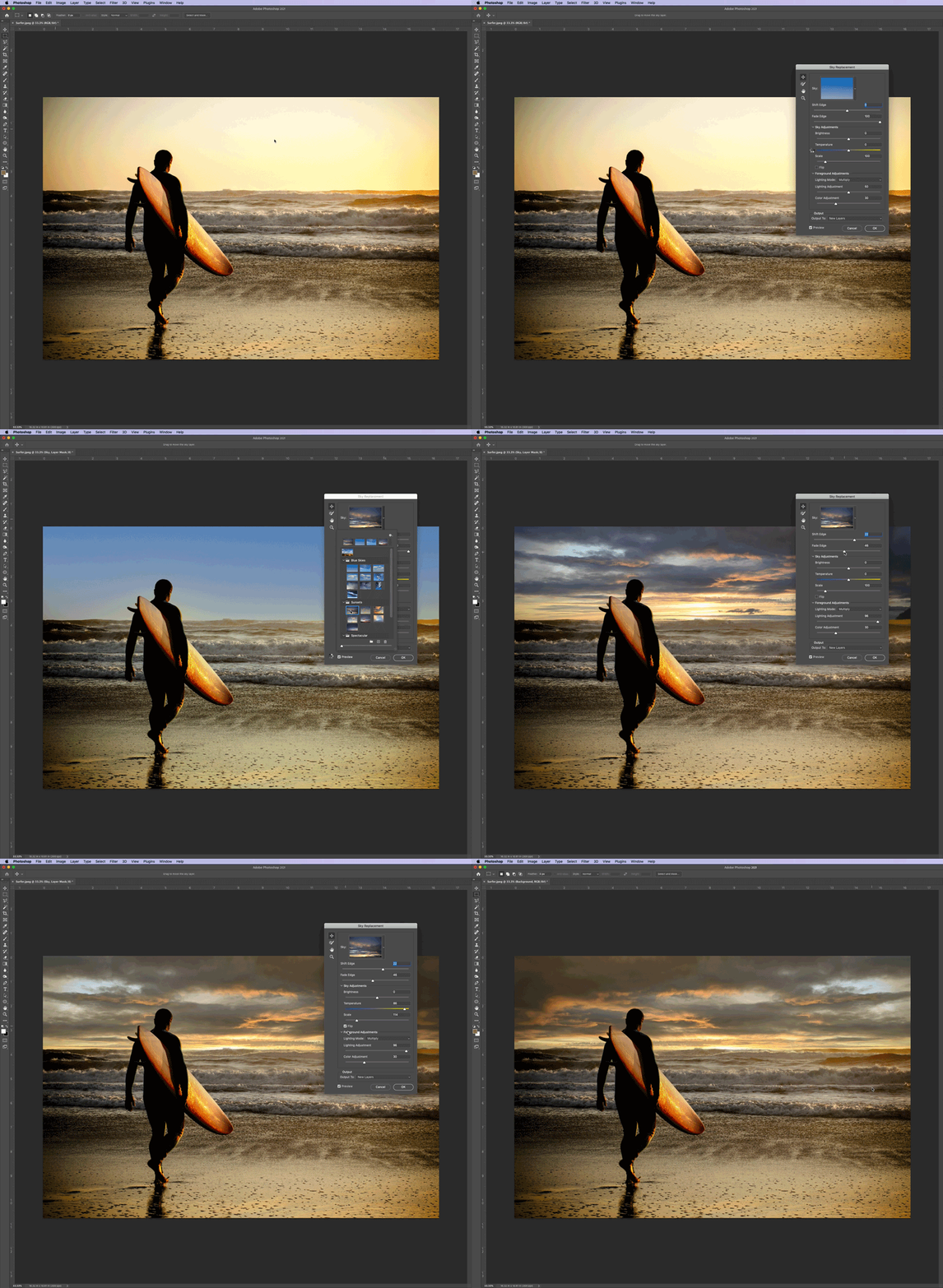


For more information and to learn how to use Sky Replacement, see Using Sky Replacement.

You can also check out this video for more details: Photoshop Sky Replacement Tips and Tricks.


This topic has been closed for replies.

13 replies

Known Participant
May 5, 2021

Is this available in CS6? I cannot find the option.

Swandive stream
Inspiring
May 5, 2021

It is a recent addition so no. CS6 will not include any recently-added features as is not updated by Adobe.

Participant
April 17, 2021

Having the same sky issues, uploaded all of mine and now it can't find any of them.  Messaged Adobe hoping they would get on this since it is such a cool feather that isn't working, it is frustrating cause I want to use it!!


Participant
March 12, 2021

On opening sky replacement, it immediately starts working with the initial sky which means you need to wait until that has finished before you can choose the desired sky replacement.  This costs time and is an unnecessary annoyance, especially when processing multiple files.  Can you fix it such that the dialogue just opens but does NOT start working until you choose the sky you want.   

Participant
January 26, 2021

How do i get more skies? i am new at this.

Swandive stream
Inspiring
January 9, 2021

Can it be replaced with transparency as a means of extracting backgrounds? I do a lot of photo compositing with pieces of various photos stuck together.

Participating Frequently
December 11, 2020

PLEASE!!! Please, fix the bugs related to sky replacement feature. Unable to merge layers when one of the layer being merged is the Sky replacement layer. Also will not convert to smart object if the sky replacement layer is one of the layers being converted. This just started being an issue 3 days ago. I loved this feature before then.

Participating Frequently
December 11, 2020

Also, I have tried unistalling Photoshop CC and reinstalling it on the creative cloud app. Still did not fix the issue. 


Known Participant
November 1, 2020

Please tell me where my files of sky are copied to?

Participating Frequently
October 26, 2020

I have used the sky replacement feature a few times already and when I opened PS today, I get this message.  If I import some of my own files, they work fine, but none of the files that were installed before are available.  Is there a folder where these are stored that I need to reconnect to or some other location????

Participating Frequently
October 27, 2020

As an update, the only way I could get the default skies back was to uninstall and reinstall PS.....

deanw6157732
Participant
November 9, 2020

There has to be an easier way than having to do a reinstall! I also have the same problem

Inspiring
October 24, 2020

My "sky replacement" is grayed out. Why?

Participant
October 27, 2020

I have the same problem using PS 22. Please advise.

Participant
October 28, 2020

Sky Replacement is "greyed out" working with Raw and PSD files but seems to work brilliantly with jpeg's.

Participant
October 23, 2020

is this a special app? I was under the impression it was in the latest version of PhotoShop? I'm confused 

Pattie-F
Pattie-FAuthor
Legend
October 23, 2020

Sky Replacement is a new feature that released this week in Photoshop.
To see what else is new, you can visit Whats new in Photoshop.

Participant
October 23, 2020

thanks i've got sorted with the help of your tekies. How do I import my own sky rather than stock image please