
?!?!? tapered text along a path ?!?!?
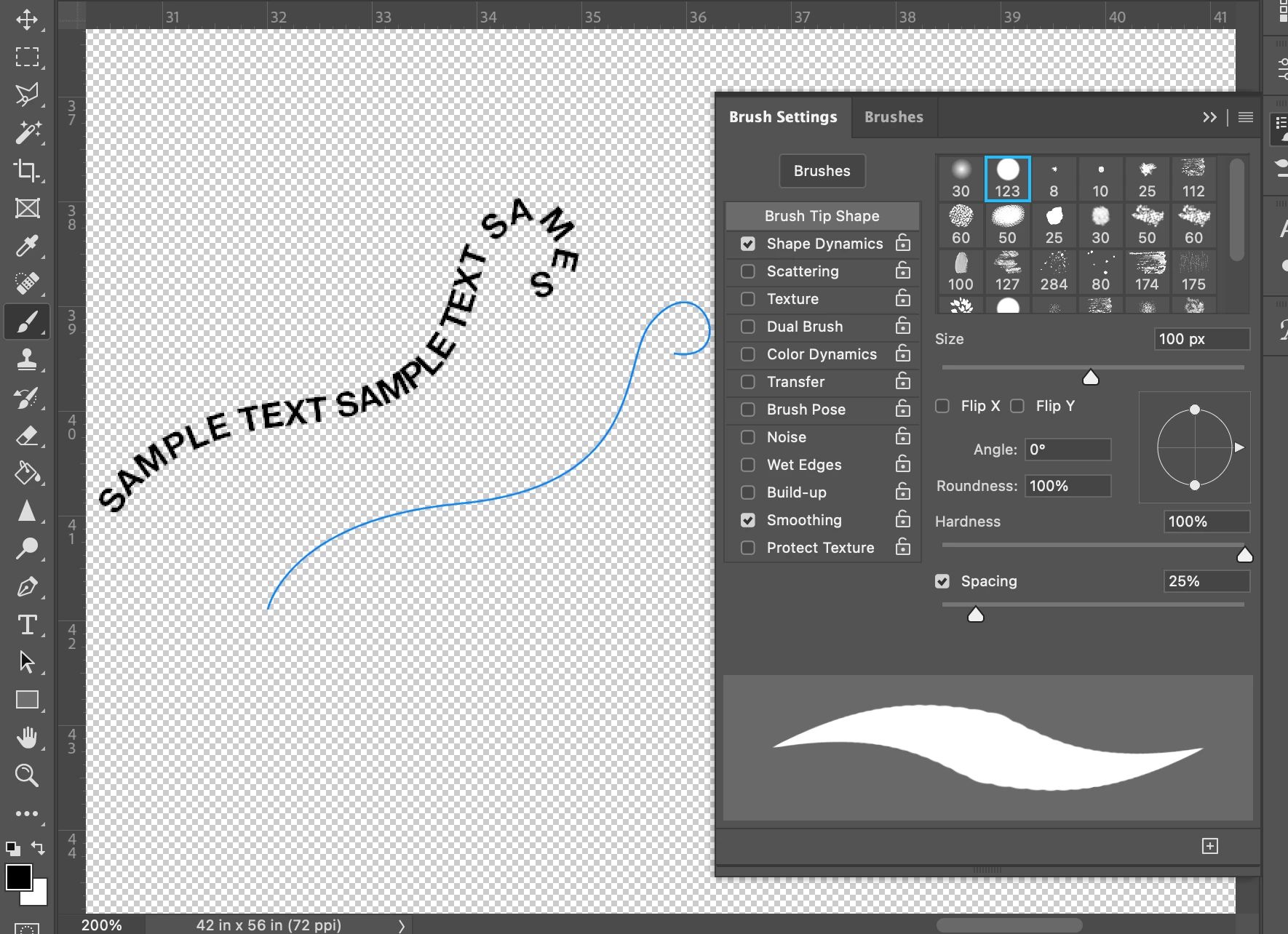
so I am looking to have text go along a path and also have the text taper off at the ends, meaning smaller at the beginning and then bigger in the middle of the text line, to then smaller at the end tail (like how the brush stroke preview area in the brush menu. included I showed the path I want to have the text go along and then the brush preview shows the aesthetics I'm going for with the "taper" effect.
hopefully, this isn't confusing, but I know it's doable but I just can't get it to happen. I wanted to rasterize the text but then it would be a headache to get the text to go along the path I want.
I was thinking of the wrapped text menu but it is not giving me full control of the tapering of the text/font.
hopefully, someone can shed some light on this or share some helpful hints.
if I can clarify this in any way I'm open to revising, but this has had me racking my brain for the past 4 days, or if anyone has resourceful links to information that may help me that's also greatly appreciated


 AdChoices