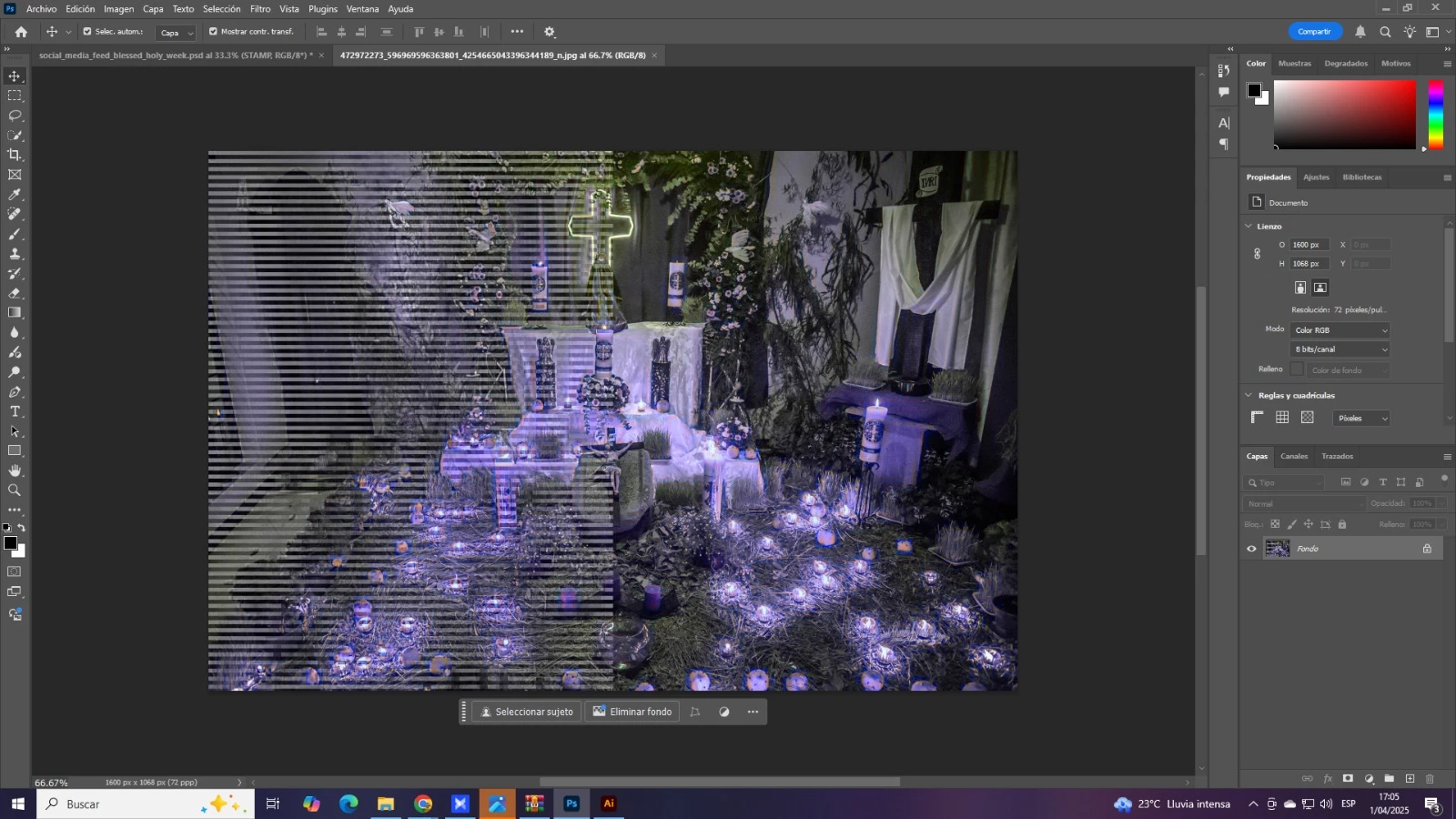
It seems that there's a issue with your graphic device or with the appropriate device driver.
Please try to disable the option to "Use Graphics Procesor" from Photoshop by going to Preferences, then Performance. Once done, quit & relaunch Photoshop to check if that helps.
If it helps, you can check out the steps suggested here: https://helpx.adobe.com/photoshop/kb/troubleshoot-gpu-graphics-card.html
Take a look especially point 7 in the "Troubleshoot GPU and Graphics driver" section.
Is your system up-to-date? Do you have installed all recent updates and patches for the operating system and the device drivers, especially the graphic driver. If you have a NVidia graphic card installed, make sure that you are using the recent Studio version of the driver, not the Game Ready version.
Another try is to enable the Older GPU Mode option in "Preferences" > "Technology Previews" > "Use Older GPU Mode (pre 2016)".
If this all doesn't help, we need more informations about your system. Maybe you can post your Photoshop system info. In Photoshop goto Help > System Info and hit the copy button. Then paste the entire informations into this thread.
My System: Intel i7-8700K - 64GB RAM - NVidia Geforce RTX 3060 - Windows 11 Pro 26H2 -- LR-Classic 15 - Photoshop 27 - Nik Collection 9 - PureRAW 6 - Topaz Photo AI



 AdChoices