


Participant
Oct 6, 2026 8:43 AM UTC
Question

Text box bounding box sizing issues?

Hey all, Hope everyones doing well.

Ran into this weird one and im a bit stumped on whats happened. Same as the image Linked states. (I think) since the semi recent Dynamic text function was added to the pop out bar, the text box has changed size by default to always be over sized (mostly in vertical spacing) when it originally used to be like the bottom size (edit text mode bounding boxes)

Nothing looks off in the paragraph/Character settings so im a bit stumped. Hopefully its just a daft little button needing changed but had a search and couldnt see anyone else talking about it online so potentially just a me issue 😅
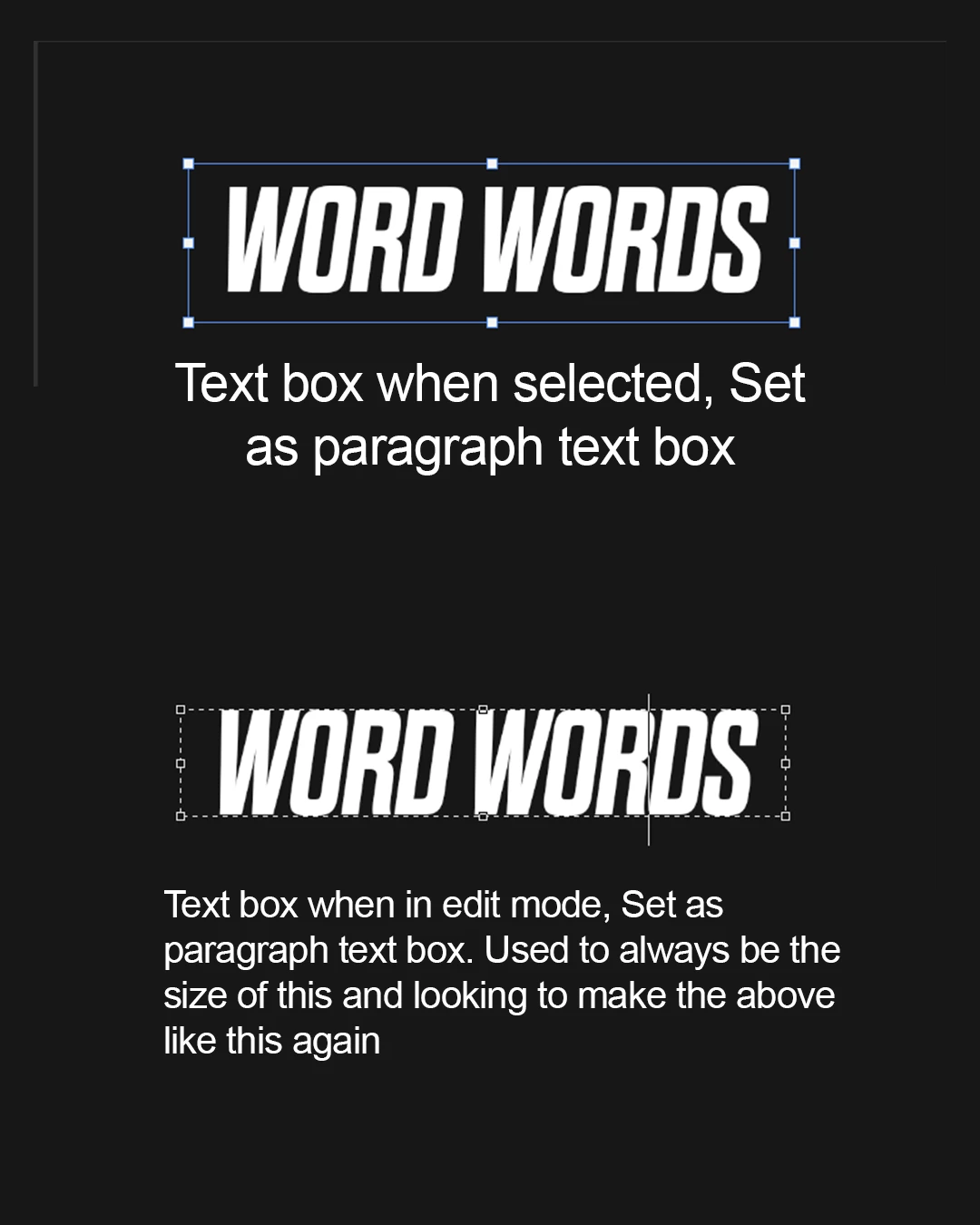
 

    2 replies

    Sameer K
    Community Manager
    Community Manager
    Oct 6, 2026 11:55 AM UTC

    Thanks for bringing this up. This behavior is likely related to one of the issues that the team is aware of. I am checking internally to see if it matches or needs to be investigated separately. Will follow up soon.


    Thanks!
    Sameer K
    (Type '@' and type my name to mention me when you reply)

    Translate
    Participant
    Oct 6, 2026 1:55 PM UTC

    ​@Sameer K I appreciate that thank you. Seems to be a bit of a by product of the Dynamic text feature. The only way i can seem to get the bounding box to stay the same size as it is in edit mode is converting it to Dynamic text block mode. i guess that is the new middle ground but slightly inconvenient in if its the new standard for box sizing  

    Translate