

Text in Smart Object cut off when warping
I have seen some similar, older questions on this, but none with a solution/answer so far.
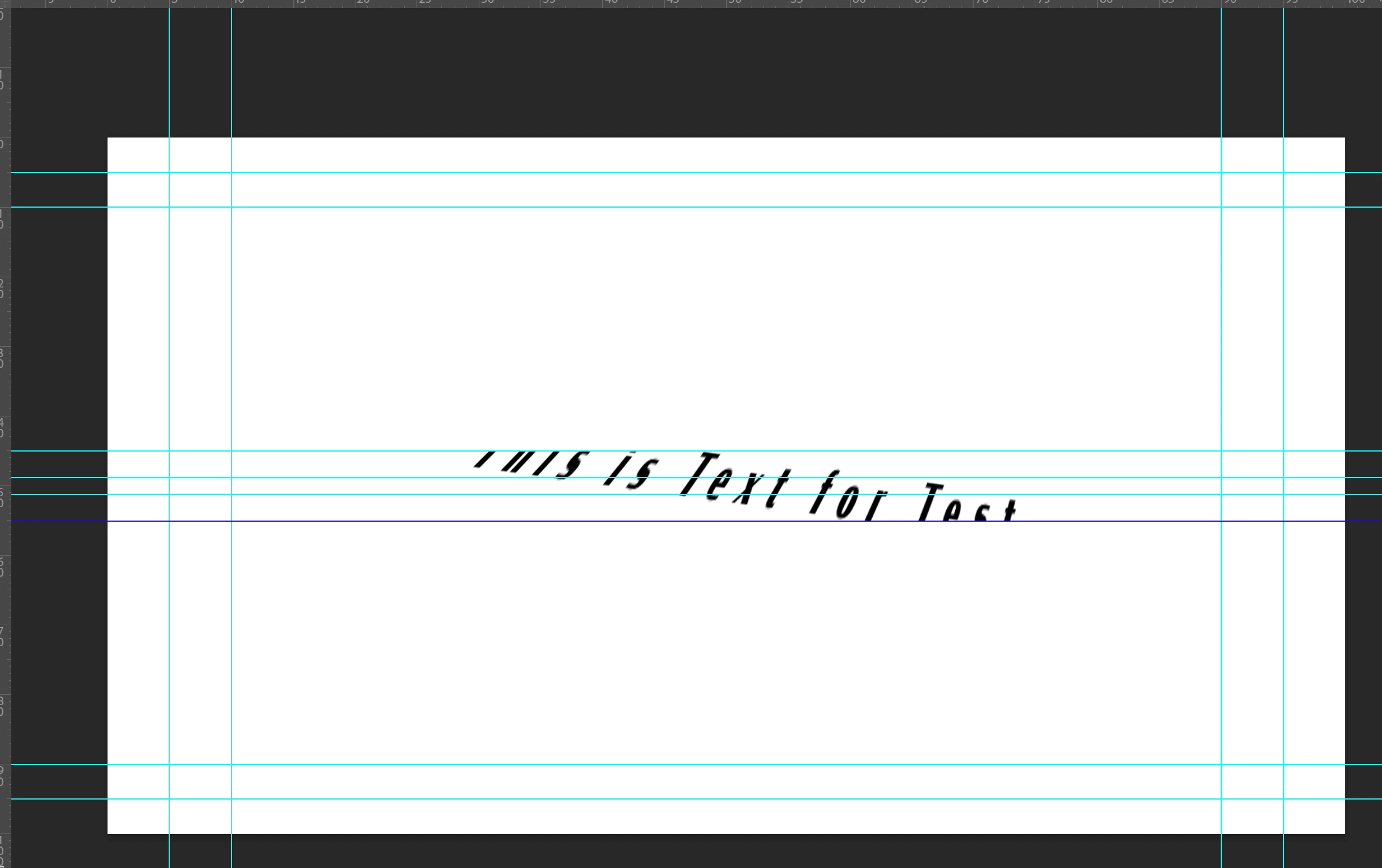
When creating a Smart Object from a Text layer, and then using Perspective Warp on that Smart Object, the text appears to cut off at a consistent boundary. (If rotating the Smart Object before the transform, this boundary also rotates.)
Adding another layer in the Smart Object - a shape, for instance - resolves this issue,
but once I set that shape's opacity to zero or turn the layer off the issue resumes.
Increasing canvas size of the Smart Object (via Crop tool) also does not resolve the issue.
It does not happen with other layers following similar steps, but DOES happen with a smart object that only contains a rectangle wider than it is tall.
To attempt to reproduce:
- Create Text Layer
- Convert to Smart Object
- Perspective Warp the Smart Object's top left corner up and inward a bit (see images).
I'm not sure how to affect or remove that boundary, or if I have missed some step or steps with this approach, or the whole idea is incorrect on my part.
Some example images showing the issue:
Smart object contents:
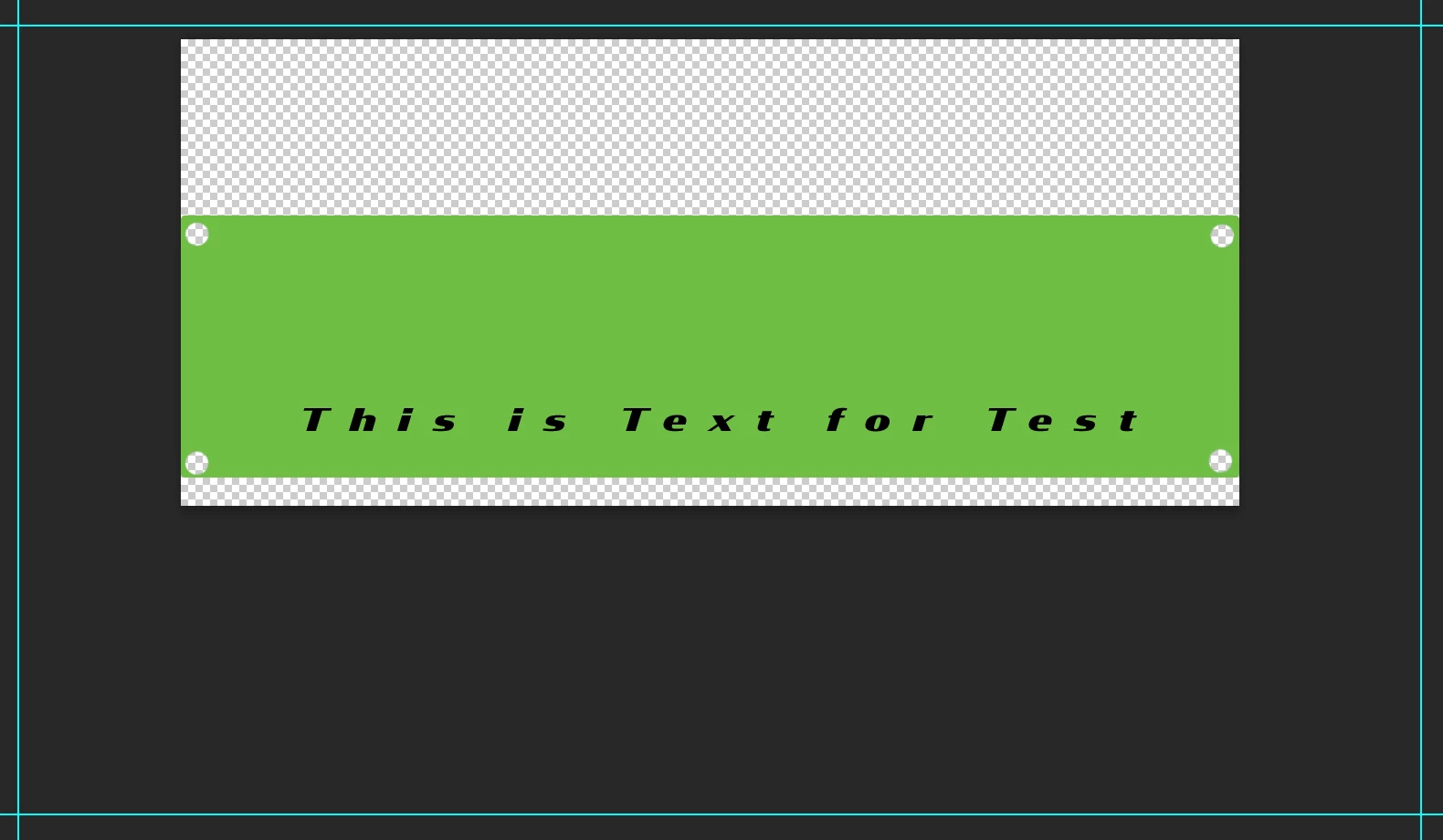
Text hitting boundaries top left, bottom right (center lines are text's top/bottom before perspective warp)
No boundaries hit by shape layer
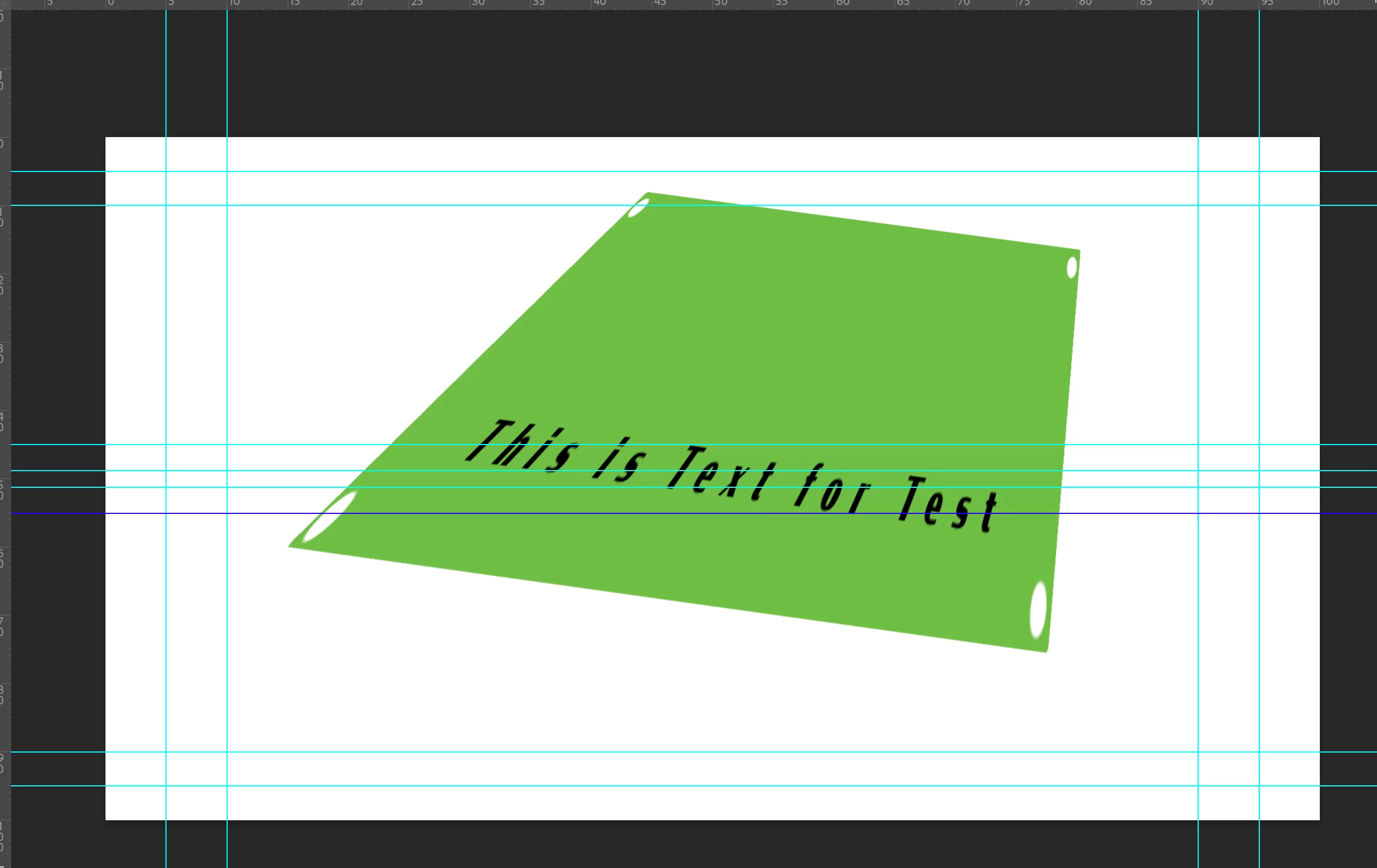
What I am ultimately trying to achieve:
Is to have a text layer inside the smart object with the text horizontal, and then be able to duplicate this smart object (linked) and warp/transform/etc the smart object into place in various locations within a single file.
Any guidance on this is appreciated!


 AdChoices