twinbrush
Inspiring
February 15, 2024
Answered

Text inside shape/path not working

  • February 15, 2024
  • 4 replies
  • 1164 views

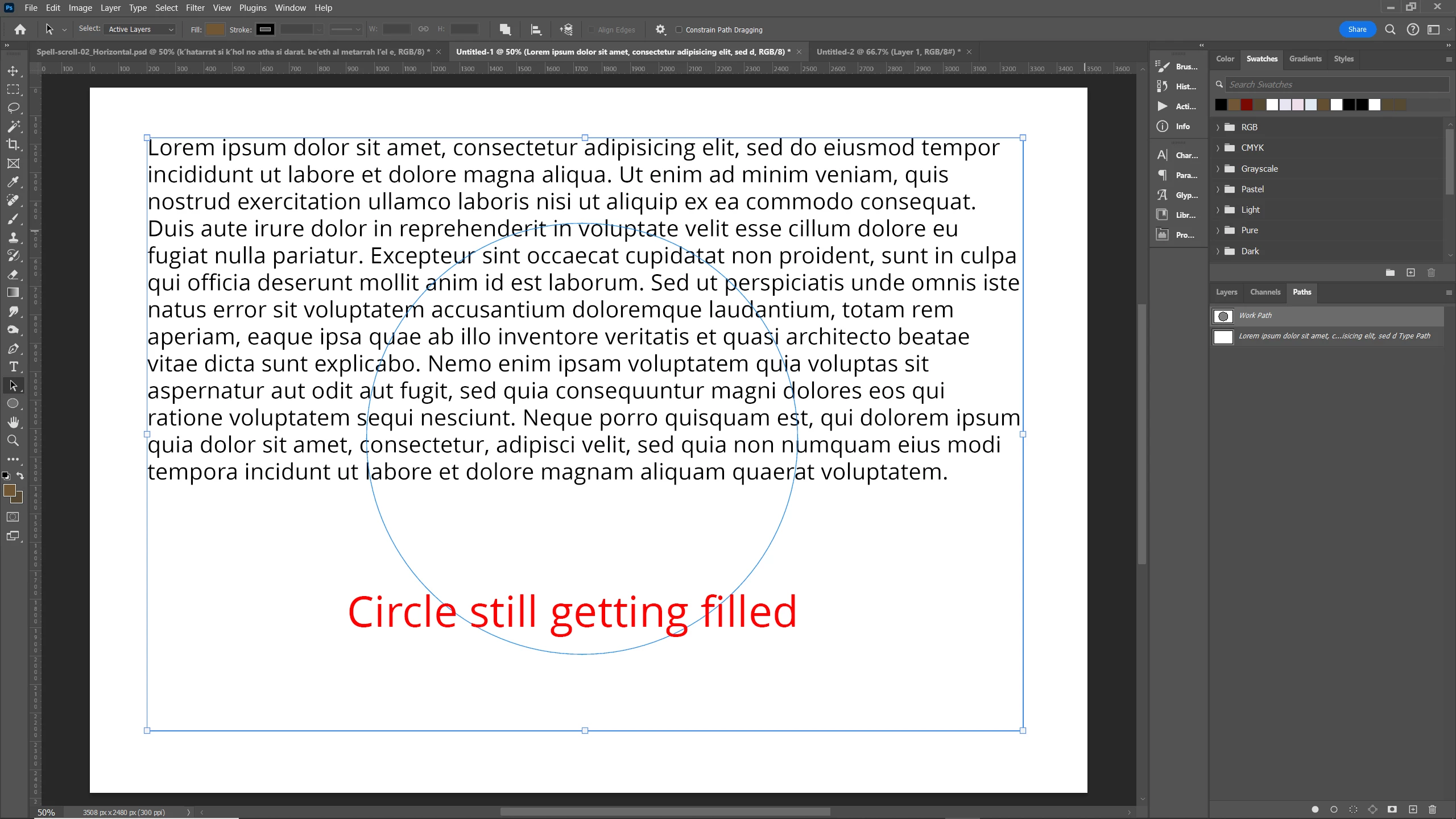
So, this is something I've done loads in the past, but for whatever reason I can't get it working (Photoshop 25.4) Perhaps its the shape of the path/shape I'm using here?....but if anyone can shed a little light on it, i'd be all ears. Bewildered as to why I can't get this working. 


Here's a quick run down of the process I've always used for this:

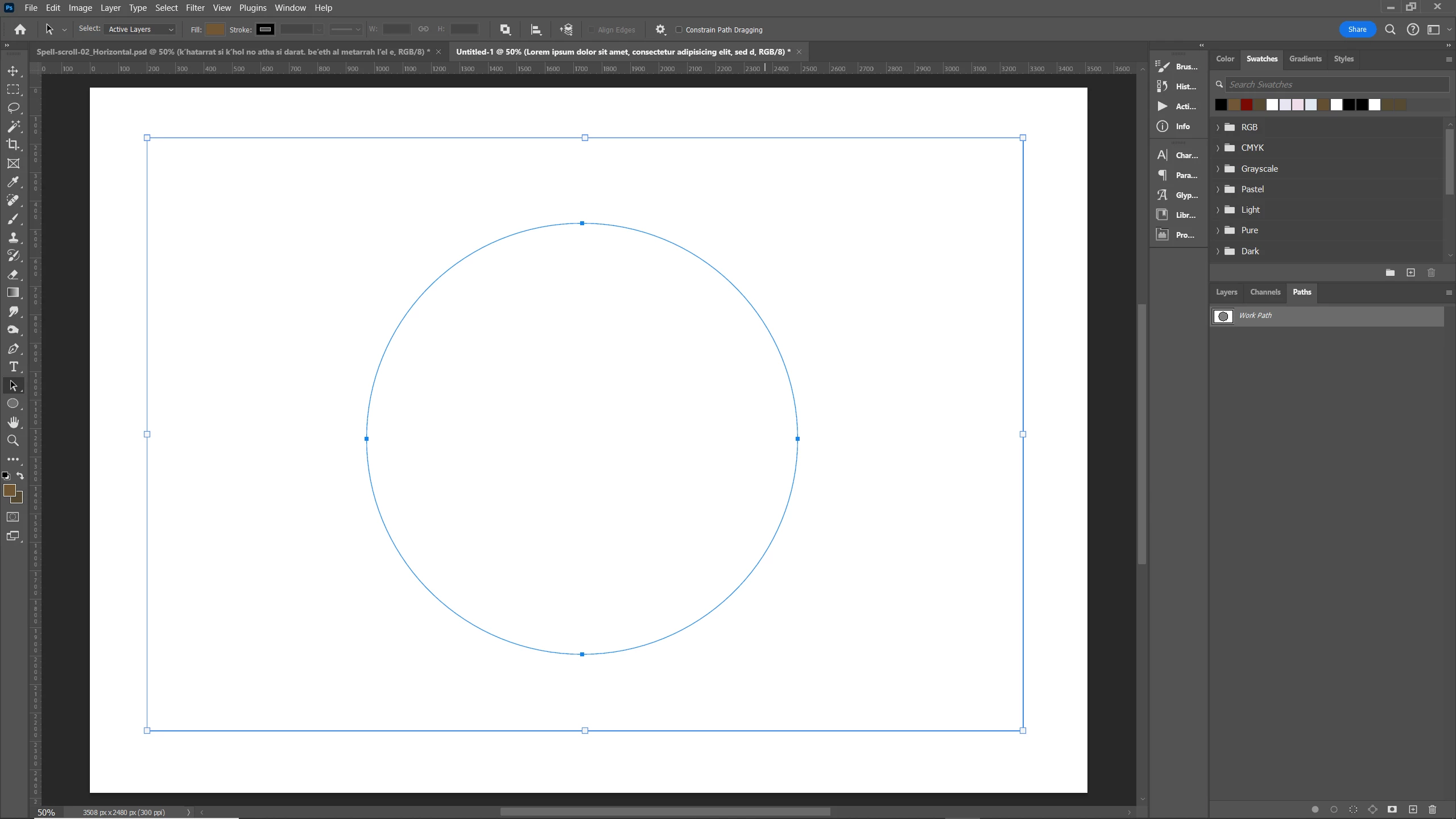
I've created the path i need (first drawing the rectangle, then the circle and making sure 'exclude overlapping shapes is selected). Select the type tool and click inside the path....job done....not this time however 😕😕
 

This topic has been closed for replies.
Correct answer Jeff Arola

Bojan,


Right you are. I guess in my haste i misread the post.


I did, however, remenber that davescm suggested a way, found the thread and it works in Photoshop 2024 (ps ver 25.4)

https://community.adobe.com/t5/photoshop-ecosystem-discussions/how-to-put-text-inside-shape-but-only-in-the-shape-in-photoshop/m-p/10858760


4 replies

Bojan Živković11378569
Community Expert
Community Expert
February 16, 2024

I believe OP's intention is to fill the rectangle while leaving the circle area empty. I encountered an issue with version 25.4 on Windows during my testing.

Merging shape components does not help. Filling the path with a solid color will produce the expected result.

Jeff Arola
Community Expert
Jeff ArolaCommunity ExpertCorrect answer
Community Expert
February 16, 2024

Bojan,


Right you are. I guess in my haste i misread the post.


I did, however, remenber that davescm suggested a way, found the thread and it works in Photoshop 2024 (ps ver 25.4)

https://community.adobe.com/t5/photoshop-ecosystem-discussions/how-to-put-text-inside-shape-but-only-in-the-shape-in-photoshop/m-p/10858760


twinbrush
twinbrushAuthor
Inspiring
February 16, 2024

That's awesome, cheers for the link Jeff. It would seem my initial thought that the type of intersecting path i was creating was the issue...in a sense its not a singular closed path when the circle is cut from it; that the shape needs to be treated almost like creating an old-school stencil. I'll have an experiment with this later. Fingers crossed and thanks all for the insight and time. Much appreciated! 

Jeff Arola
Community Expert
Community Expert
February 15, 2024

If you set the Path operations for the Ellipse to Intersect Shape Areas then it works


didiermazier
Community Expert
Community Expert
February 15, 2024

Same problem here. Also I notice that the text is not into the form but on a separate layer even if it fills the form.

Simple and easy Illustrator feature made horrible in Photoshop…

Ares Hovhannesyan
Community Expert
Community Expert
February 15, 2024

I can confirm that. Strange. Need to investigate and come back soon.