
Inspiring
March 8, 2024
Answered

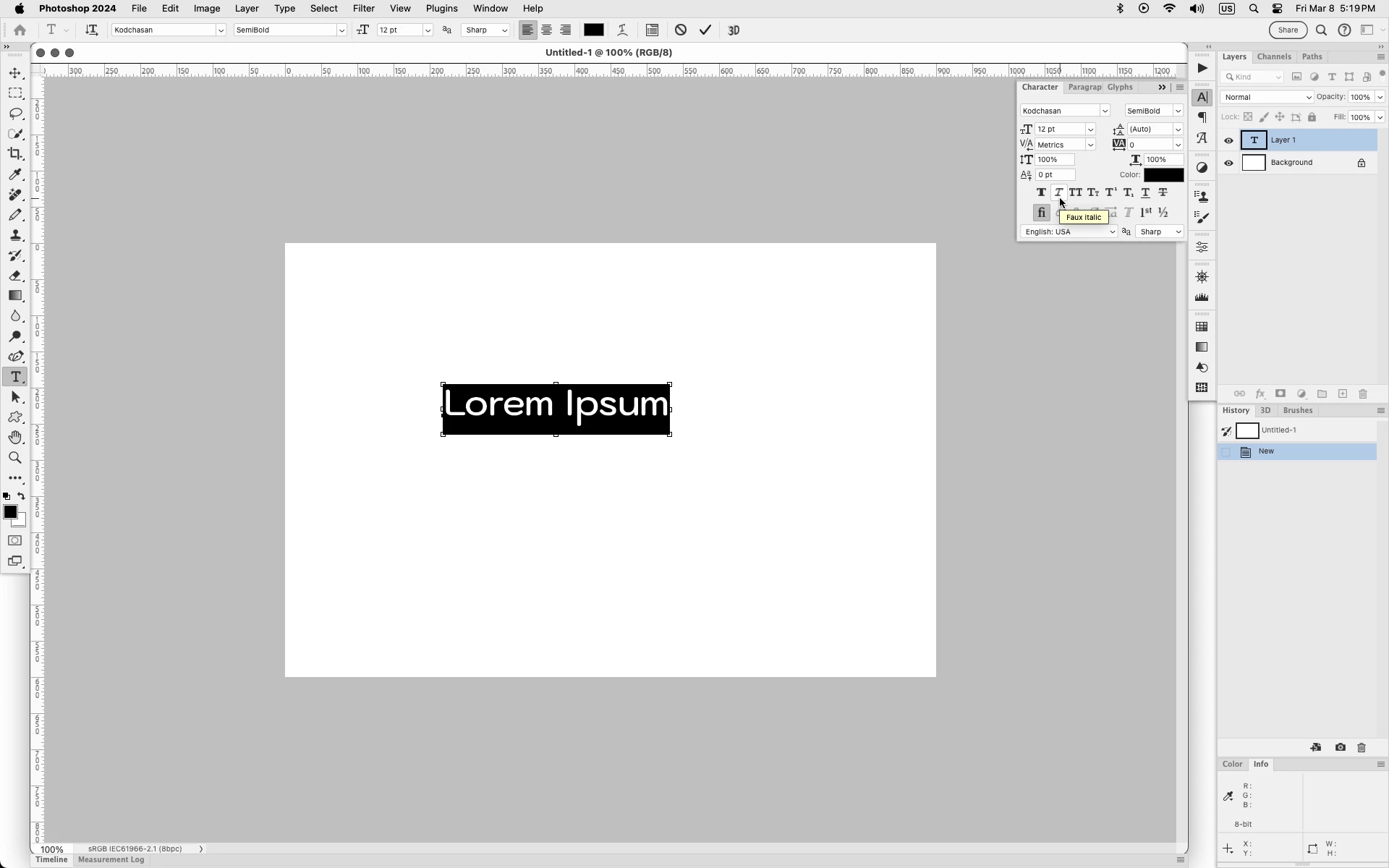
Text layer is always in italics!

  • March 8, 2024
  • 2 replies
  • 274 views

I noticed that there was a recent update to Photoshop desktop that affected text.  What I'm now observing is that all the text I type, for example a copyright notice on a photograph, is being created in italics.  This is despite the setting for the text that specify regular type in bold -- not italics.  Am I missing something that should be obvious but isn't?  Photoshop 25.5.1 on a Windows 11 Pro platform.
This topic has been closed for replies.
Correct answer Jeff Arola

In Photoshop go to Window>Character and see if Faux Italic is enabled.


2 replies

Bill JunkAuthor
Inspiring
March 8, 2024

It was set to italics.  I have not used italics in a long, long, long, long time.  There must be something in the most recent update that set it to italics.  I would never have thought to go to Window>Character.  Window is not an obvious place to look for something related to text.

Jeff Arola
Community Expert
Jeff ArolaCommunity ExpertCorrect answer
Community Expert
March 8, 2024

In Photoshop go to Window>Character and see if Faux Italic is enabled.