

VedaGirl
Known Participant
July 16, 2023
Answered

Text Tool Issue In Photoshop

  • July 16, 2023
  • 3 replies
  • 705 views

When I clicked on the text tool in the toolbar to use it in Photoshop this is what happened after I was done typing 
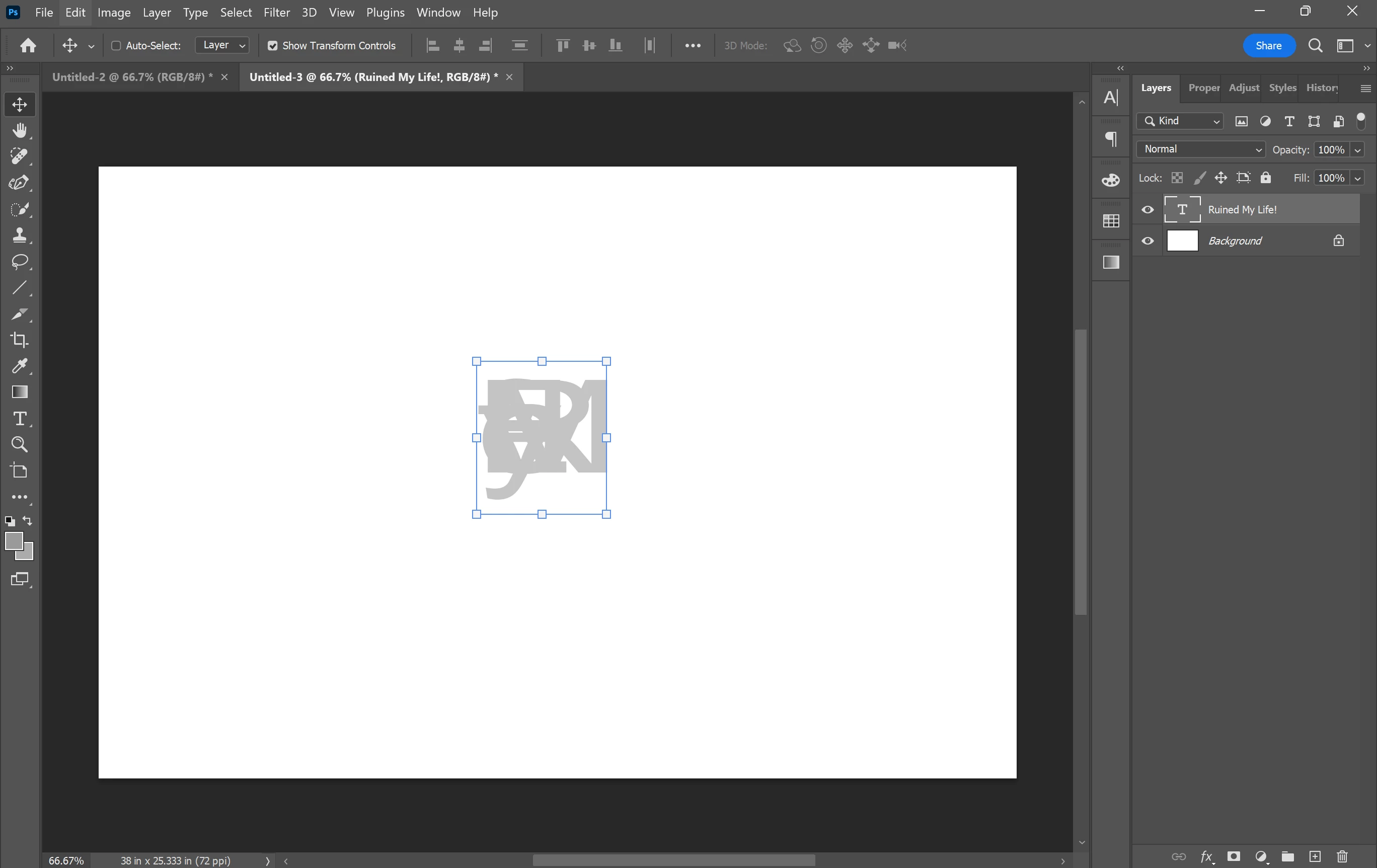


Then when I tried to just type one letter or two the letters showed upside down and on top of each other as well as backwards, This is frustrating and I would love to know how to get my text back to normal so if ANYONE knows how please comment down below ASAP! Thanks!

This topic has been closed for replies.
Correct answer pixxxelschubser

Try it again, but with text selected.

3 replies

barbara_a7746676
Community Expert
Community Expert
July 17, 2023

As others have suggested, the tracking might be set to a negative value. In the Character panel, reset the tracking value to zero, which is the default.

VedaGirl
VedaGirlAuthor
Known Participant
July 17, 2023

I tried resetting the character and it didn't work here's a ss with the character tab open and showing


Veda Fox
pixxxelschubser
Community Expert
pixxxelschubserCommunity ExpertCorrect answer
Community Expert
July 18, 2023

Try it again, but with text selected.

Bojan Živković11378569
Community Expert
Community Expert
July 17, 2023

Try resetting tracking from Window > Character panel as suggested above or reset Character panel from Character panel menu (hamburger icon in the top right corner).

pixxxelschubser
Community Expert
Community Expert
July 16, 2023

Please show a screenshot with selected characters and visible Character Panel.

Maybe this value is set incorrectly?