
ORE
Participant
February 1, 2024
Question

The certificate problem keeps popping up
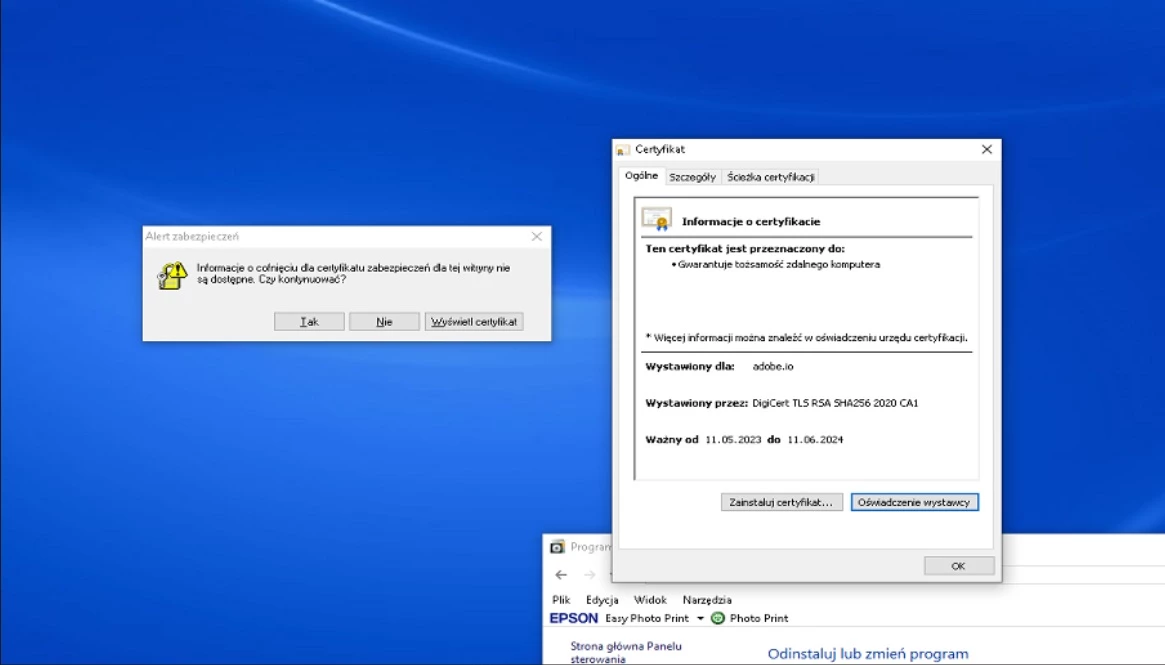
  • February 1, 2024
  • 2 replies
  • 417 views


I have a problem, I keep getting the message on the left saying "Revocation information for the security certificate for this website is not available. Should I continue?" -I restarted the adobe applications - I updated everything -I have up-to-date Windows - I installed the certificate as shown on the right - my default browser is google chrome Unfortunately, the error still occurs and a message pops up about every 2 minutes, which is irritating while working, how can I fix it?


2 replies

Participant
June 14, 2025

I'm seeing this also - when i reboot my computer.  Did you find a solution? I am concerned that it's not a 'real' message - it's so hard to tell these days. 

Anshul_Saini
Community Manager
Community Manager
June 25, 2025

Hi @NatalieRC,


Sorry for the trouble. That constant certificate prompt is definitely disruptive.


Usually, the certificate should install automatically in the background. You can safely cancel that pop-up, then try the steps in the following help article to resolve licensing and certificate issues:

https://adobe.ly/443g9fv


Let us know if it continues after that. We’re here to help!


Best,

Anshul

techvt
Participant
February 6, 2024

Same here on at least 5 PCs I've heard about so far that just started today...anyone got a fix yet?