
The colors suddenly fail. Urgent help.
Hi, I would like to ask for help because something very strange is happening to me since this morning.
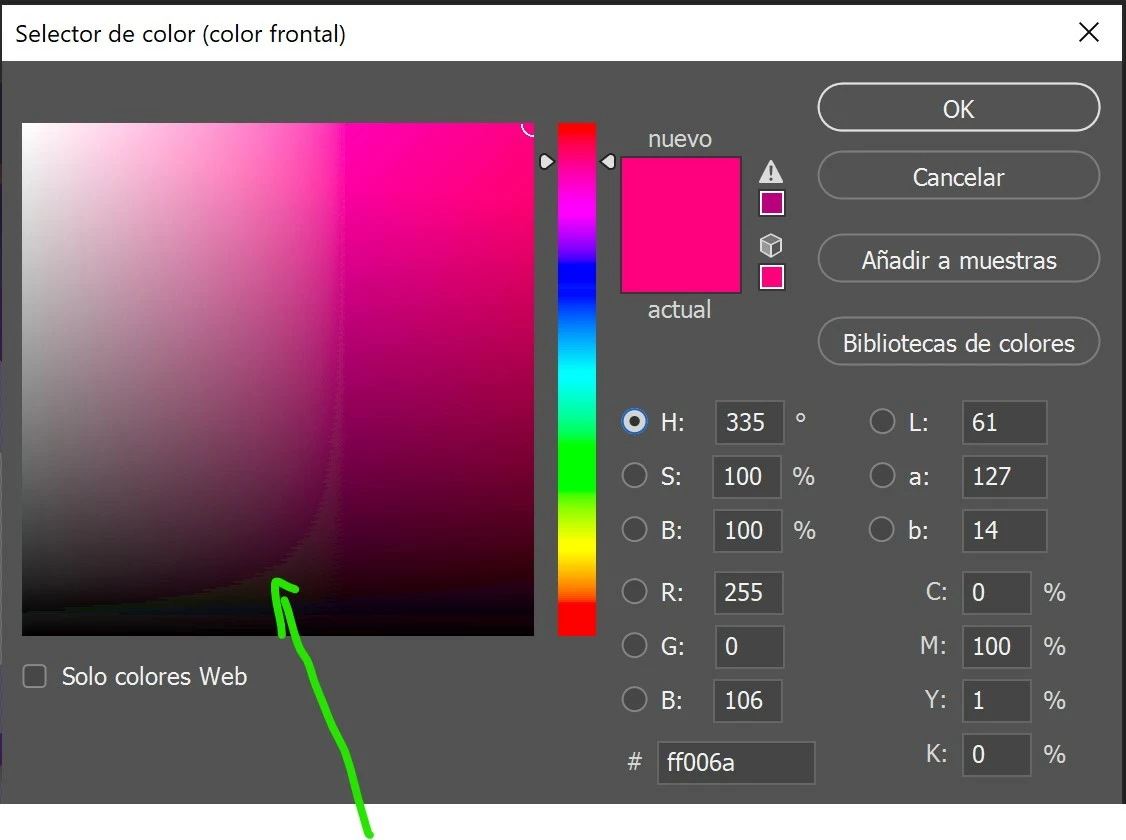
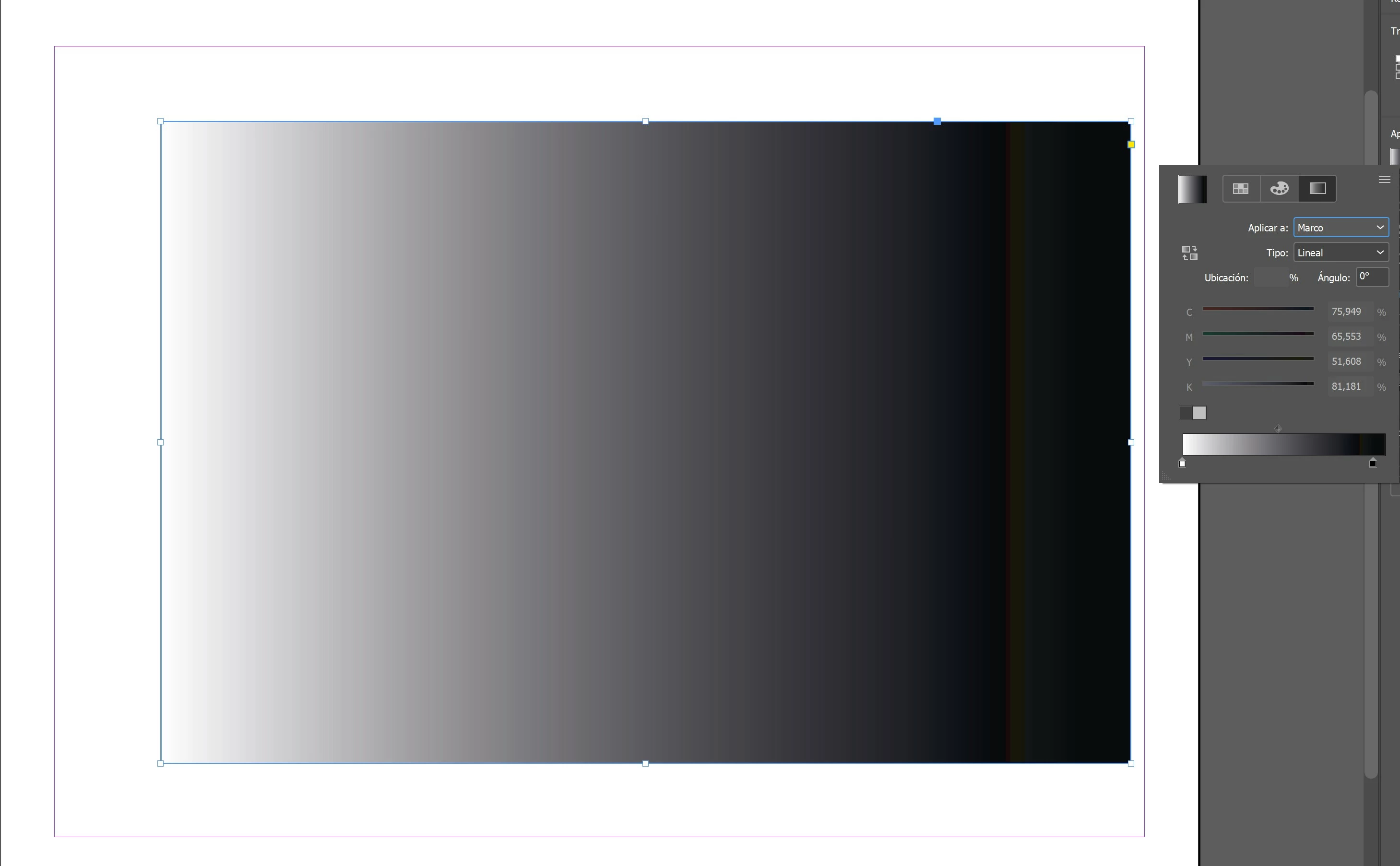
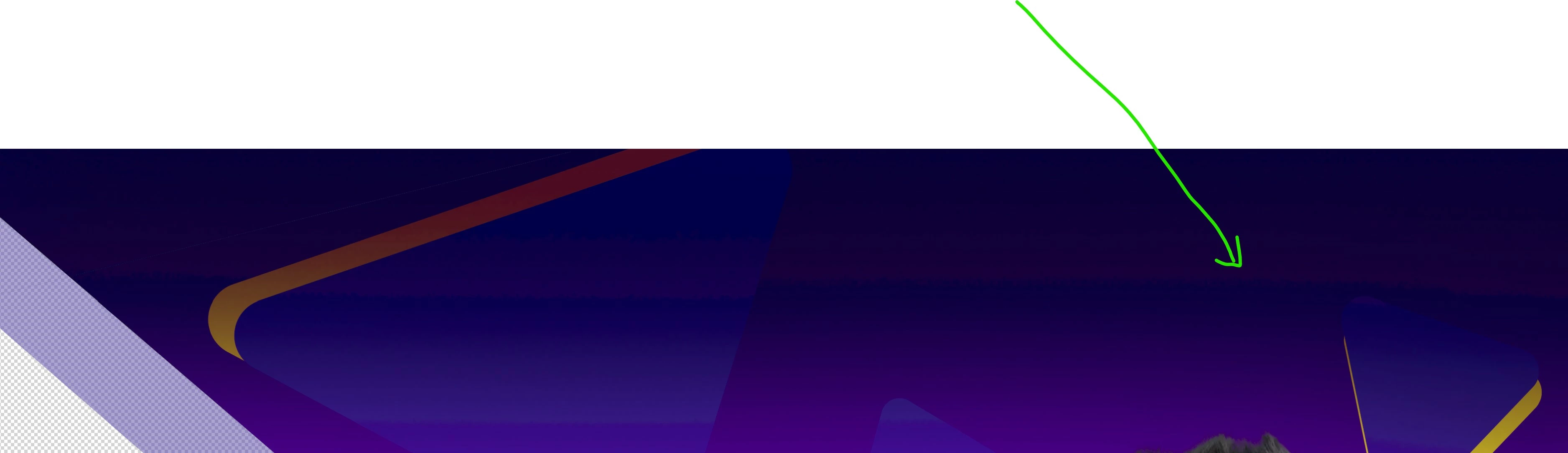
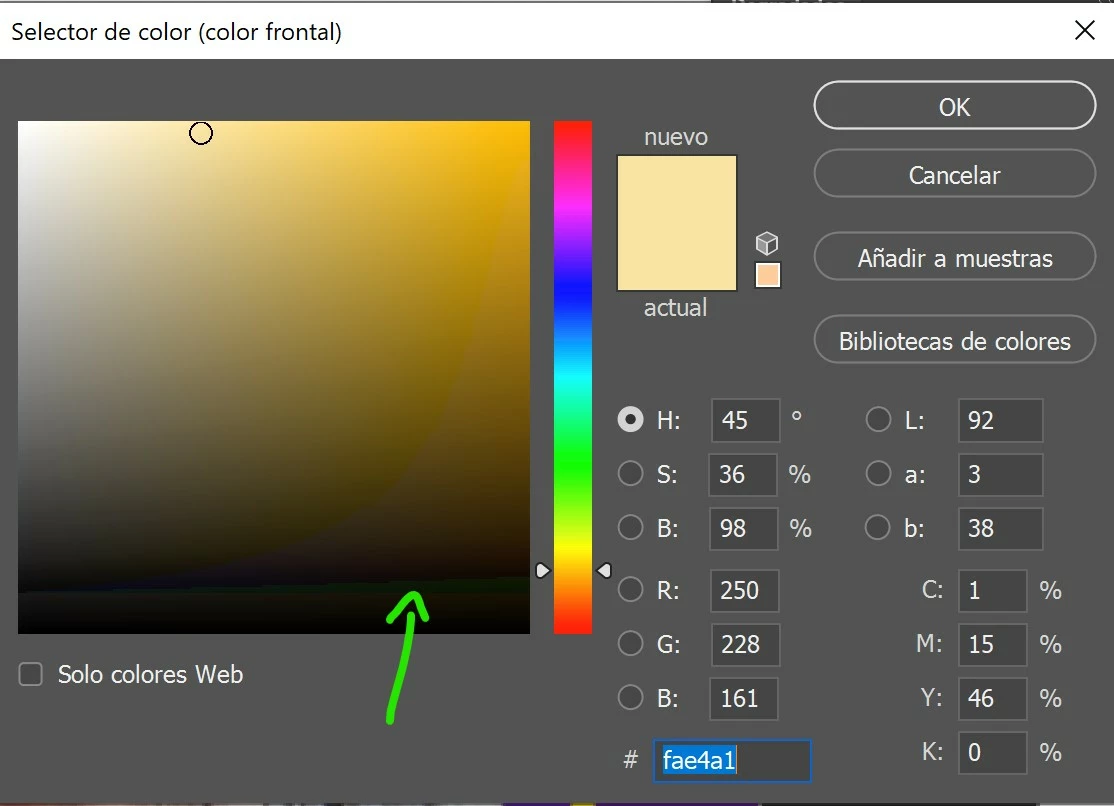
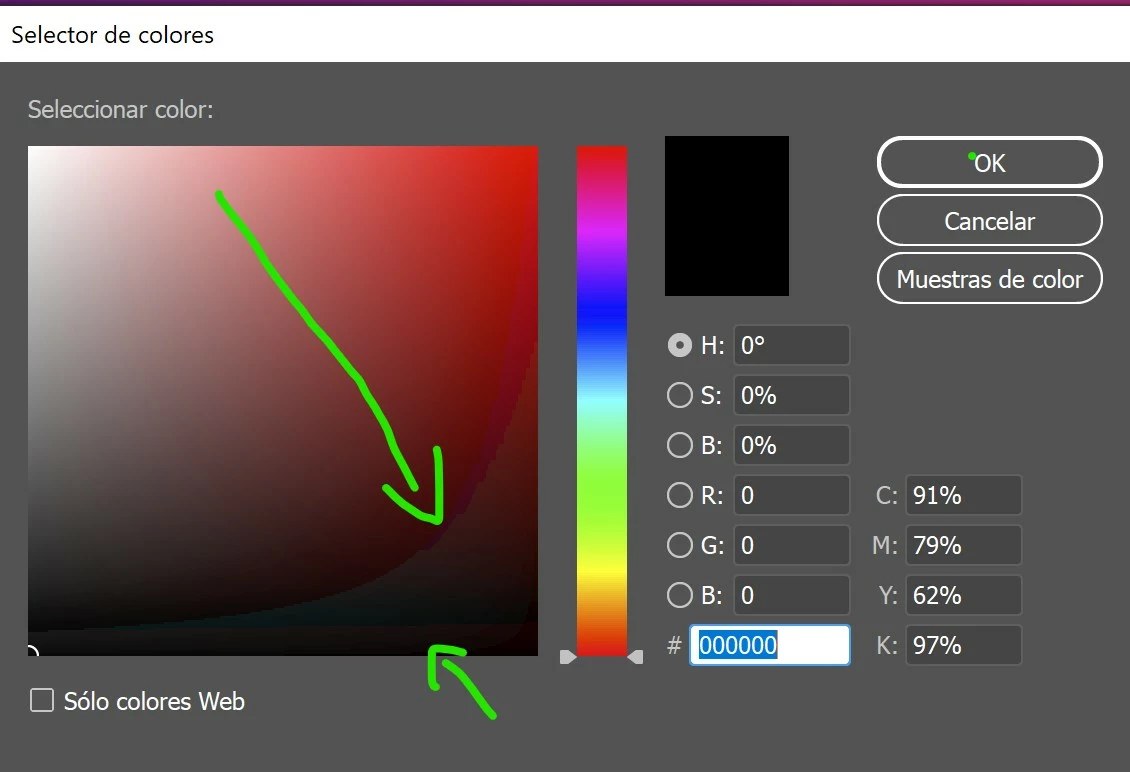
Suddenly, when opening photoshop I realized that I was not showing all the colors in the picker or at the work tables themselves, it's like missing color depth or something (*see attached captures).
After a while trying different things I could not solve it. Then I read that it is probably due to my color profile in windows. I have a gigabyte AERO 15 that is factory calibrated by X-Rite Pantone and this had never happened to me. To make sure it was due to this, I opened illustrator and exactly the same thing happens, the colors don't show well.
As I said, this did not happen yesterday, I don't know what could have happened suddenly so that when starting adobe applications, the color profile of my screen does not load well and the colors do not appear correctly. As I say, the error arises in the process of opening apps, whether photoshop, illustrator or indesign, something has begun to fail suddenly in that process that did not fail yesterday. I have tried to uninstall the apps and reinstall them, same with the nvidia drivers, change the default color profile on windows and put it back but nothing solves the problem.
I have tried all kinds of things and the only thing that works is to put the screen with the SRGB color profile on windows and once photoshop or illustrator is open, switch back to my XRITE calibrated profile. In this way all the colors are shown well like yesterday but I DON'T WANT TO DO THIS ALWAYS THAT I WANT TO OPEN THE APPS BECAUSE IT IS TEDIOUS AND A GREAT TIME LOSS.
So please... Can anything be done to fix it? Please, my work and my life depend on this. Thank you.


 AdChoices