
Inspiring
October 21, 2024
Answered

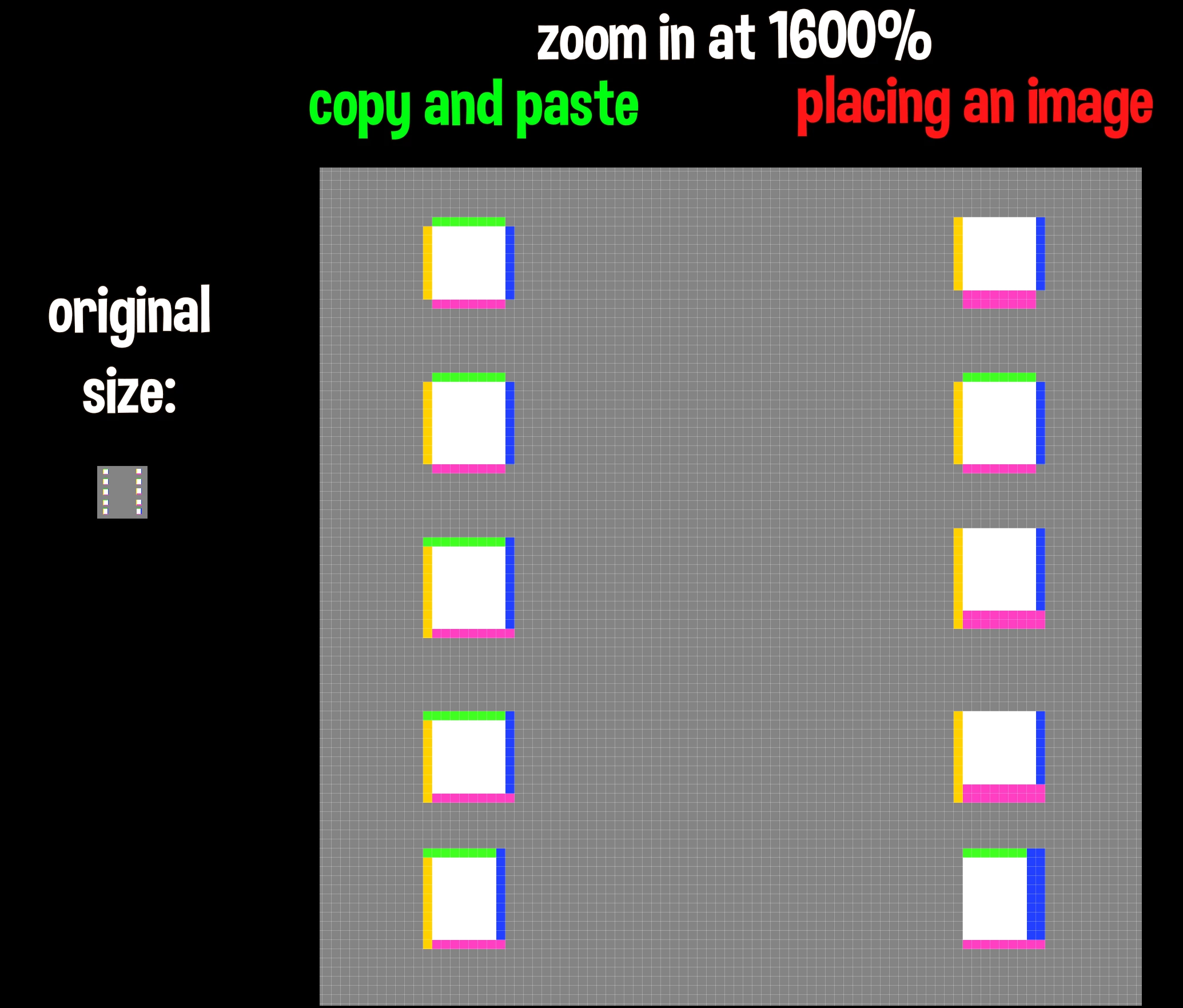
the edges of placed image will shift 1 px right and/or down

  • October 21, 2024
  • 3 replies
  • 226 views

When placing an image as a new layer, the edge shifting happens 99% of the time
it will cut off the top and/or left 1 px of that image

and add 1 extra pixel to the right and/or bottom
As i work with pixel graphics (pixel game assets) , 1 px shift is MASSIVE

the only way to avoid is to open the image in photoshop, use copy and paste into a new layer

It has been occuring for quite sometime now (i am 100% sure this didn't happen like 5 years ago)


Adobe Photoshop Version: 23.5.5 20230311.r.1103 ffdd19f x64
Number of Launches: 706
Operating System: Windows 10 64-bit
Version: 10 10.0.19045.5011

Correct answer Nguyễn Phương

A year of suffering the issue, now i found out it is because of smart object on odd pixel value, it will be placed in half pixel position.  if you double click on the smart object the image you import is not shift any pixel. Solution: turning off “Always create smart objects when placing”

3 replies

Nguyễn Phương
Nguyễn PhươngCorrect answer
Participant
March 18, 2026

A year of suffering the issue, now i found out it is because of smart object on odd pixel value, it will be placed in half pixel position.  if you double click on the smart object the image you import is not shift any pixel. Solution: turning off “Always create smart objects when placing”

Inspiring
October 22, 2024


Jeff Arola
Community Expert
Community Expert
October 21, 2024

What happens if you do a Select>All before placing?