Inspiring
August 15, 2025
Answered

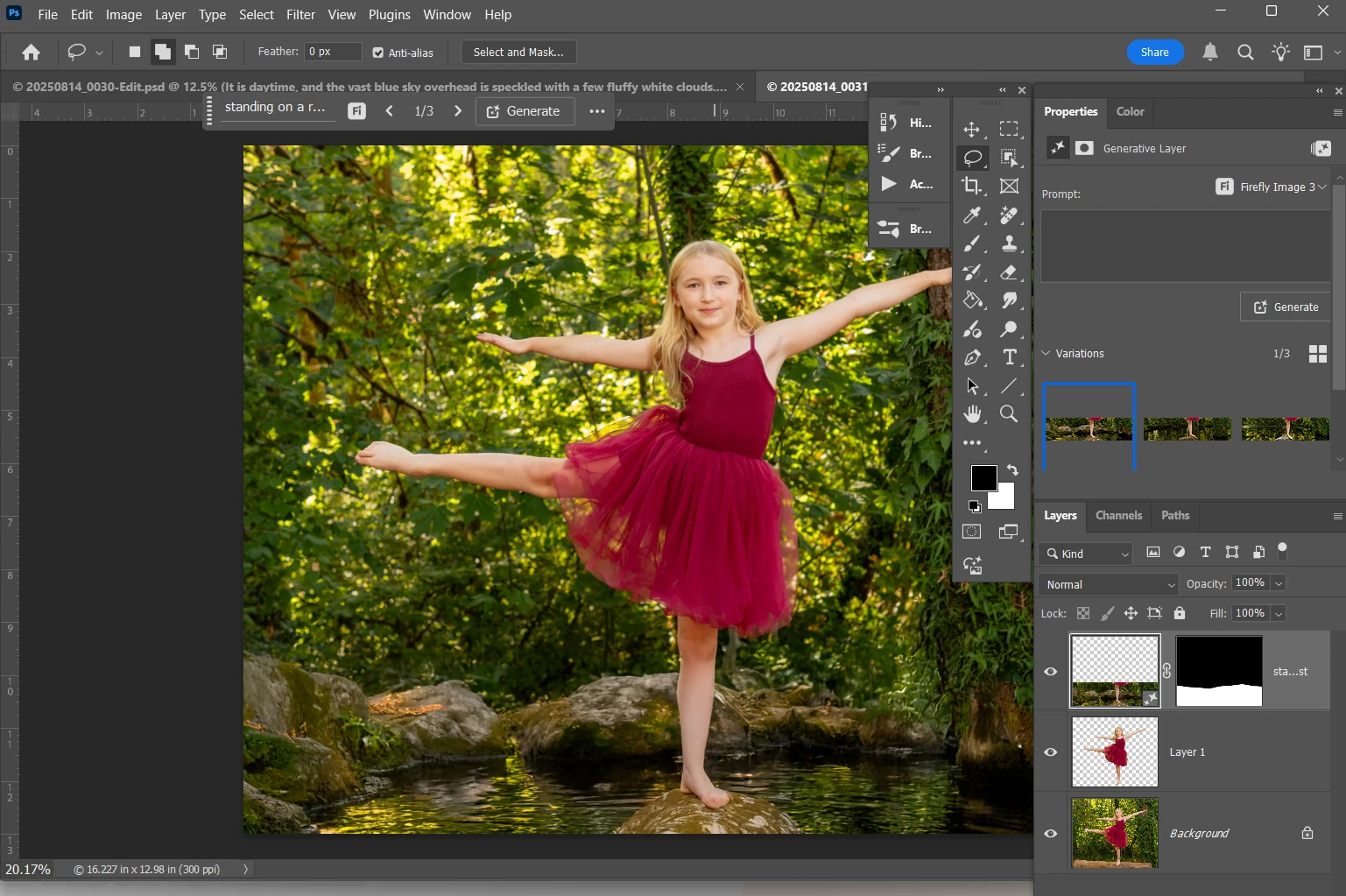
the Generative layer prompt is not showing context after generating an image in PS 2025

  • August 15, 2025
  • 4 replies
  • 199 views


Correct answer Davidhi1

I solved the problem. My properties colomn was not extended enough to show the entire prompt window. Once I widened it to show the entire prompt window, it worked!

4 replies

Davidhi1AuthorCorrect answer
Inspiring
August 19, 2025

I solved the problem. My properties colomn was not extended enough to show the entire prompt window. Once I widened it to show the entire prompt window, it worked!

Davidhi1Author
Inspiring
August 16, 2025

Same thing is happening on my Dell LT. Same version of PS

Davidhi1Author
Inspiring
August 16, 2025

Adobe Photoshop Version: 26.9.0 20250724.r.15 b15e8a4 x64 (final, Release)
Number of Launches: 369
Operating System: Windows 11 64-bit
Version: 11 or greater 10.0.26100.4946
System architecture: Intel CPU Family:6, Model:7, Stepping:1, AVX2, AVX-512, HyperThreading
Physical processor count: 6
Logical processor count: 12
Processor speed: 2592 MHz
Built-in memory: 32529 MB
Free memory: 20852 MB
Memory available to Photoshop: 24999 MB
Memory used by Photoshop: 70 %

CMass
Legend
August 16, 2025

Hey @Davidhi1

I'm able to see the prompt in both places in Ps 26.9. Can you share the exact version of the version you're using? You can find it by going to Help > System Info, then copying and pasting it into a text file to attach here. This will help us look into it further.


^CM
