
Participant
Jun 7, 2025 1:04 AM UTC
Question

The lastest Photoshop have a shortcut not working problem

Hi, after I install my latest version Photoshop application, I find all the Photoshop default shortcut are cleared. I always use default shortcut during my work. I don't know how to recover the default shortcut.
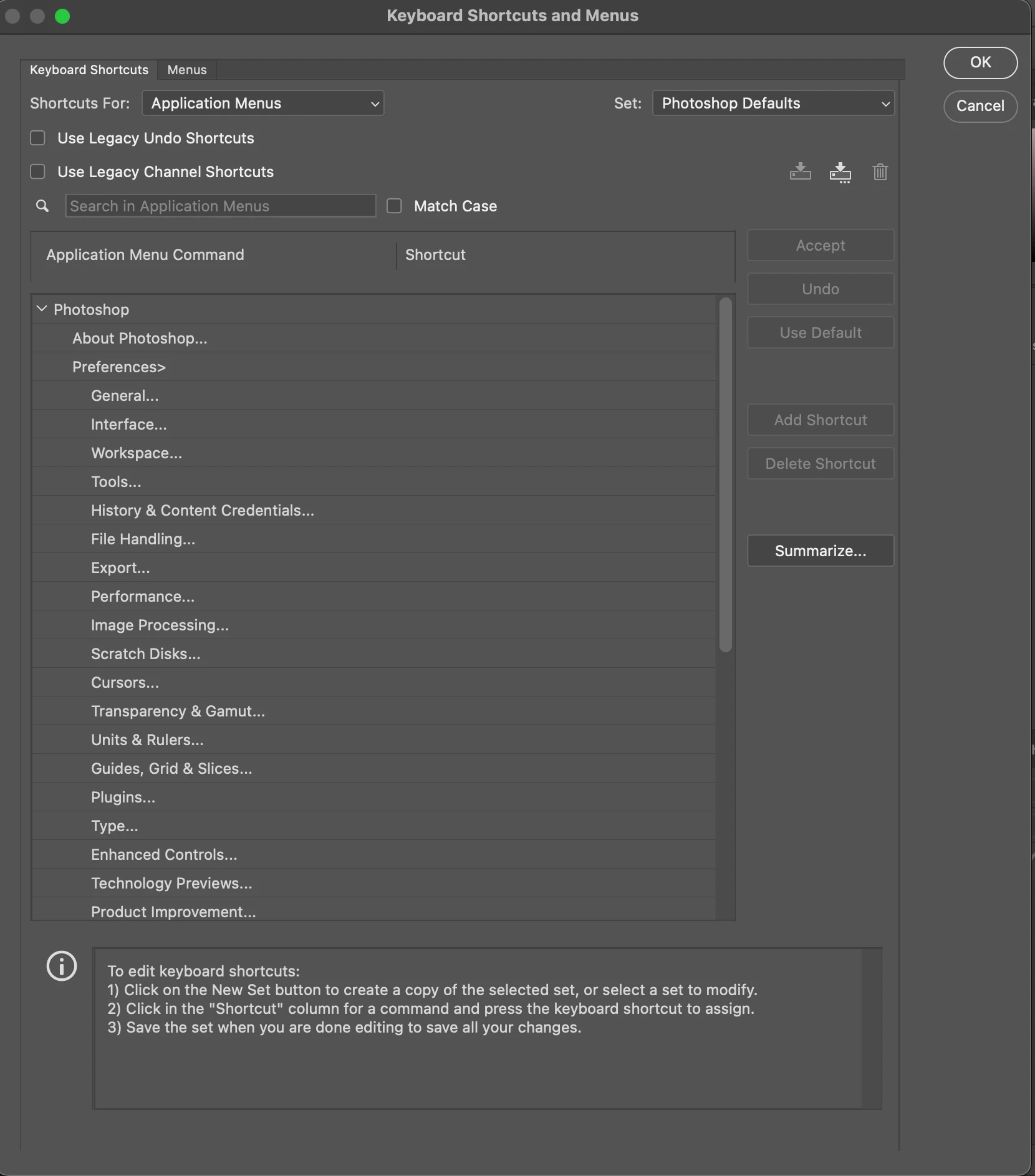
Please help me! I don't want to set the shortcut one-by-one base on my memory.


Thank you so much!

4 replies

c.pfaffenbichler
Community Expert
Community Expert
Jun 8, 2025 2:28 PM UTC

That does seem mystifying; do you have access to another installation (a previous version or a different computer) where you could save the default shortcuts as a .kys-file? 

Translate
WuYunJieAuthor
Participant
Jun 8, 2025 10:50 AM UTC

Hi, thank you for your reply!


I've tried this solution but it's still not work on my Photoshop.


And I have even uninstalled my Photoshop and reintalled, it not work as well.


Best.

Translate
WuYunJieAuthor
Participant
Jun 7, 2025 6:09 AM UTC

Hi, thank you for your reply!


I've tried this solution but it's still not work on my Photoshop.


And I have even uninstalled my Photoshop and reintalled, it not work as well.


Best.

Translate
Bojan Živković11378569
Community Expert
Community Expert
Jun 7, 2025 4:44 AM UTC

Have you tried resetting preferences? That’s the first thing that comes to my mind. Just be aware that unsaved presets and actions will be lost.

Preferences in Photoshop


Translate