
The new Clarity and dehaze adjustment misbehaves with 16-bit images
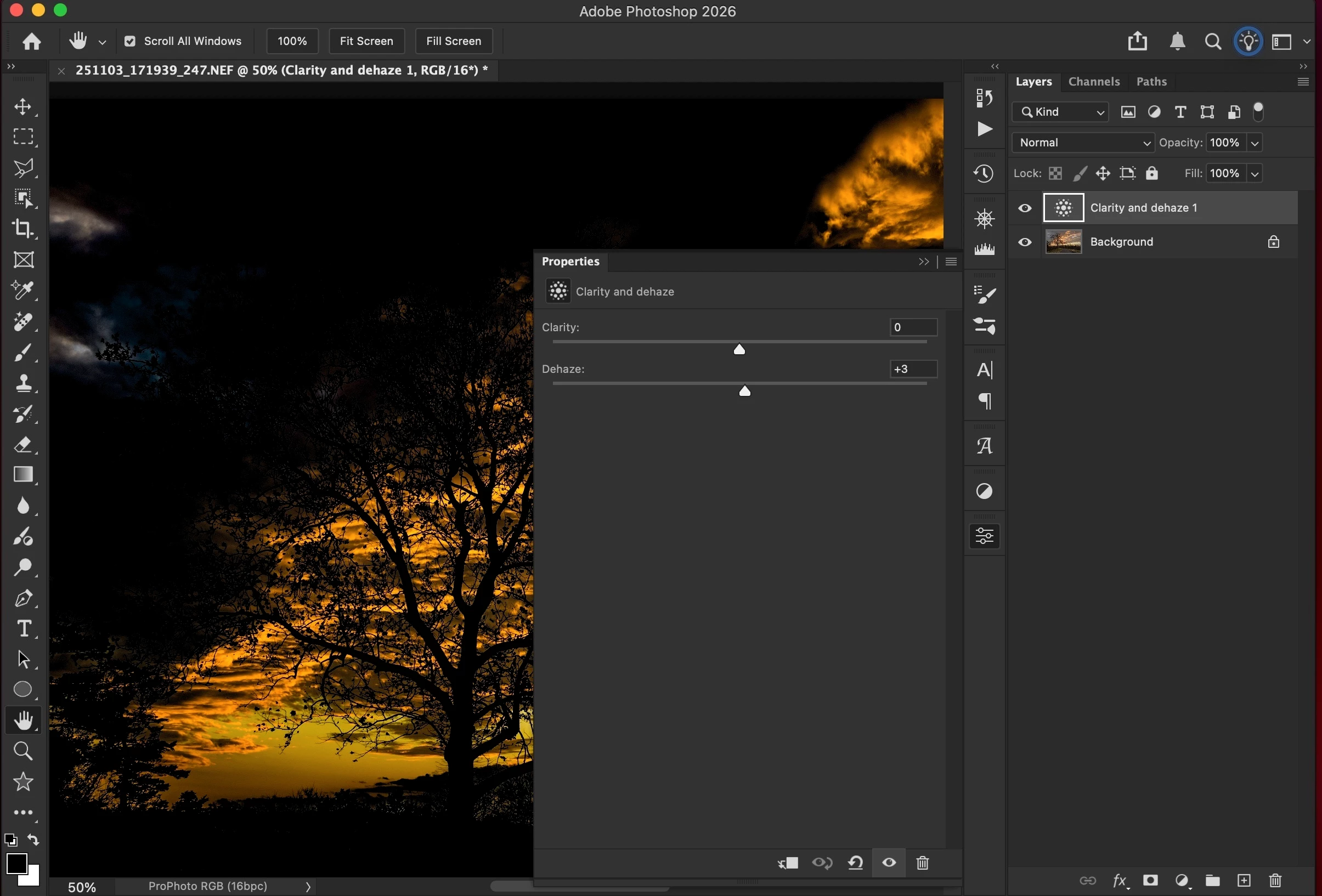
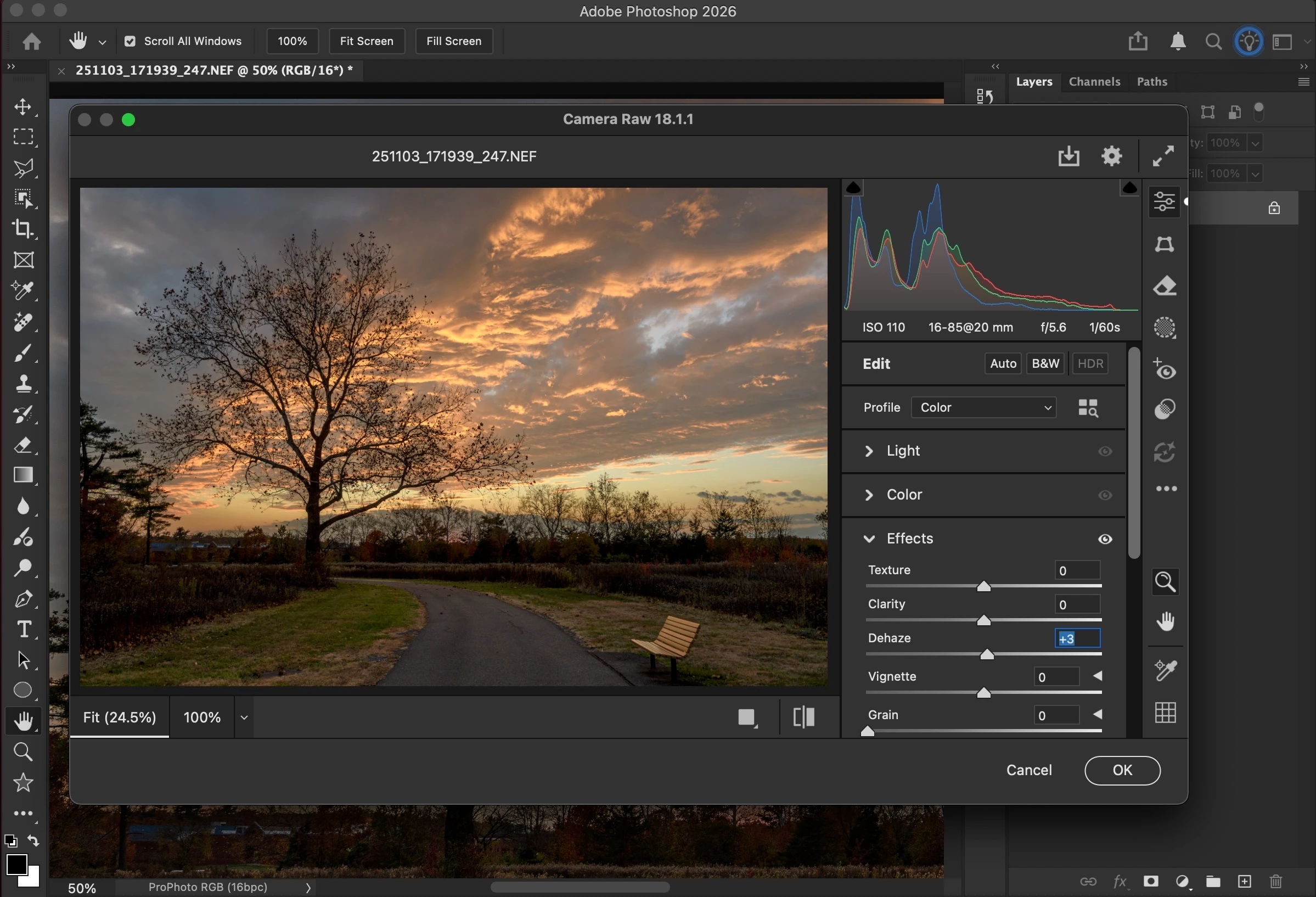
When I open a 16-bit ProPhoto RGB image in Photoshop and add a Clarity and dehaze adjustment layer the Dehaze function wildly over processes the image in comparison to what Dehaze would do in Camera Raw (as a Filter) or what it would do back in Lightroom with the same image.
Converting the image to 8-bit in Photoshop and then adjusting Dehaze gives the behavior I would expect.
** Science bit
OS: macOS 15.7.3 (24G419)
Mac: Apple M1 Max based Mac Studio (2022)
Photoshop: 27.3 and 27.3.1
Lightroom Classic : 15.1.1
** Screenshots
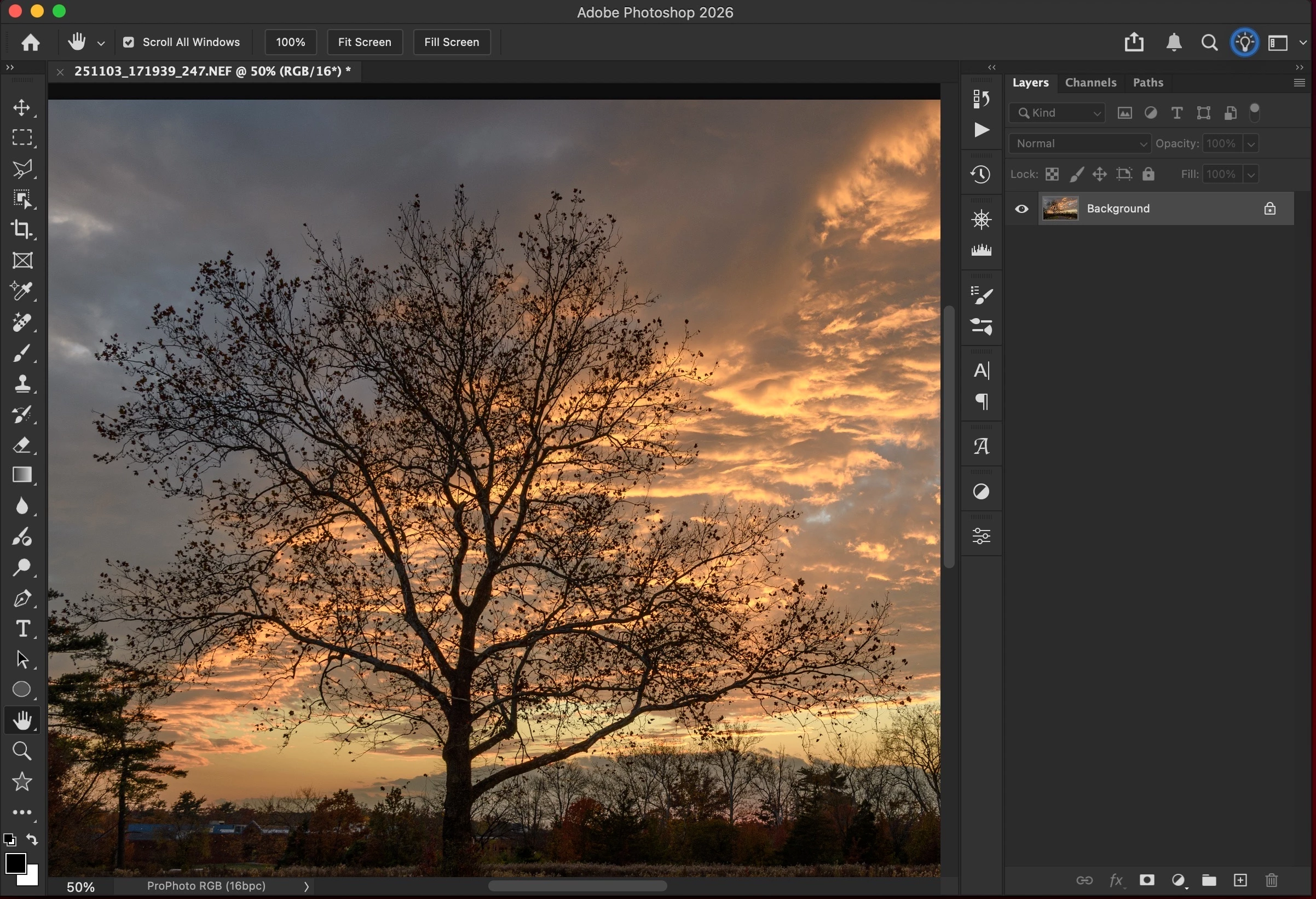
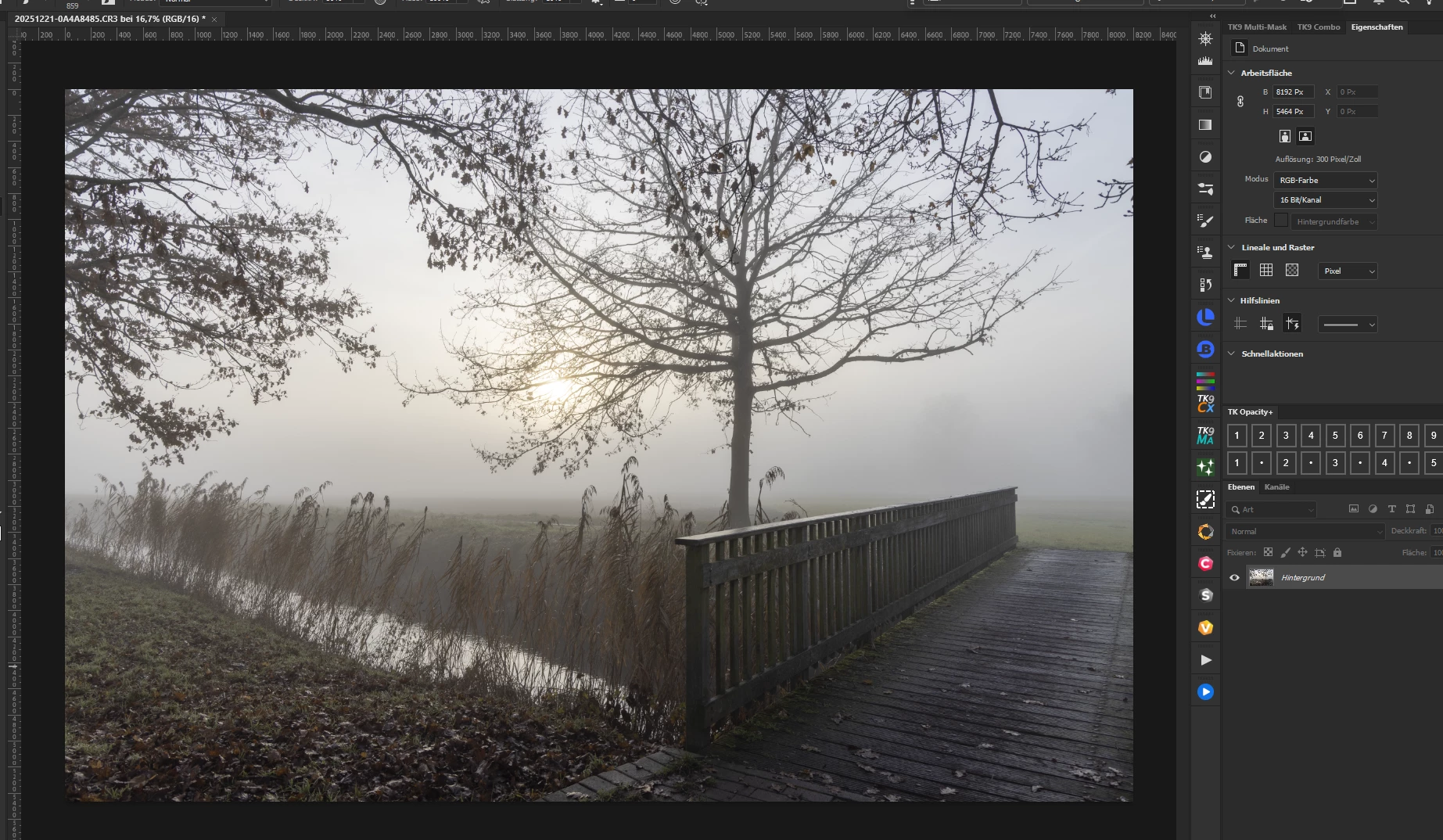
Here is the image in Photoshop prior to any edits (just LRC processing and then Edit In Phoshop…)
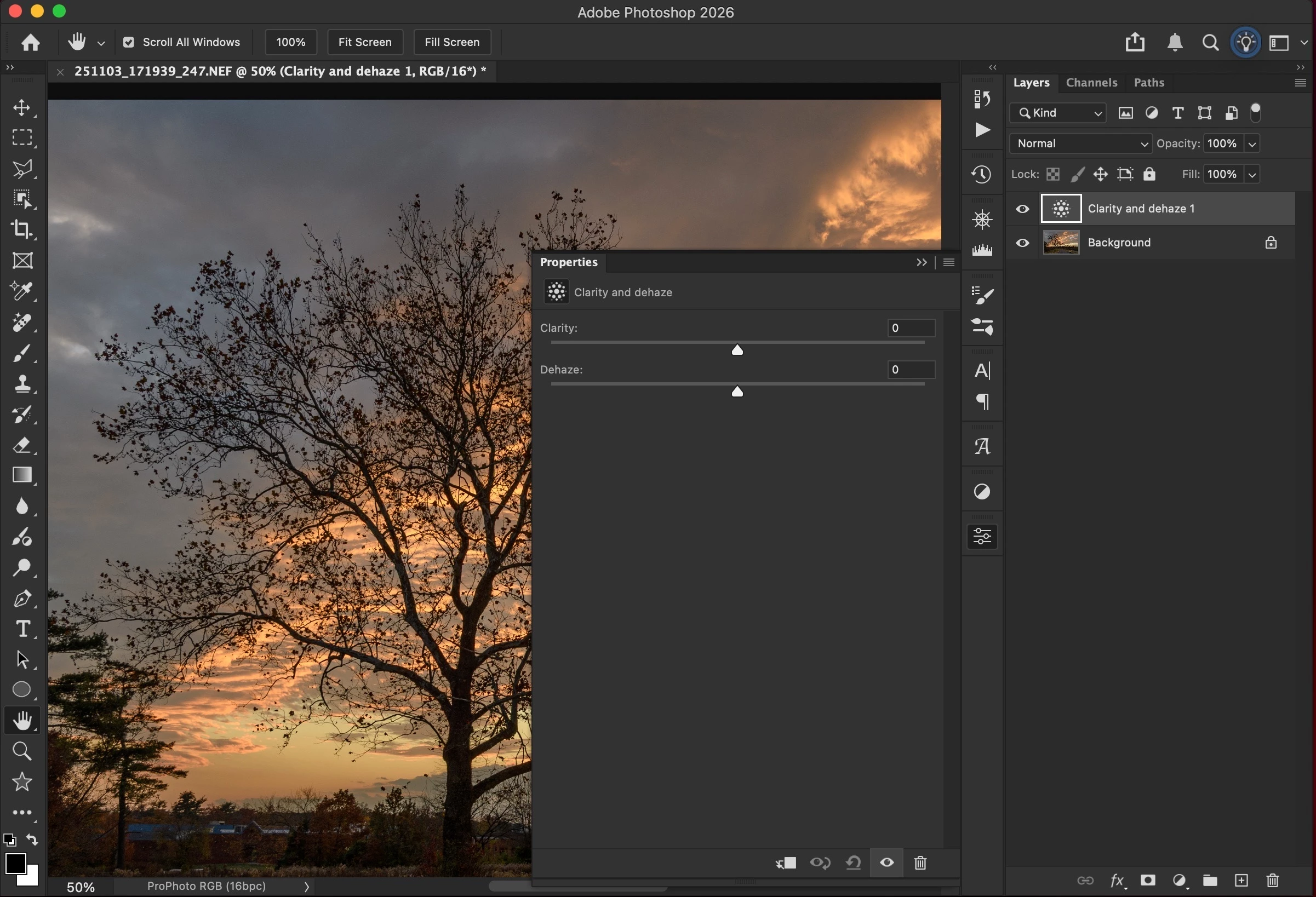
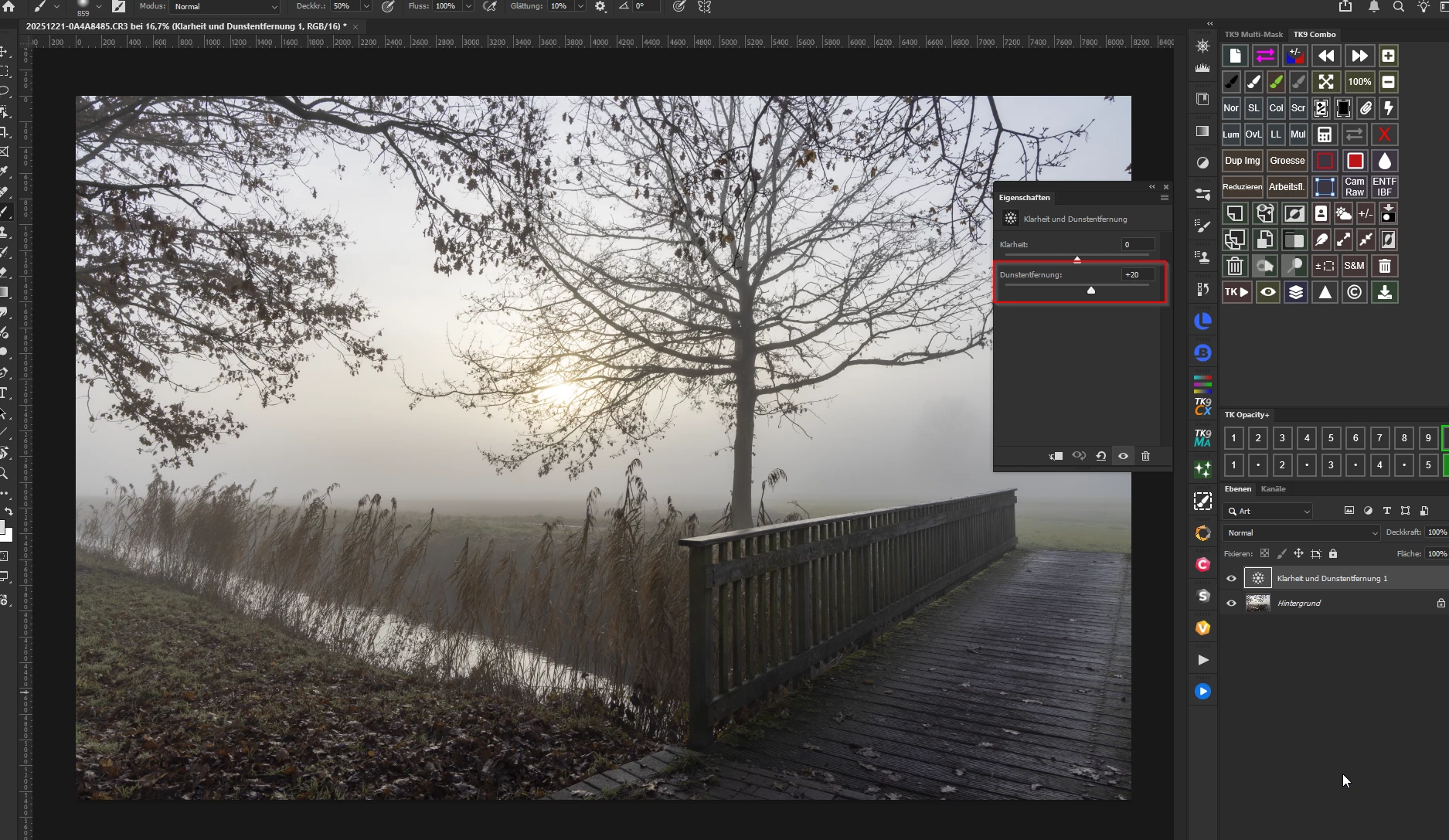
I now add a new Clarity and Dehaze adjustment layer with default settings (everything is fine)
Next I set the Dehaze to +3 (a subtle amount when applied in LRC or ACR) and the image has been significantly over-processed
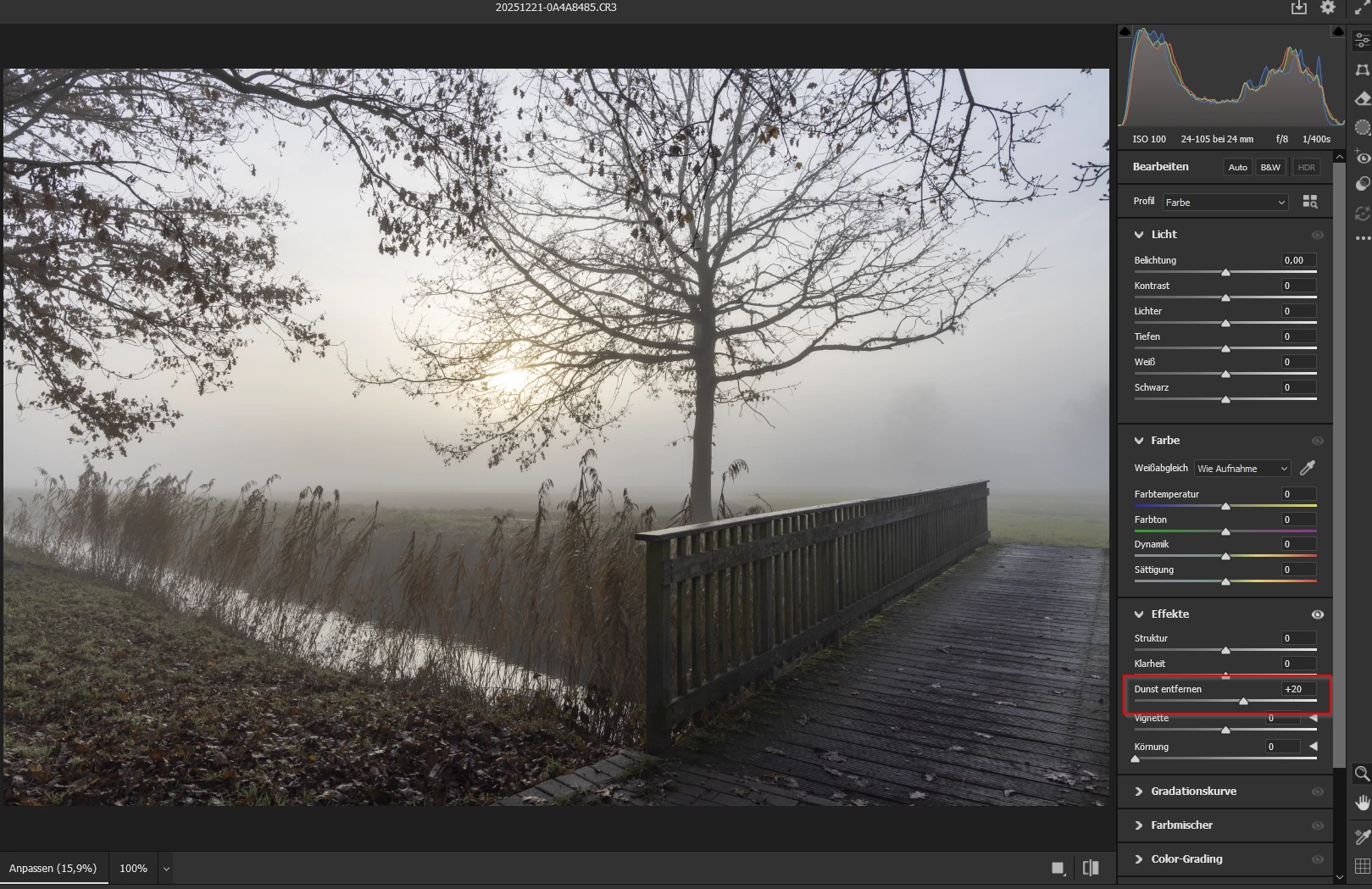
If I remove that adjustment layer and make the same +3 Dehaze move using Filter -> Camera Raw Filter, I see what I would expect
Thanks. Darren.


 AdChoices