
pacofdezsaura
Participant
November 21, 2019
Answered

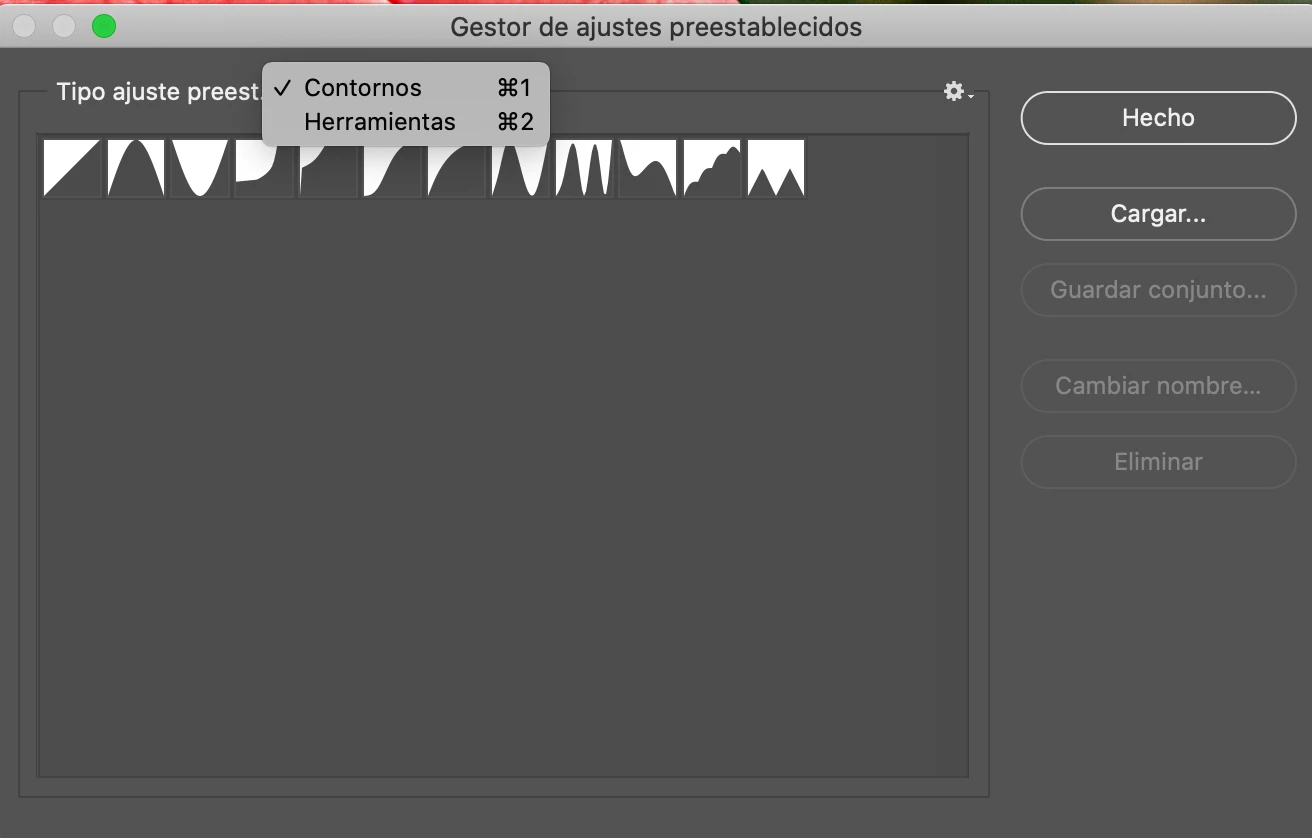
The Photoshop 2020 Preset Manager only shows contours and tools. Where are the others?
  • November 21, 2019
  • 2 replies
  • 13584 views


Correct answer Chuck Uebele

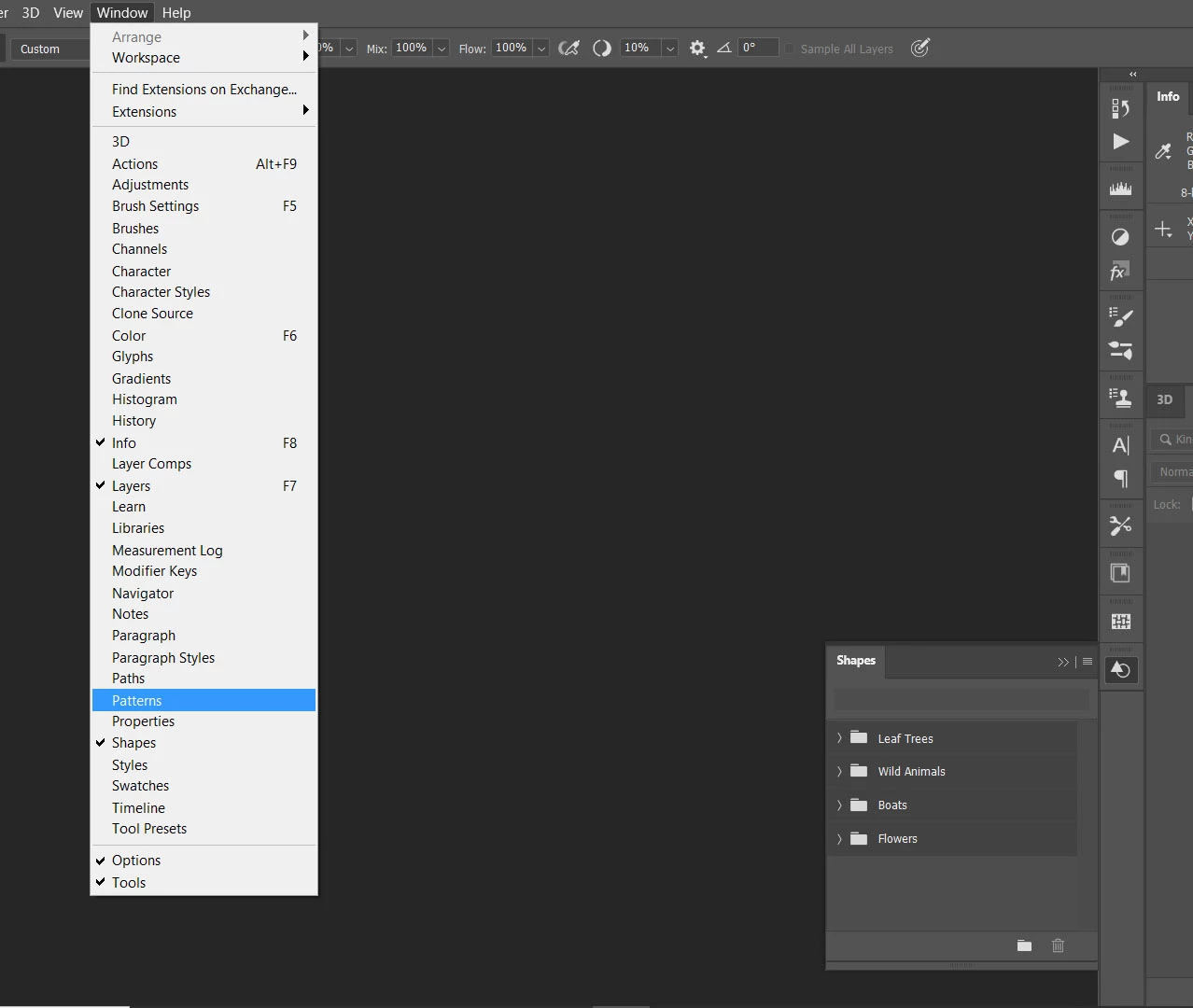
They now have their own panels and are accessed though the Window menu.
2 replies

pacofdezsaura
Participant
November 22, 2019

Thank you very much

janiceb4
Inspiring
January 20, 2023

I just spent wasted time doing the same thing,  I'm watching a training video on Gradients & he ' of course ' is using an older version of PS & what he was telling us to do, we couldn't because I could not find the gradients in the preset manager,  I know they have their own panel , but I thought they should have been also where he was telling us to go,  NOW I know & I just wish Adobe would have put out a message about this first. I hate wasted time.    And of course I just found your message dtd 11/22/2019 & several others that were looking ' like me '  .  Just thought I'd share 🙂 

Chuck Uebele
Community Expert
Chuck UebeleCommunity ExpertCorrect answer
Community Expert
November 21, 2019

They now have their own panels and are accessed though the Window menu.

Samolevsky
Known Participant
December 23, 2019

An old Preset Manager panel was way more convenient. I could access all my swatches, patterns, brushes, and custom shapes presets from a single menu. Now in Photoshop 2020, this functionality is gone. It's a pity!
