Hi @allenr14511409,
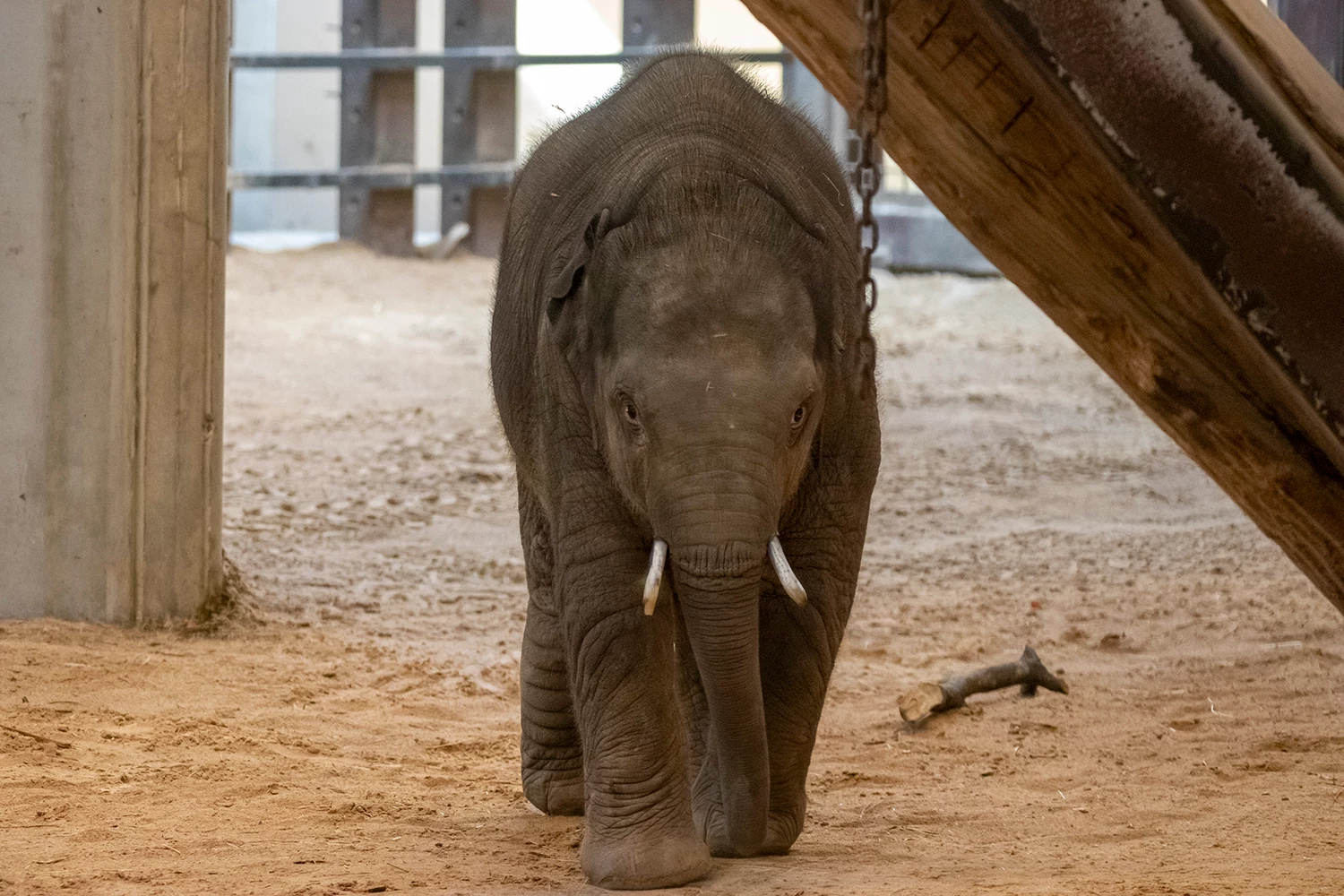
Thank you for sharing this example and for the thoughtful discussion. What you're seeing is an example of where the Remove Tool's generative capabilities can make an incorrect visual inference. While the tool is designed to create a natural-looking replacement for removed objects, it can occasionally introduce details that don't belong in the scene, such as the tusks added to the baby elephant in this case.
We appreciate you pointing out this inaccuracy. Real-world examples like this are valuable because they help us identify areas where our models can be improved.
In the meantime, as suggested above, you may get better results by:
- Turning off Generative AI in the Remove Tool (if available in your version) and using the standard removal workflow.
- Trying a smaller or more targeted selection around the object you're removing.
- Using alternative tools such as Clone Stamp or Healing Brush for complex subjects where preserving anatomical accuracy is important.
We appreciate you taking the time to report this and provide feedback. Community reports like yours are an important part of improving Photoshop and its AI-powered features.
Thanks, Srishti Bali | Community & Engagement Strategist, Digital Imaging | Adobe




 AdChoices