

The right mouse click in the removal tool does not work
Dear all,
I’m using Photoshop 27.3.1 on Windows 11, and for quite some time the right-click context menu has not been working for the Remove Tool.
When I right-click, nothing happens. With other tools in the same group (for example, the Spot Healing Brush Tool), a pop-up appears where I can adjust the size and other settings. However, this does not work with the Remove Tool, which is quite frustrating. Currently, I can only change the brush size via the size menu in the top options bar, which is time-consuming and cumbersome.
I asked a friend who is using Photoshop on an iMac, and he confirmed that the right-click context menu works correctly on his system. This makes me wonder whether the issue is specific to Windows 11 Photoshop installation. I tried with several computers, always the same result.
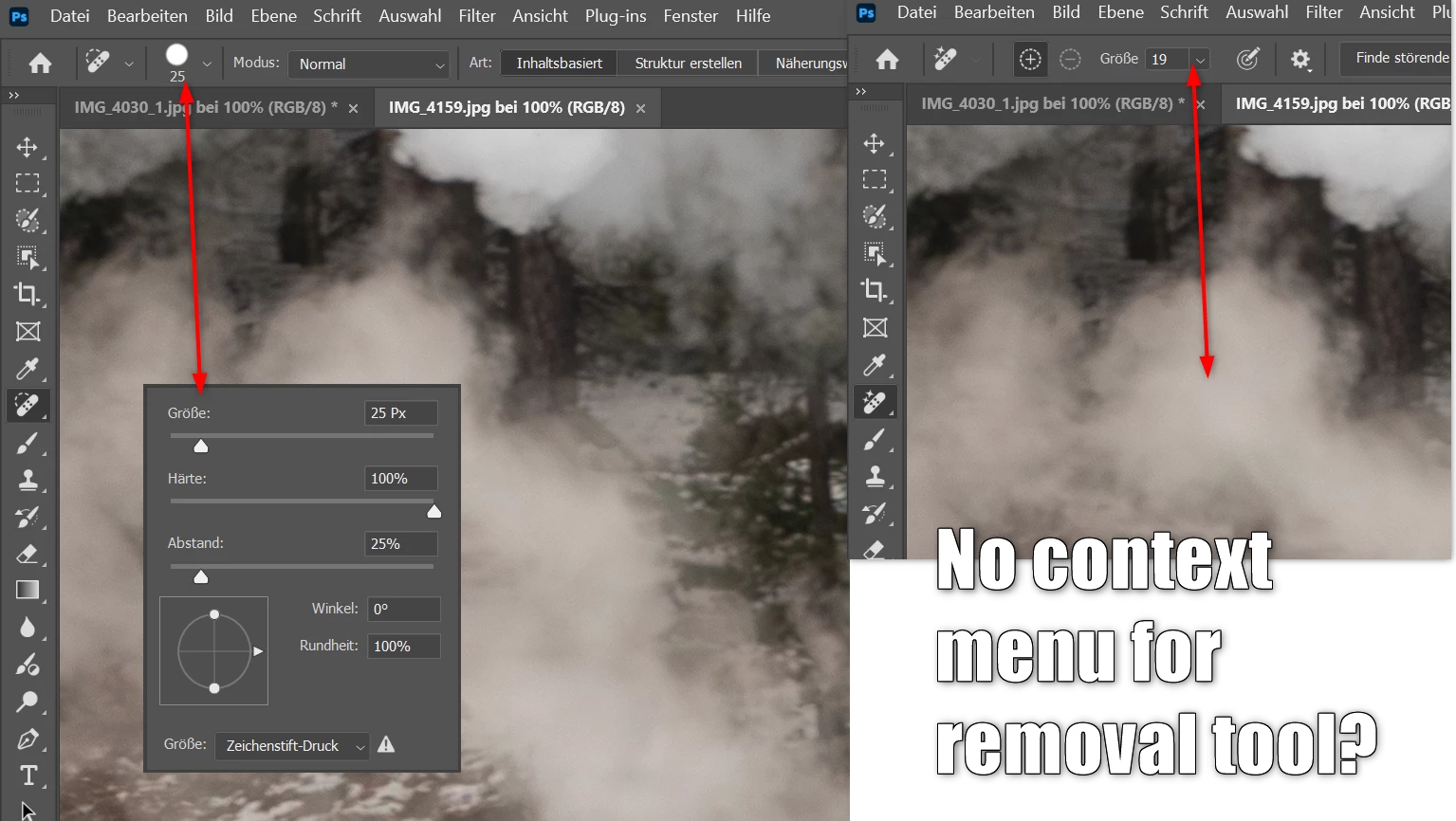
If this context menu is not yet rolled out for Windows Photoshop, I recommend to do so.
Regards kkstb


 AdChoices