


Participating Frequently
October 9, 2025
Question

the same generative fill background in different images

  • October 9, 2025
  • 2 replies
  • 160 views

I want to create the same background in in different images.

thread from 2023 https://community.adobe.com/t5/photoshop-ecosystem-discussions/using-the-same-generative-fill-replacement-across-multiple-images/m-p/13883303#M740000 don`t solve the problem.


Now in 2025 maybe someone have solution ?

basic example:

cat->generative fill -> OK
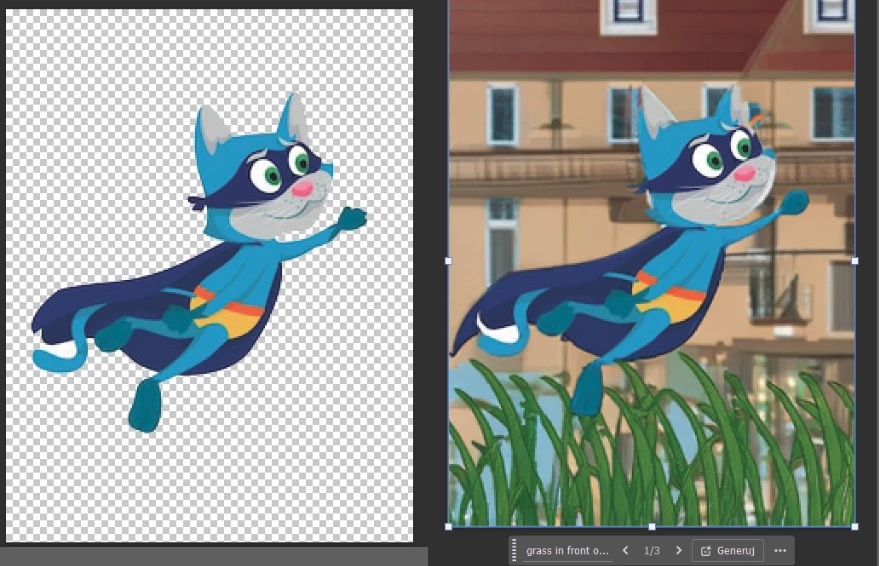
-the same cat, different position, making new mask in generative fill doesn`t work.
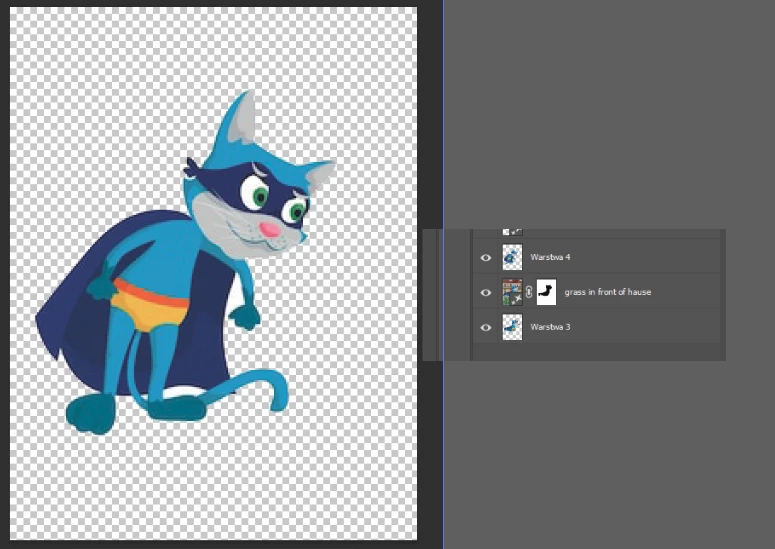


2 replies

Trevor.Dennis
Community Expert
Community Expert
October 16, 2025

I'm not sure I am getting this.  The cat appears to be on its own layer with transparent background.  Is there a reason you can't carry on working that way keeping the layers?


If the original is a flat document, then copy layer and Remove Background.

Ctrl click the mask to select it, and expand the selection a couple of pixels.

Use Generitave Fill to fill in the cat hole in the background.

Keep everything layered going forward.


I feel sure you knew that, so what am I missing?

Participating Frequently
November 14, 2025

Maybe this will be better example

V1->V1gen ok

V2->V2gen background the same like in V1  ???


Participating Frequently
November 14, 2025

and aps file

Myra Ferguson
Community Expert
Community Expert
October 9, 2025

When you generate a background, hide the character layer by clicking the eyeball icon. Otherwise that character layer would get incorporated into the generated content. When the background is completely separate from the character, then you can toggle on/off the visibility of the character layers that you want.

Claire H.
Community Manager
Community Manager
October 16, 2025

Hi @grafik2_5837, I'm just checking in to see if the suggestion helped or if you are still running into this issue? Let us know how things are going. Happy to keep troubleshooting with you if needed. Thanks! ^CH