
Participant
December 14, 2024
Question

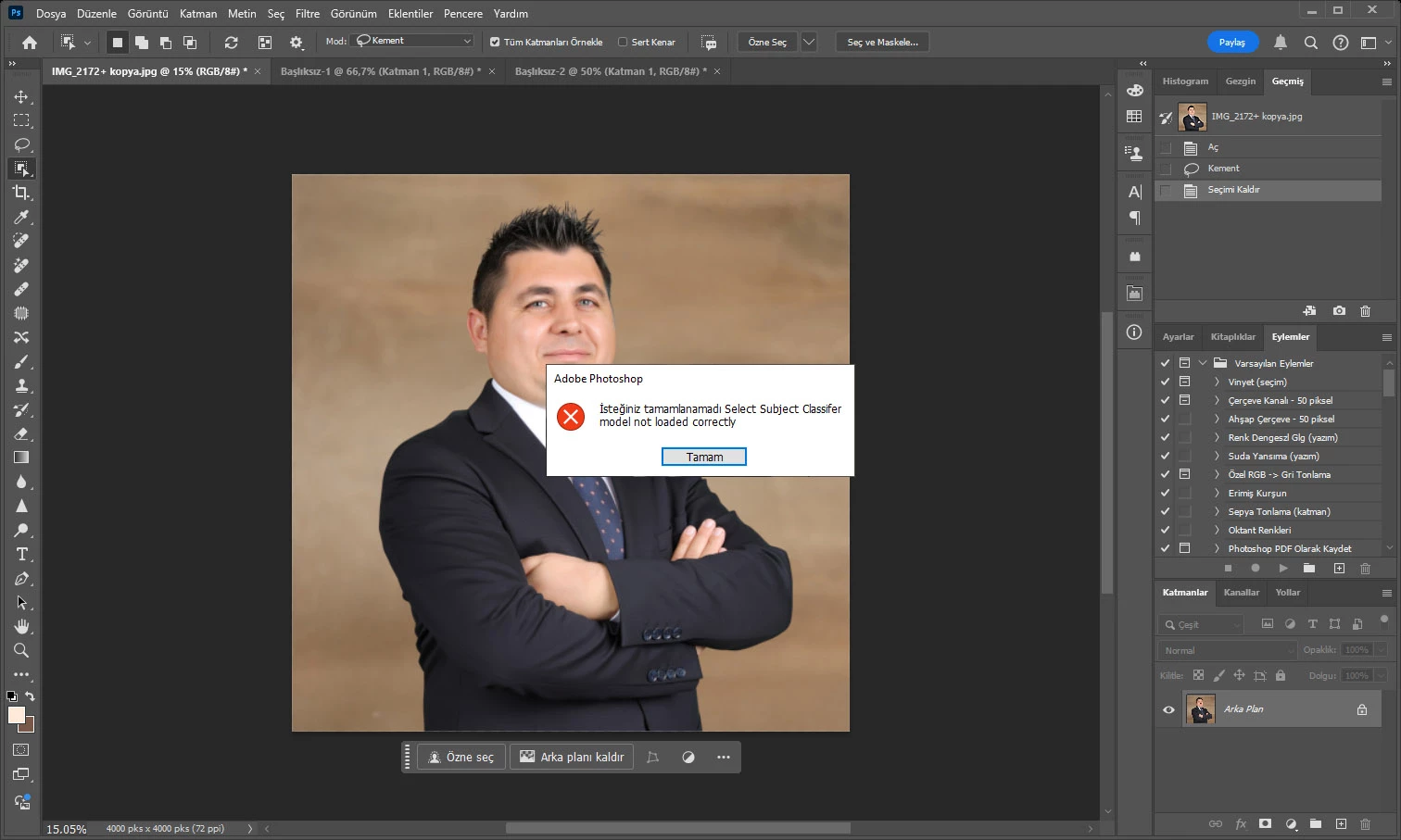
The select object feature does not work on my computer. Could it be related to my graphics card?
  • December 14, 2024
  • 3 replies
  • 124 views

This topic has been closed for replies.

3 replies

Jeff Arola
Community Expert
Community Expert
December 14, 2024

In Photoshop go to Edit>Preferences>Image Processing and try changing all the settings to More Stable and the top one Select subject to Cloud, then restart Photoshop and see if that makes any difference.


Peru Bob
Community Expert
Community Expert
December 14, 2024

Try updating or rolling back your graphics driver directly from the video card manufacturer’s site. If NVIDIA, do a clean installation of the latest Studio Driver (NOT the Game Driver).

kglad
Community Expert
Community Expert
December 14, 2024

in the future, to find the best place to post your message, use the list here, https://community.adobe.com/

p.s. i don't think the adobe website, and forums in particular, are easy to navigate, so don't spend a lot of time searching that forum list. do your best and we'll move the post (like this one has already been moved) if it helps you get responses.


<"moved from cc desktop bugs">
