Inspiring
Feb 25, 2026 7:08 AM UTC
Answered

the shape of my brush is bigger than the paint it deposits

Goodmorning everyone,

When I set the brush size to 200 pixels, I see a circle of about 400 pixels. When I start painting, the brush changes to the correct size, but I can't place the brush against a line to start painting precisely. The brush does this on both my Mac screen and my BenQ screen. It also does it in all versions of Photoshop, 2024, 2025, and 2026. It's been doing this for a while, but it's getting increasingly annoying.

using iMac 26.3 

Thanks for helping Jan Malschaert

    Jeff Arola
    Jeff ArolaCorrect answer
    Community Expert
    Feb 25, 2026 7:14 AM UTC

    Most likely the cause is the system Pointer size is set to something other than Normal.


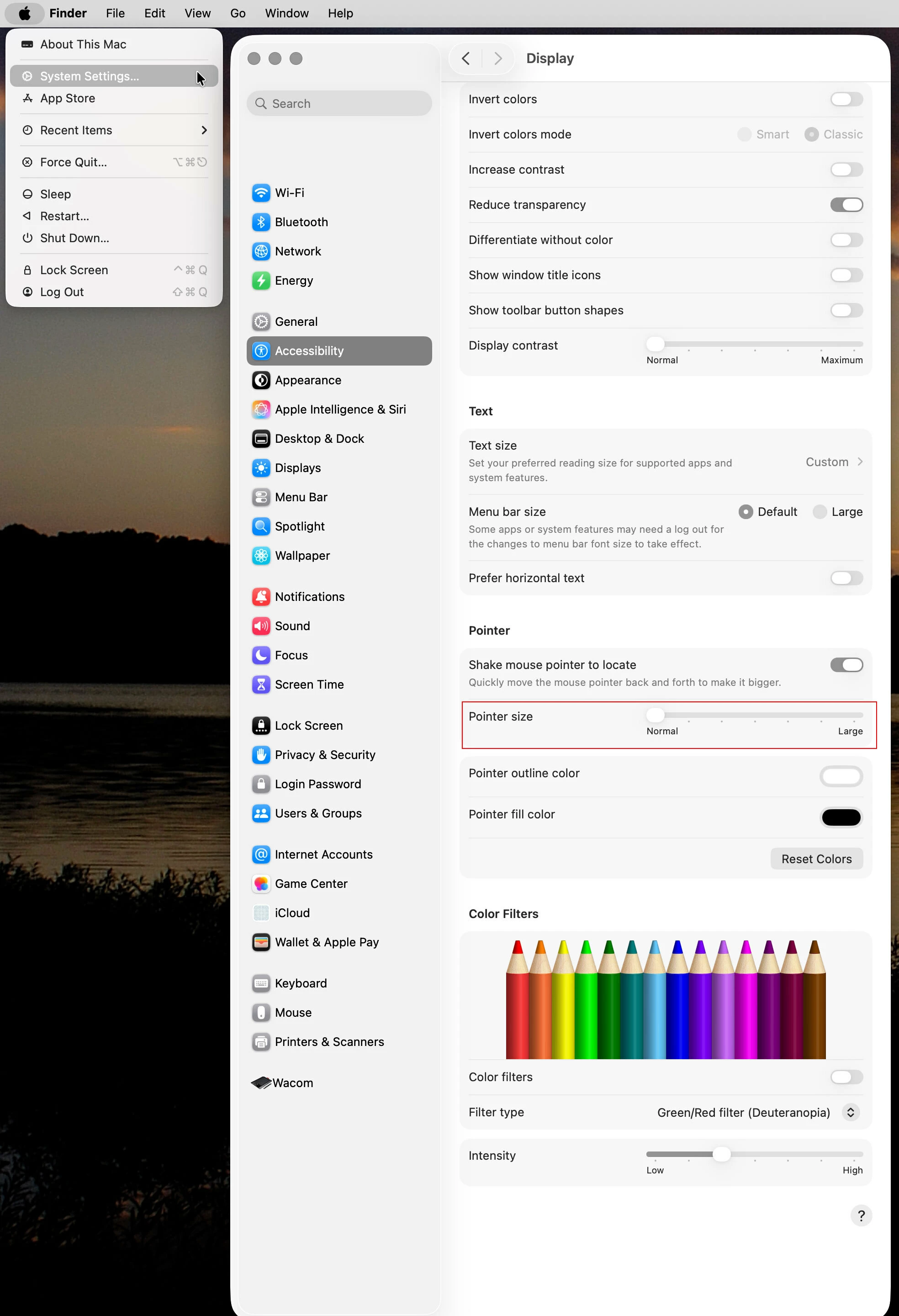
    Go to Apple>System settings>Accessibility>Display>Pointer and set the Pointer size to Normal


    2 replies

    Jeff Arola
    Community Expert
    Jeff ArolaCommunity ExpertCorrect answer
    Community Expert
    Feb 25, 2026 7:14 AM UTC

    Most likely the cause is the system Pointer size is set to something other than Normal.


    Go to Apple>System settings>Accessibility>Display>Pointer and set the Pointer size to Normal


    Translate
    Inspiring
    Feb 25, 2026 7:39 AM UTC

    Thanks Jeff, problem solved, so simple.

    Translate