August 16, 2018
Answered

There is no healing brush in my photoshop so what can i do now?

  • August 16, 2018
  • 2 replies
  • 1012 views

THe

    This topic has been closed for replies.
    Correct answer davescm

    If it is not in the group as John shows, then click on the 3 dots at the bottom of the toolbar and in the dialogue that opens choose Restore Defaults

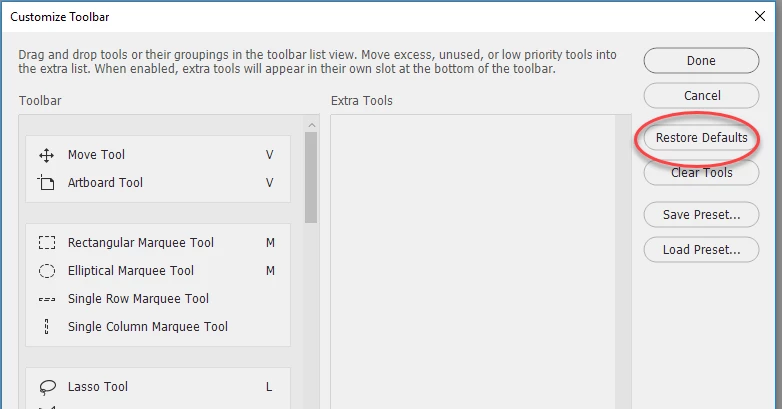
    Note : If the 3 dots are not there then chose menu Edit > Toolbar to see the same dialogue

    Dave

    2 replies

    John Waller
    Community Expert
    Community Expert
    August 18, 2018

    Moved from Photoshop Elements forum.

    davescm
    Community Expert
    davescmCommunity ExpertCorrect answer
    Community Expert
    August 18, 2018

    If it is not in the group as John shows, then click on the 3 dots at the bottom of the toolbar and in the dialogue that opens choose Restore Defaults

    Note : If the 3 dots are not there then chose menu Edit > Toolbar to see the same dialogue

    Dave

    August 19, 2018

    Thank You.

    Jeff Arola
    Community Expert
    Community Expert
    August 16, 2018

    Are you using photoshop elements or photoshop cc?

    August 18, 2018

    I'm using Photoshop cc

    John Waller
    Community Expert
    Community Expert
    August 18, 2018

    Check if it's on the flyout menu with the other tools that it's grouped with.

    Click and hold on whichever tool is showing in the toolbar (Red Eye/Healing Brush/Patch Tool/Content Aware Move)
