Participant
April 2, 2025
Question

Thumbnail warps when rotating selection in corresponding layer

  • April 2, 2025
  • 2 replies
  • 147 views

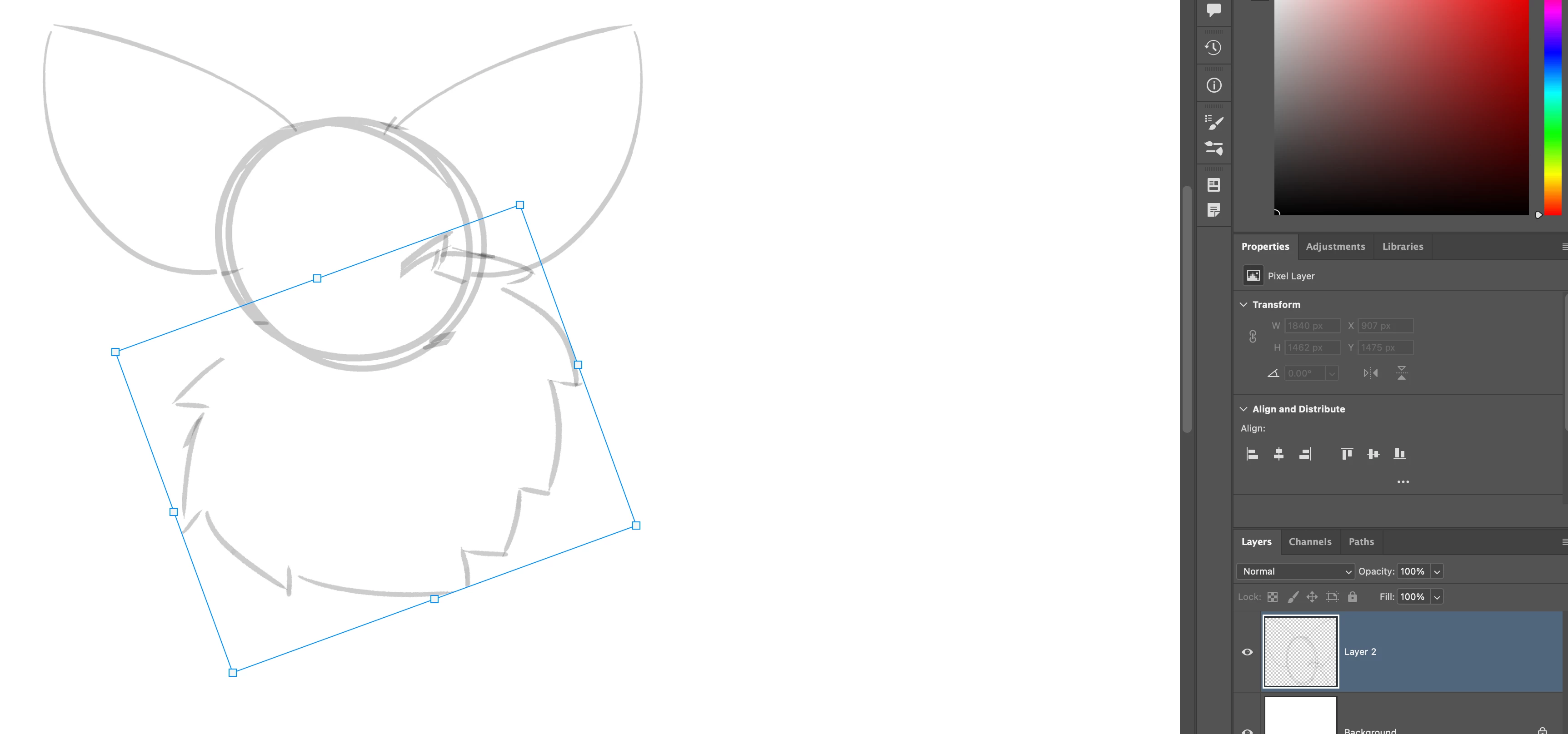
I just happened to discover this whilst working on a project. I turned a selection anti-clockwise and noticed the thumbnail for the layer I was on had stretched.

2 replies

c.pfaffenbichler
Community Expert
Community Expert
April 3, 2025

Does turning off »Use Graphics Processor« in the Performance Preferences (Photoshop > Preferences > Performance > Graphic Processor Settings) and restarting Photoshop have any bearing on the issue? 

Does the Layer icon update correctly when you apply (or cancel) the transformation? 

Sameer K
Community Manager
Community Manager
April 2, 2025

Hey, @VoidHall. Welcome to the Photoshop Community. I'll need more information to help you figure this out. Please share a video of the issue and the system info from Photoshop Help > System info > Copy and paste into a text document > Upload and attach here.


I've tried to recreate this as a quick test, but I couldn't get it to behave as reported. Does it behave as mentioned after a specific set of steps? Also, please test and confirm if the issue exists with Photoshop (Beta). You can get Photoshop (beta) from the Creative Cloud > Apps tab > Beta Apps section. 


Thanks! 
Sameer K

(Type '@' and type my name to mention me when you reply)

Participant
April 3, 2025

@Sameer K I believe it is a set of steps, because it doesn't occur anymore even when I tryed to cause it again. At the time I was using the Bucket, Pencil, Wand, Box select, Lasso select, Brush and Move tools, along with duplicating and reflecting selections and merging layers.

I've yet to see if it exists in the beta but I will have a look.