


Participating Frequently
November 13, 2025
Question

Toolbar Icon/button Issue 'free transformation' hidden behind 'notifications', Photoshop 27.0.0 !!!

  • November 13, 2025
  • 2 replies
  • 105 views

Strange toolbar issue!?

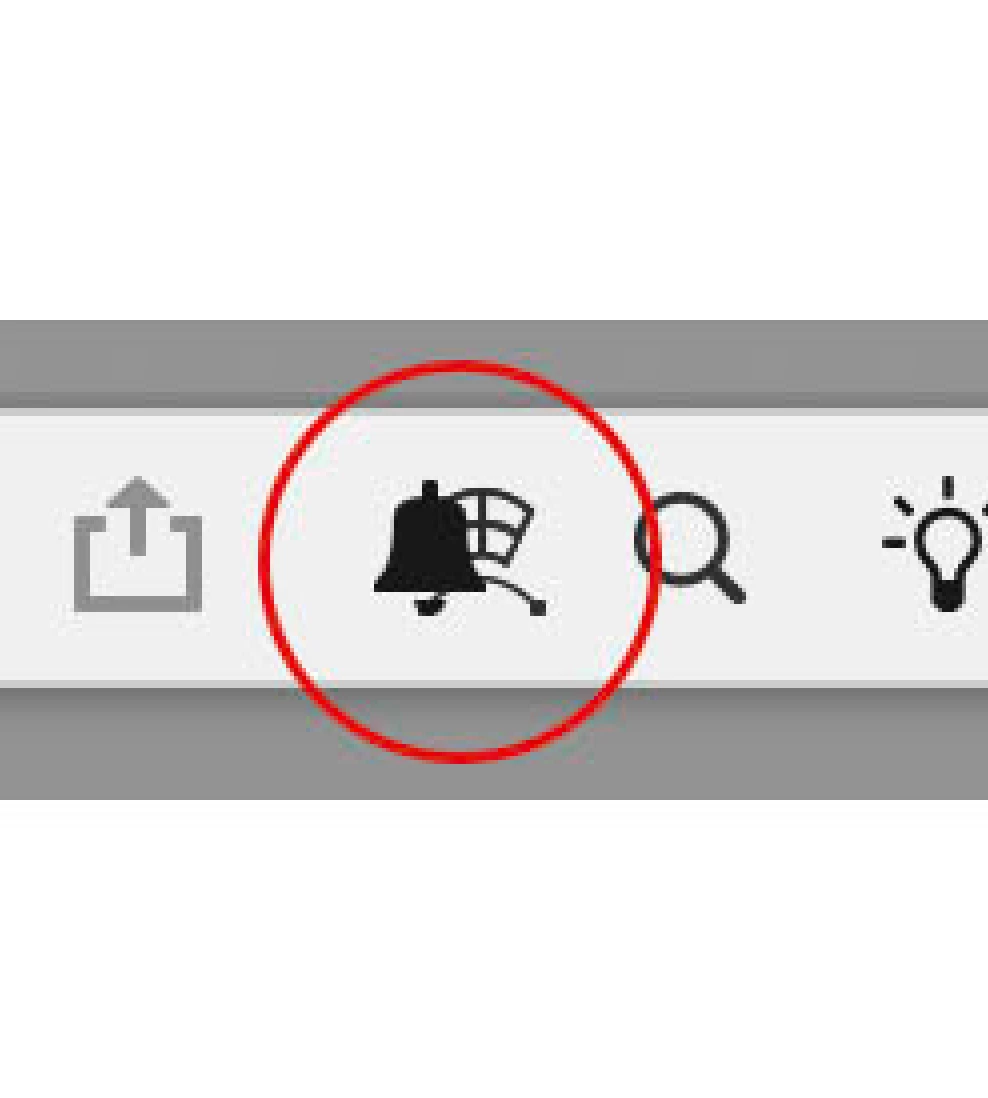
"free transformation" button is overshadowed by "notifications" button.
and so not engage-able.


General steps, an opened picture file, then Select All or just selected part, etc.
Command A > Comand T So one can alter shape.

Normally an icon appears on the toolbar, in casu the free transform icon/button.
See pic of it... 

In this current edition it is hidden behind a 'bel' icon.
And so can't engage function. 
Is there anthore way to engage the function otherwise?
In older editions it just works fine. 
A pprogrammers glitch? Please restore.

Is it a language issue? Or also in all other laguage editions?

Hope eyou cand find fault. (It is quite hampering workflow).

Thanks in advance RCP
 

2 replies

jane-e
Community Expert
Community Expert
November 18, 2025
quote

"free transformation" button is overshadowed by "notifications" button.
Comand T So one can alter shape. 

By @RC-Powerbus-v3


Command + T is the shortcut for Edit menu > Free Transform. You are already in Free Transform and looking at the options bar (you are calling it the  "top toolbar".)


The button that is covered is the Warp button.


One issue may be that you have a small monitor or that you have resized Photoshop so it is not full-sized. Can you check that or show us a screen shot that has at least the top two inches of your entire screen so we can see what is going on?


One workaround while we investigate is to go the the Edit menu and select Warp from there. 


You might have to reset preferences, but let's try these first.


Jane


Participating Frequently
November 19, 2025

Hi e-Jane,
Thanks for your reply. Top!
Yep! Familiar with teh Command-T, as is not the issue, it's the 'warp' Icon that plays hide and seek...

behind that 'other' icon, in the 'options bar' when the thing is free floting.
Indeed I have downsized ithe interface. 30", to gain some work space.
(A second sreen still to be fitted/ordered... mostly used for all the tooling pallettes.)


I shall check if the sizing works... and it probably does for sure!

I'd say... reprogram this options bar to grotesque-idly elastic 🙂
Used PSD sice 1.0.0 professionally when it came on the market can't live without it...
Even in ritirement...

i'll give feedback later!

Thanks RCP


Participating Frequently
November 13, 2025

Please note this 'bug' only occurs when the upper toolbar is made floating!
Thanks RCP

Conrad_C
Community Expert
Community Expert
November 18, 2025

Yes, this has been observed in other threads here, because the undocked options bar can’t be resized. There doesn't seem to be a fix for this problem except the workaround to dock the options bar to the application frame.
