
Participant
February 8, 2024
Question

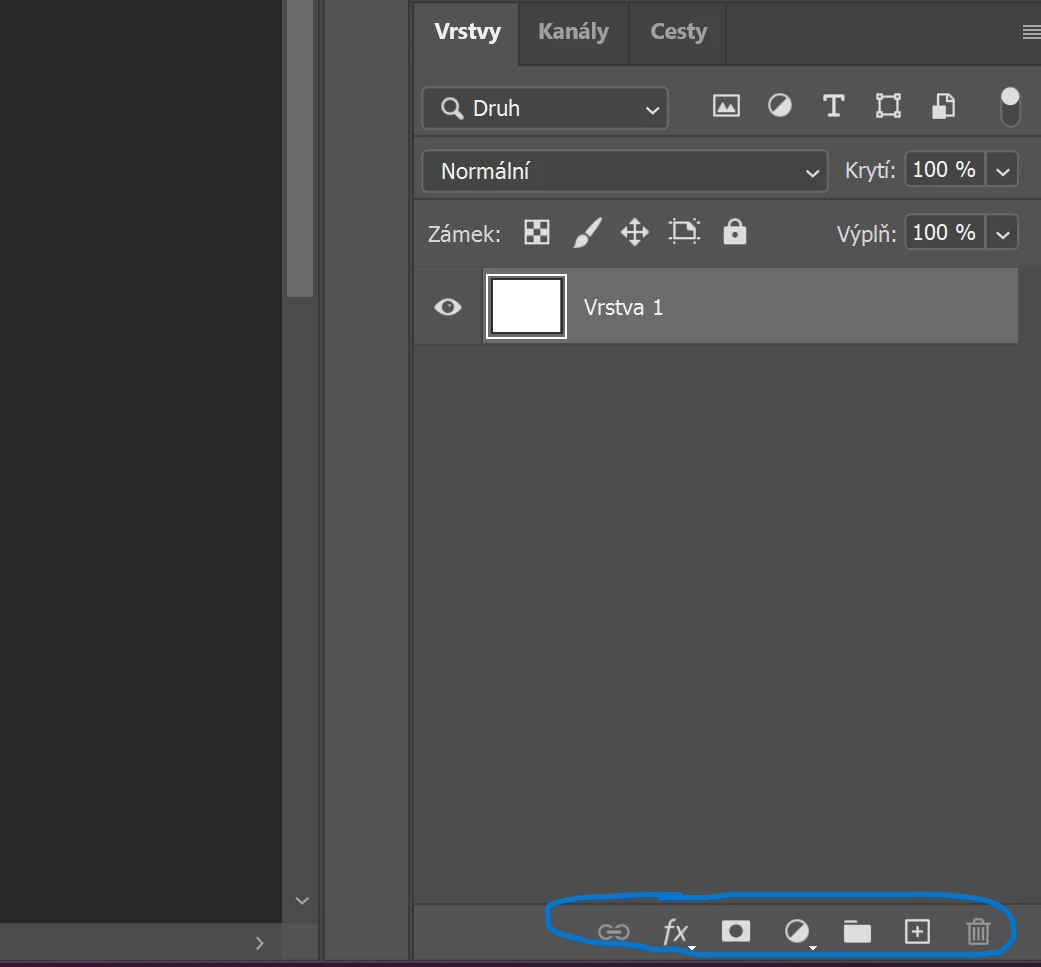
Toolbar with layer mask doesnt working

  • February 8, 2024
  • 2 replies
  • 114 views

Hi,

I think my bar stopped working after updating to the new version. I can't add a new layer, I can't create a layer mask. None of the buttons work. However, if I drag the layer to the trash, it gets deleted, but that's it. I tried reinstalling the whole app. Off and on, checked for the latest graphics driver but the problem persists.

What is the problem?


Thank you for the advice.
 

This topic has been closed for replies.

2 replies

Katy_PacAuthor
Participant
February 8, 2024

I tried it but the problem still persists

Ged_Traynor
Community Expert
Community Expert
February 8, 2024

@Katy_Pac try manually resetting your Photoshop preferences
https://helpx.adobe.com/ie/photoshop/using/preferences.html#Manually
Remember to backup your settings before doing the preference reset
https://helpx.adobe.com/ie/photoshop/using/preset-migration.html