


trying to create GIF using Photoshop CC, timeline menu does not match tutorial
UPDATE - SOLVED: I found the solution in another post--> "I had ticked Frame Animation in that drop-down list in the center of the screen, but didn't realize that it became a button I had to click as well. " THIS WORKED FOR ME TOO. I have never experienced a drop-down menu that I also had to click on like this. Not obvious!
I am trying to make a GIF using a series of still photos sized to 750 x 600. I have studied several tutorials, including this one from Adobe: https://creativecloud.adobe.com/cc/learn/photoshop/web/make-animated-gif?locale=en-VN
When I click on the menu icon in the timeline window, the flyout menu I see is completely different than the one shown in all the tutorials. I attached images of the tutorial menu and 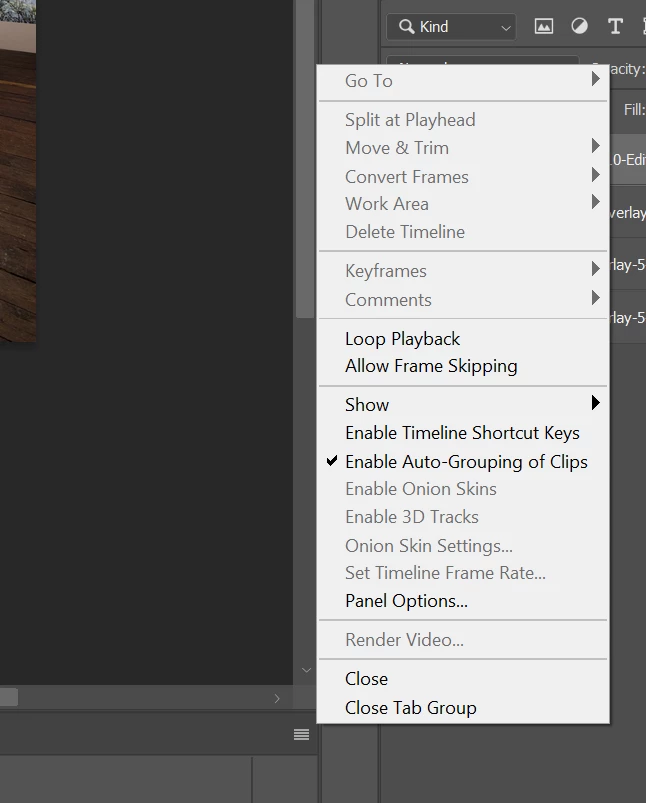
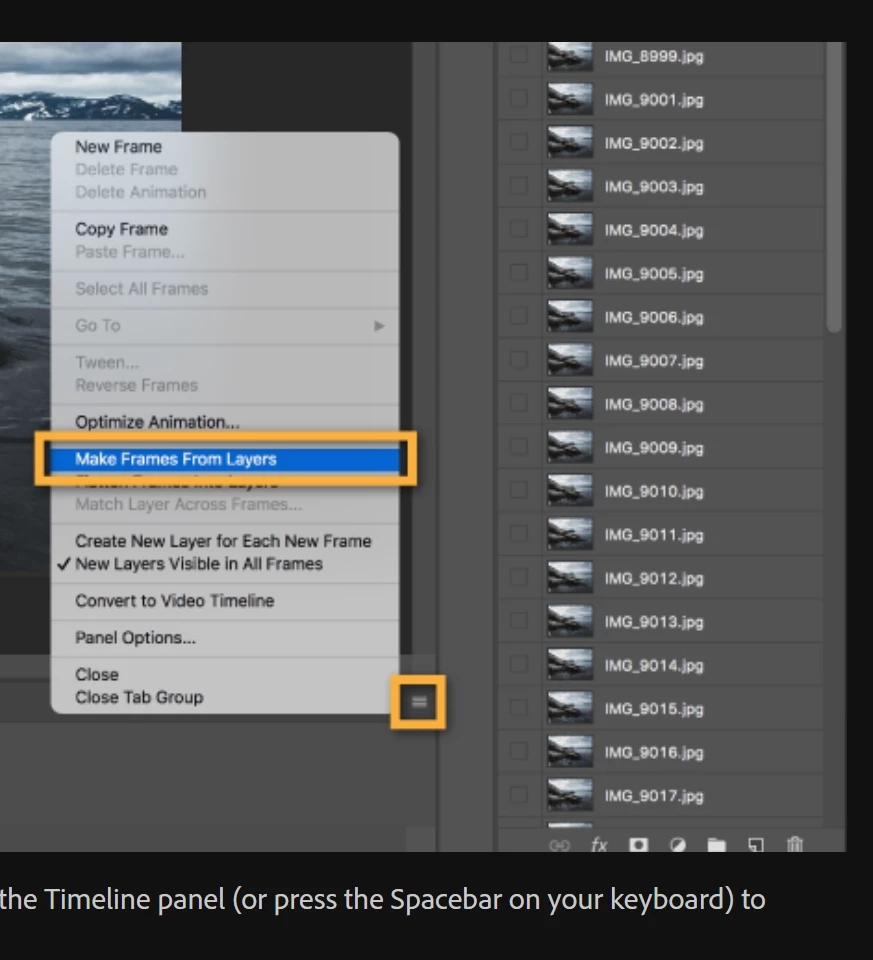 the menu I see when I am in Photoshop. I tried changing the workspace to motion and to graphic, and it didn't make any difference. The tutorial menu has the gold rectangles.
I am using Photoshop CC version 24.7.1 on a PC.
 AdChoices