
Participant
June 12, 2020
Answered

Trying to flatten image while retaining overlay effect.

  • June 12, 2020
  • 9 replies
  • 1982 views

I am trying to overlay colour onto a black and white image on Photoshop. When I try to flatten the image all the colour disappears. Can anyone please advise how I can fix this issue?  Attached are some pictures to explain further. 
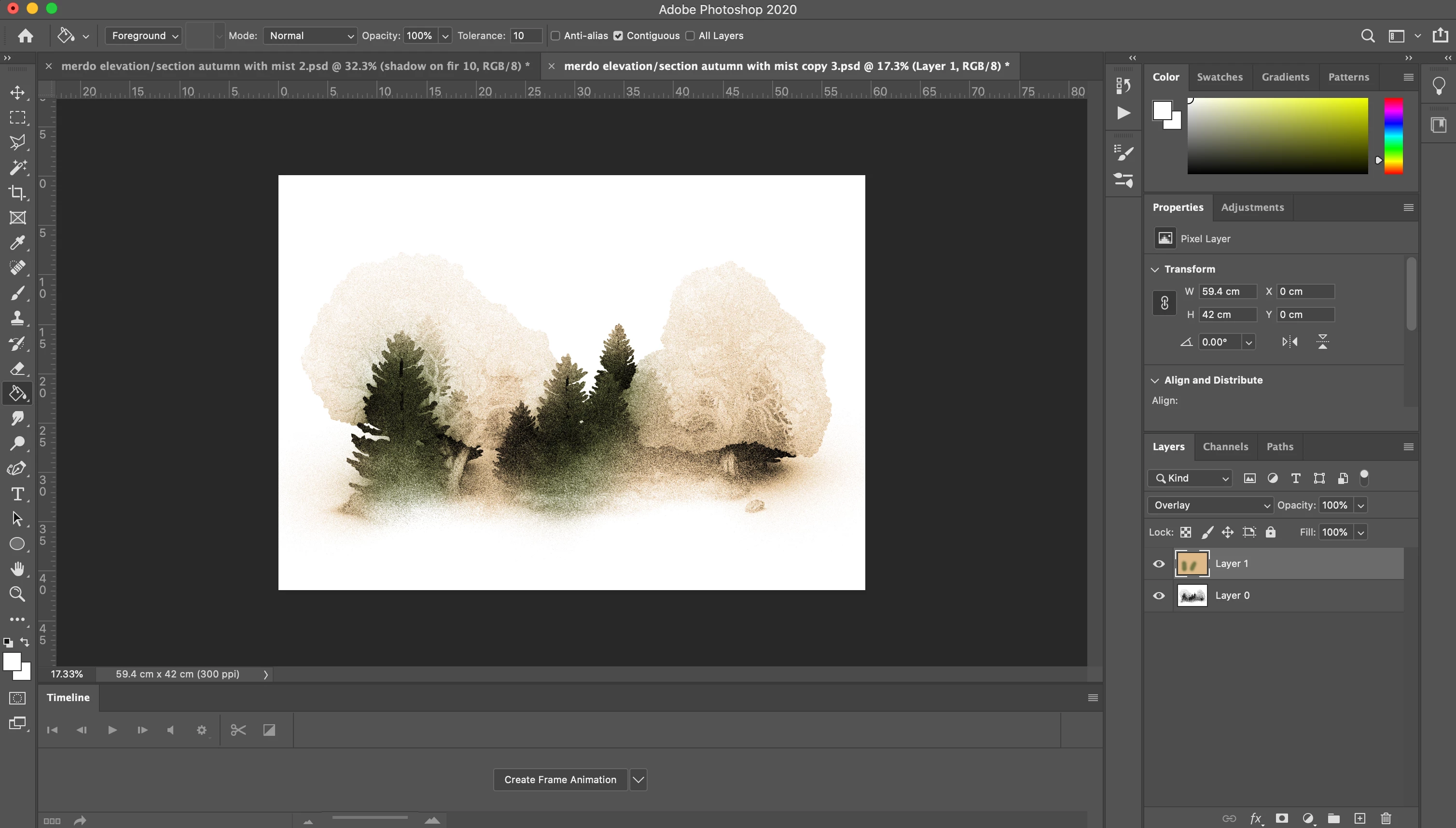
this is before flattening and how I want the image to look when flattened  
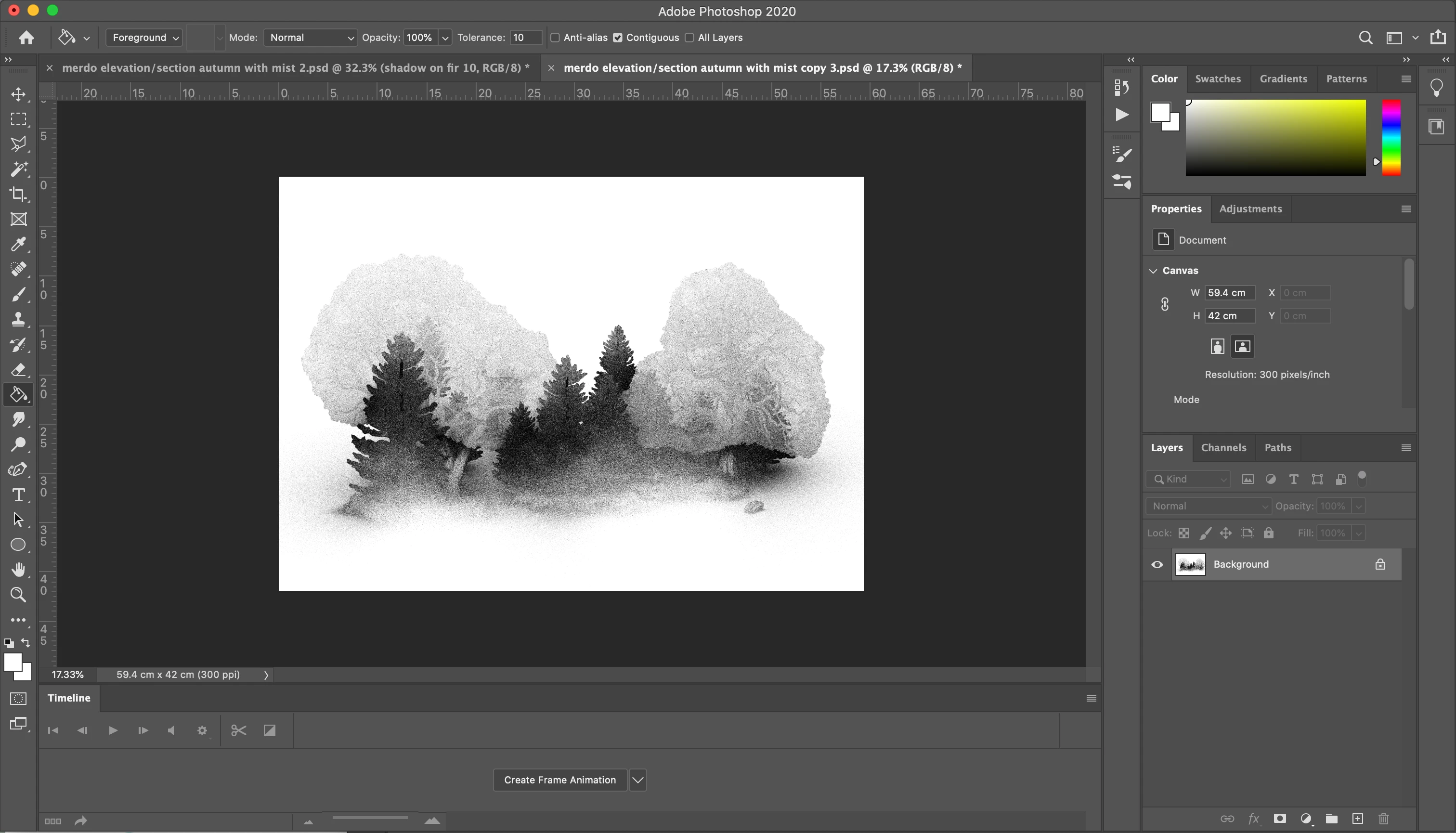
 

 and this is after flattening where all the colour disappears which I don't want to happen. 


Any help would be greatly appreciated


many thanks

James

This topic is closed to new replies. Start a new post to keep the conversation going.
Correct answer davescm

You must view the before and after at 100%.


Your image looks like it is made of fine "noise" i.e. dots of black and white. Overlaying on black or white results in black /white.

The issue you are seeing is that when zoomed out, the preview is formed by combining those individual black and white dots  to form a grey shaded pixel. Overlaying on that grey colour is giving a coloured image.  So on an image like that always check your layered colouring at 100% zoom, where the full image data is used to blend the preview.


When flattening all image pixel data is used , so it will match what happens at 100% zoom.


Dave


9 replies

Derek Cross
Community Expert
Community Expert
June 12, 2020

Make sure you're in RBG color mode.

Participant
June 20, 2020

thanks a lot!


James

davescm
Community Expert
davescmCommunity ExpertCorrect answer
Community Expert
June 12, 2020

You must view the before and after at 100%.


Your image looks like it is made of fine "noise" i.e. dots of black and white. Overlaying on black or white results in black /white.

The issue you are seeing is that when zoomed out, the preview is formed by combining those individual black and white dots  to form a grey shaded pixel. Overlaying on that grey colour is giving a coloured image.  So on an image like that always check your layered colouring at 100% zoom, where the full image data is used to blend the preview.


When flattening all image pixel data is used , so it will match what happens at 100% zoom.


Dave


Participant
June 20, 2020

thank you very much, you have been a great help! 


James