


Inspiring
August 26, 2026
Answered

Trying to get multiple texts across a sheet of images

  • August 26, 2026
  • 7 replies
  • 60 views

I am trying to create a sheet of faux postage (a/k/a postoids) using Photoshop.
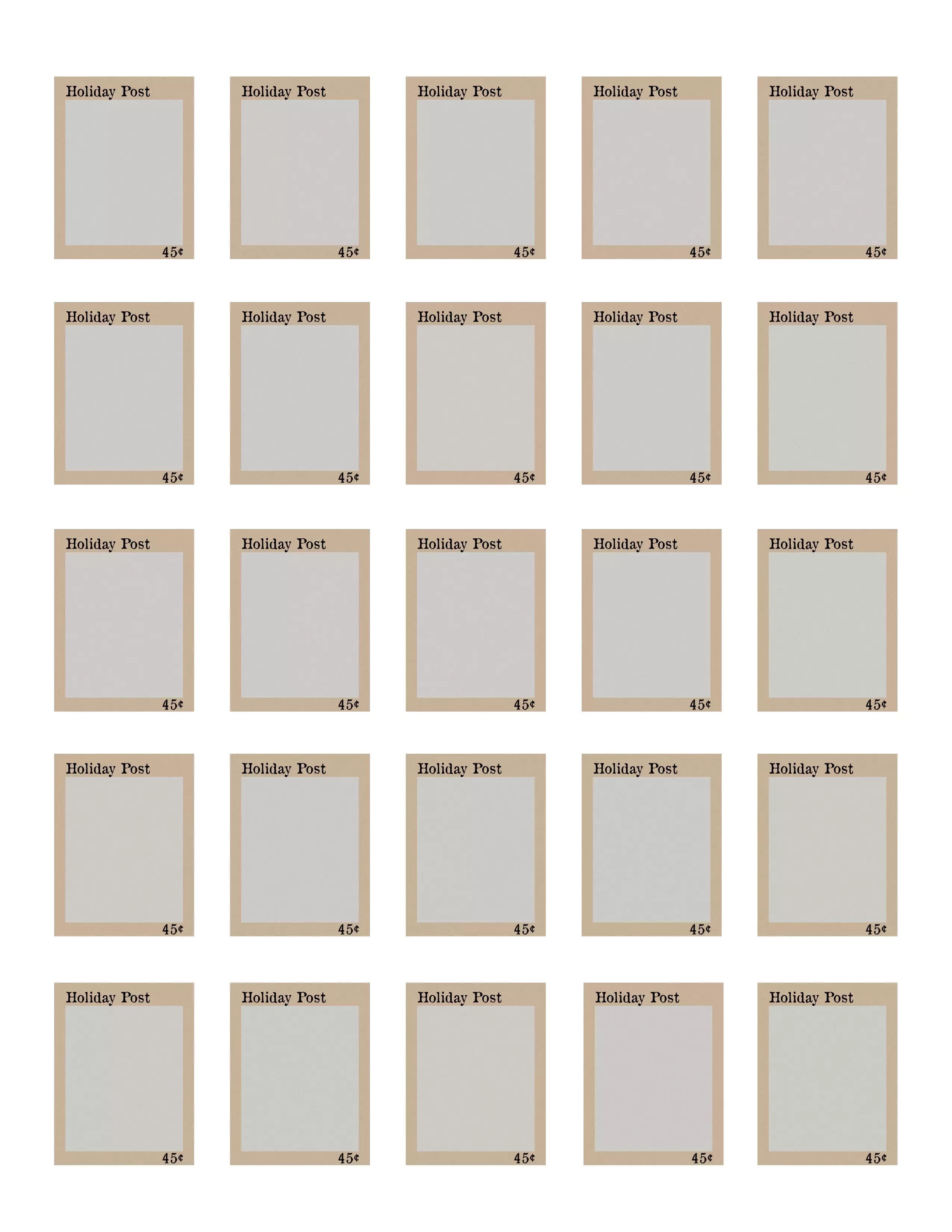
Each row of stamps will feature a different image (which I am doing using Smart Objects). Currently there are two sets of text on each stamp; I’d like to make three eventually. The text will be the same across the entire sheet of stamps. It will change from time to time. In the attached example, it says Holiday Post, and 45 cents. I would like to be able to change that to, say, Autumn Post, and $1.  


What is the simplest way I can set this up so that when I change the text on one stamp, it will change on all the stamps? I’ve been trying different ways and haven’t come up with anything that really works yet. 


Open to suggestions! 


I’ve just started to use Smart Objects (thought I should mention that). Thank you!

    Correct answer Conrad_C

    I’m not sure how well this answer will work, but one idea is to use variables and data-driven graphics. In plain language that means you have your template with placeholders, and you also have a spreadsheet where you enter the text and the image filenames, and you have Photoshop use the spreadsheet data to fill in the placeholders with text from the spreadsheet and images from a folder.

    It’s explained in this Adobe help article:

    https://helpx.adobe.com/photoshop/using/creating-data-driven-graphics.html

    The reason it’s worth looking at is you might be able to have Photoshop regenerate the stamp sheet with updated text, just by having it look at a spreadsheet with different text in it.

    7 replies

    Inspiring
    August 28, 2026

    I used variables and it did the trick. Thank you!

    Participant
    August 27, 2026

    Use 25 ins of object

    c.pfaffenbichler
    Community Expert
    Community Expert
    August 27, 2026

    If the text is identical on all 25 pieces why not use 25 instances of one Smart Object? 

    Inspiring
    August 27, 2026

    OK, that could work. As I said, I haven’t worked much with Smart Objects at all so that didn’t occur to me. I will give it a try. 

    Conrad_C
    Community Expert
    Community Expert
    August 27, 2026

    Actually his suggestion is a lot simpler than what I suggested, if all the text is the same.

    One tip about Smart Objects:

    If you duplicate a Smart Object in any of the usual ways that you duplicate a layer, all copies are linked to the first Smart Object that was copied. If you edit any of those Smart Objects, they all change together.

    If you ever want to “break off” one of the Smart Objects so that it is not linked to the first one so you can update it and its copies separately from the first set, specifically use the command Layer > Smart Objects > New Smart Object via Copy.

    Conrad_C
    Community Expert
    Conrad_CCommunity ExpertCorrect answer
    Community Expert
    August 27, 2026

    I’m not sure how well this answer will work, but one idea is to use variables and data-driven graphics. In plain language that means you have your template with placeholders, and you also have a spreadsheet where you enter the text and the image filenames, and you have Photoshop use the spreadsheet data to fill in the placeholders with text from the spreadsheet and images from a folder.

    It’s explained in this Adobe help article:

    https://helpx.adobe.com/photoshop/using/creating-data-driven-graphics.html

    The reason it’s worth looking at is you might be able to have Photoshop regenerate the stamp sheet with updated text, just by having it look at a spreadsheet with different text in it.

    Inspiring
    August 27, 2026

    I will give it a try. Thank you!

    Open to other suggestions as well.