
Participating Frequently
March 18, 2026
Answered

Turn on/off brush outline

  • March 18, 2026
  • 1 reply
  • 47 views

I would love to be able to tun off the brush outline, while painting it can really get in the way especially using brushes that have a wide range of size using pen pressure. It makes a huge outline and small marks. I would love to be able to turn down the opacity ideally, from 0 to 100. 
    Correct answer Jeff Arola

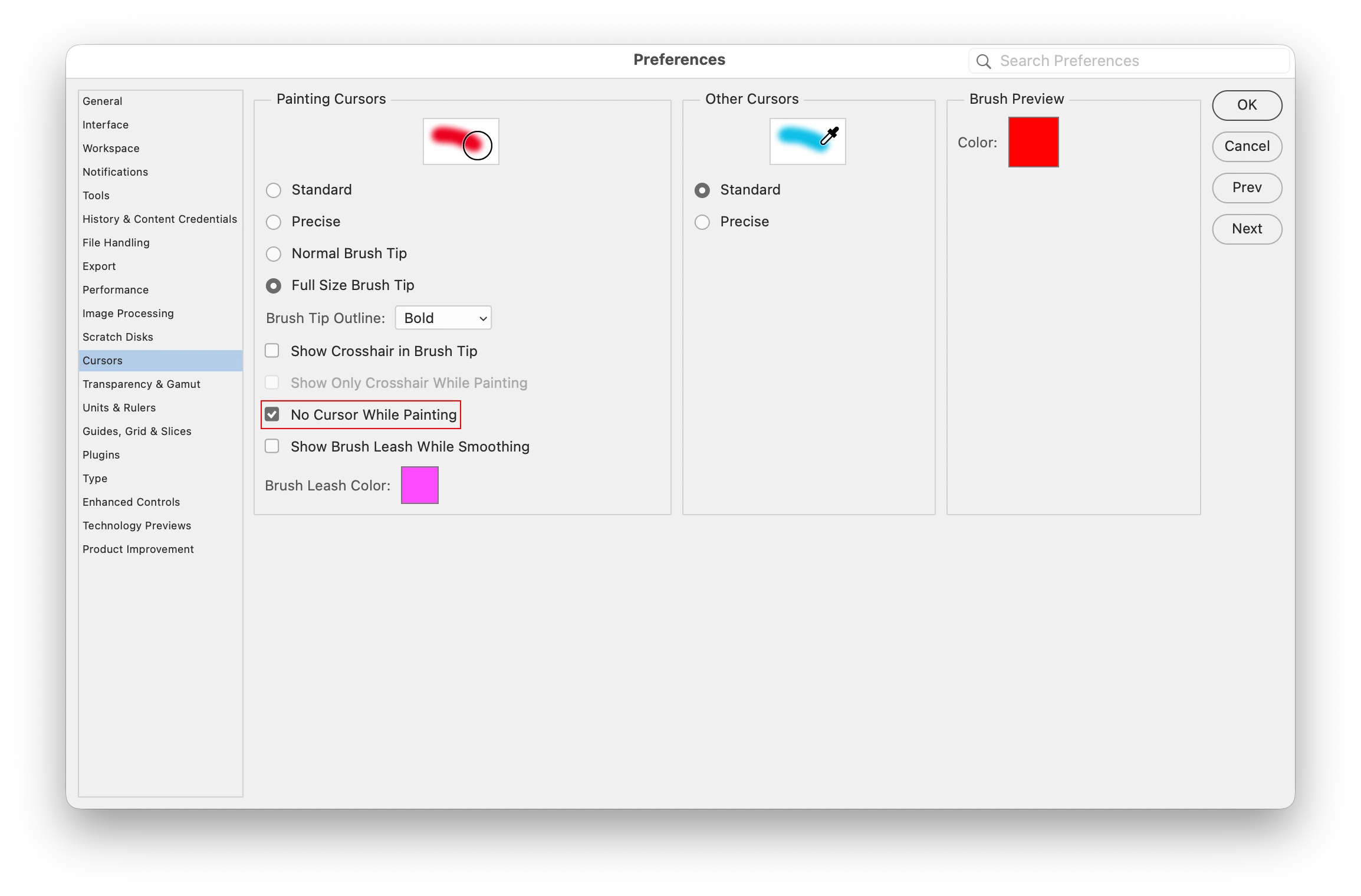
    In Photoshop go to Edit>Preferences>Cursors and check No Cursor While Painting


    On a Mac it would be Photoshop 2026>Settings>Cursors and check No Cursor While Painting


    1 reply

    Jeff Arola
    Community Expert
    Jeff ArolaCommunity ExpertCorrect answer
    Community Expert
    March 18, 2026

    In Photoshop go to Edit>Preferences>Cursors and check No Cursor While Painting


    On a Mac it would be Photoshop 2026>Settings>Cursors and check No Cursor While Painting


    jdbrown67Author
    Participating Frequently
    March 18, 2026

    Well I feel like an idiot…. I just had to update it! That wasn’t available in last year’s version. Thank you!!