Inspiring
March 4, 2025
Answered

turning on/off consecutive layers

  • March 4, 2025
  • 2 replies
  • 297 views

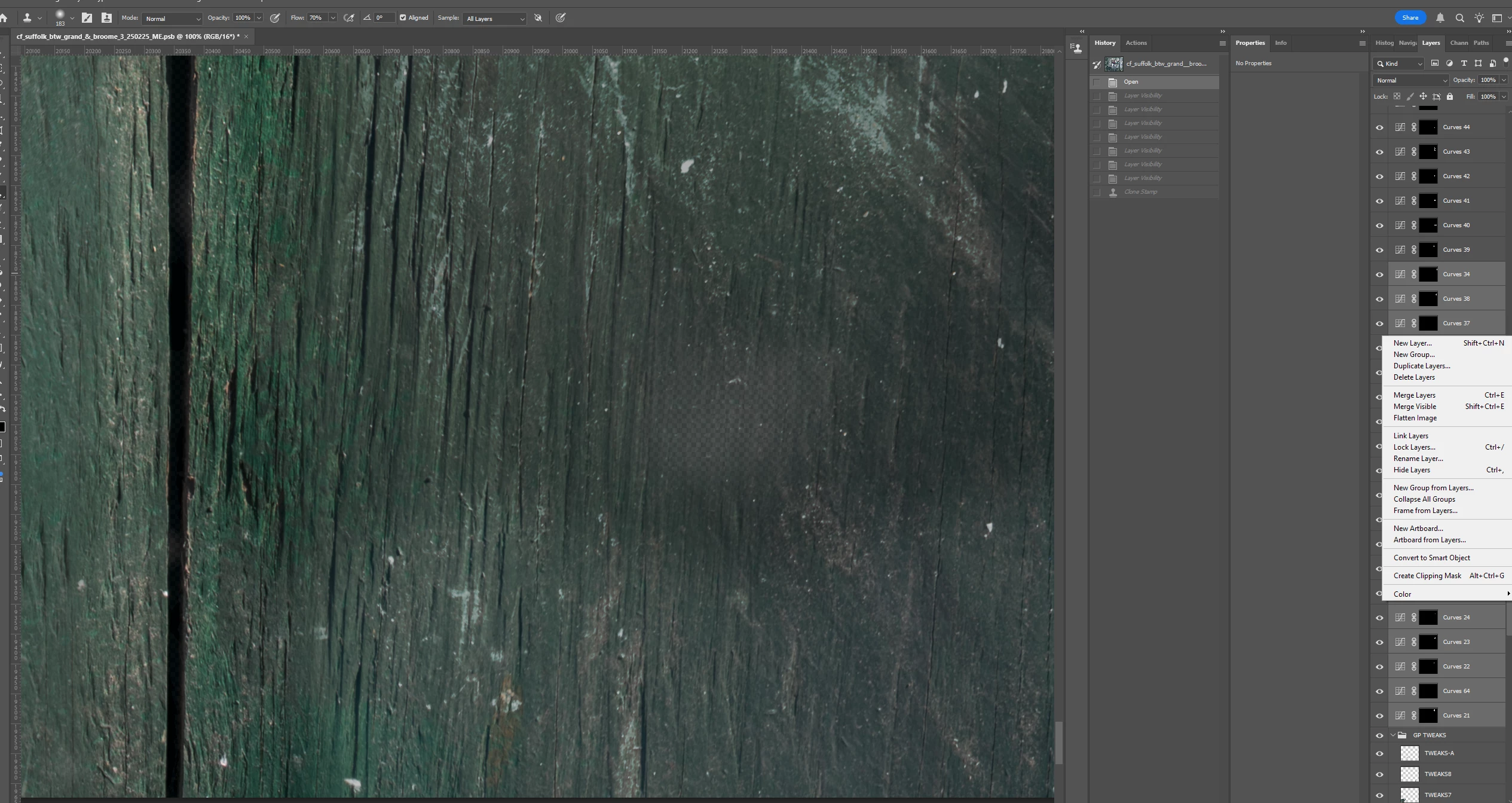
Is there a way to toggle on or off a range of selected layers, such as I have in the below screenshot?  It seems like if you were to select a range of layers and then right-click, it would be logical and handy to have the option to turn them off (or on).  Thanks for any help.


Correct answer BrettN

"Hide Layers" is the option you are looking for in the right-click menu

2 replies

Trevor.Dennis
Community Expert
Community Expert
March 4, 2025

Select the layers and use Ctrl , (coma) to toggle on and off.   (I hate right click menus.)

It won't toggle a mix of one and off layers. It would turn all of the selected layers ether on or off the first time you use the shortcut.

BrettN
Community Manager
BrettNCommunity ManagerCorrect answer
Community Manager
March 4, 2025

"Hide Layers" is the option you are looking for in the right-click menu

Inspiring
March 4, 2025

Right, of course.  Thank you.