
Participant
December 20, 2020
Pergunta

Type option missing? (content aware/create texture/proximity match)

  • December 20, 2020
  • 1 resposta
  • 3904 Visualizações

Hi, I just went on photoshop for the first time since May and I went to do a conetent aware spot healing brush but my types are missing!! I can't select a type for any tool in photoshop!


This is what my toolbar looks like for spot healing brush:

 

And this is what it should look like (screenshotted from a youtube video):
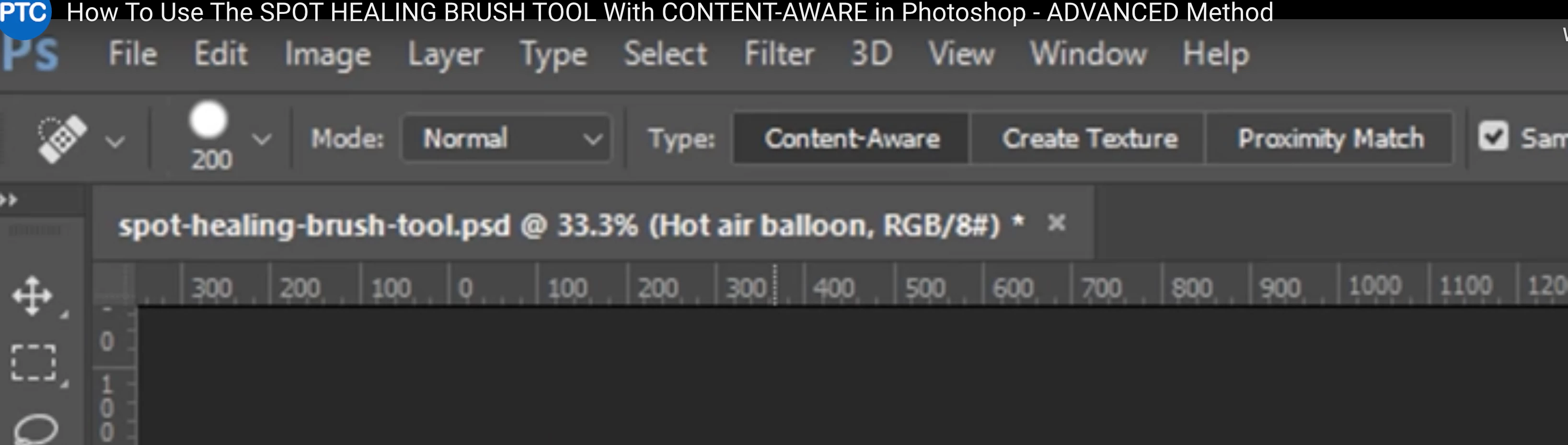
How do I fix?

Este tópico foi fechado para respostas.

1 Resposta

barbara_a7746676
Community Expert
Community Expert
December 20, 2020

There is a spot healing brush and a healing brush. It looks like the first screen capture is the Healing brush and the second capture is the Spot Healing brush.

Participant
December 20, 2020

Ok well I don't have the type option for either. Sorry must have mixed them up but either way still missing.

barbara_a7746676
Community Expert
Community Expert
December 20, 2020

If those tools are missing, right click the 3 dots at the bottom of the Tools panel.

Choose Edit Toolbar and add any missing tools.