Known Participant
May 5, 2025
Question

UI/UX fail?

  • May 5, 2025
  • 3 replies
  • 260 views

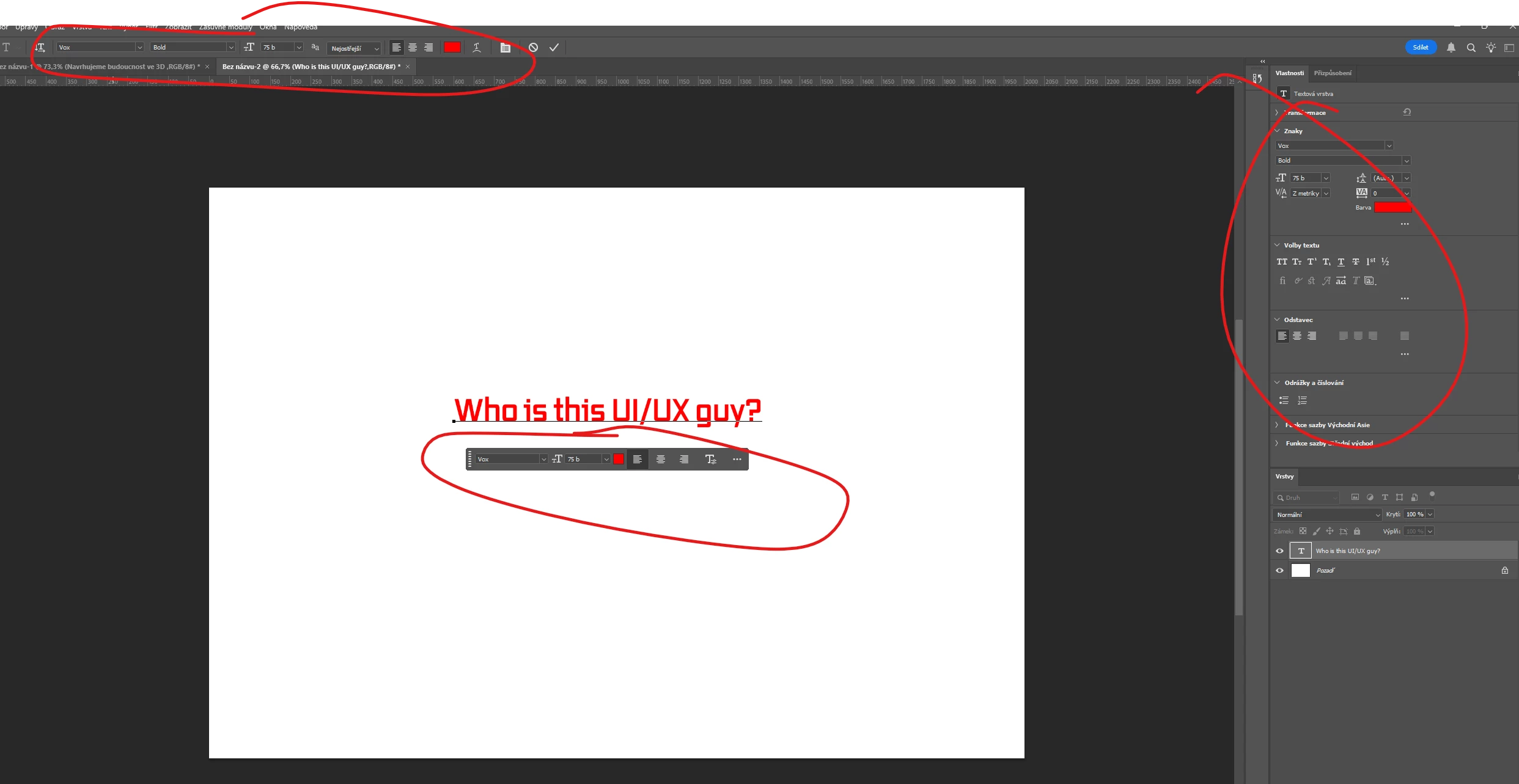
I am working in PS and sudenly it makes me thinking, who is or are those guys making UI/UX for Photoshop? Most of time it doesn't make any sense. 

I found 3 panel how to change text. Maybe it's time for 4th one? 😄 😄 😄 
 

3 replies

c.pfaffenbichler
Community Expert
Community Expert
May 6, 2025

What is the problem about a setting being available in more than one Panel? 

As an aside: Have you overlooked the Character Panel? 

Trevor.Dennis
Community Expert
Community Expert
May 5, 2025

How many of us have moved panels close to where we need them, just to save moving the mouse/cursor any more than we need to?  I have done that for as long as I can remember.  It's even worse if you use multiple screens, and especially if they are large. 


If you use a small screen with less space to display the UI, it makes sense to use the default Function key shortcuts to turn panels on and off as you need them.  If you have pleanty of screen space, then those shortcuts are better served trigering Photosho Actions — like setting and resetting your custom workspace.

So the Contextual Task Bar is a genius idea with the potential for significant time saving.  It is already well thought out, and will no doubt get better.  The ability to customise it, like we can with the Toolbar,  would make it perfect.  


My pet hate are right click menus, and menus generally.  I like that the Development Team makes them contextual were they can(e.g. the option to create a Smart Object via copy does not appear unless the layer is already a Smart Object, but Photoshop's complexity means those menus are long, and you have to hunt through two dozen lines to find what you need, and I think we all resent the time that takes.  So, for me, it's better use shortcuts when you can, and the Function keys are perfect for this. 


So when you see options on how to perform a task or function, take the time to check it out, and use the one that works for you.  


Legend
May 6, 2025

Interesting, I have highly automated Photoshop and use function keys to run actions and scripts. I pretty much never change the panel layouts or arrangement and don't like when anything moves around. I have one workspace, period.


I have a BUNCH more scripts and actions, honestly I wish I had more function keys available to run them.


F1     Batch

F2     Sharpen (frequency separation)

F3     Flatten

F4     Center action

F5     Highlight levels action to show pure whites

F6     Levels 255->254 to refine white background

F7     Highlight cut (highlight/shadow adjustmant)

F8     Perspective image action (rotate, center, resize, crop, sharpen)

F9     Background select

F10   Save for Web

F11    Zoom to 100% and resize window

F12   Delete layers from F5 action

Claire H.
Community Manager
Community Manager
May 5, 2025

Hi @Pedro369032337muj, I hear you! Photoshop is powerful, but sometimes navigating all the options feels like a scavenger hunt. 😄 It’s true that there are multiple ways to adjust text, and we know that can sometimes lead to confusion or extra clicks. Your feedback is appreciated, and it genuinely helps guide future improvements to the UI. If there’s a specific part of the experience you’d like to see streamlined, feel free to share here! ^CH
