Known Participant
January 11, 2026
Answered

Unable to add a color to the shape

  • January 11, 2026
  • 1 reply
  • 92 views

Hello,

When I try to fill out the rectangle with solid color from the properties, I get disable option.

How can I add color to the shape?

Unable to Color

Correct answer Conrad_C

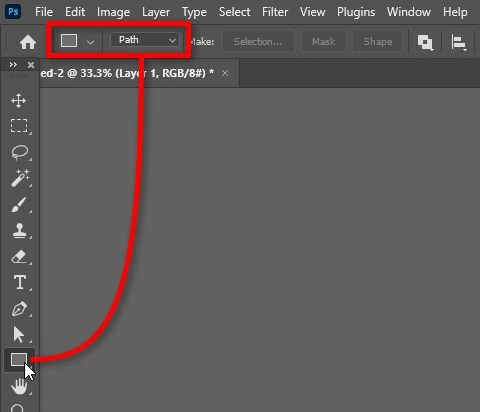
Your video shows the problem: When you drew the shape, the options bar for the selected shape tool was set to Path. That creates a vector path , not a full shape layer. A path can only be used for operations such as selection, but if you want to be able to fill, stroke, print, or export that path it needs to be a shape layer. 
 

No-fill-option.jpg


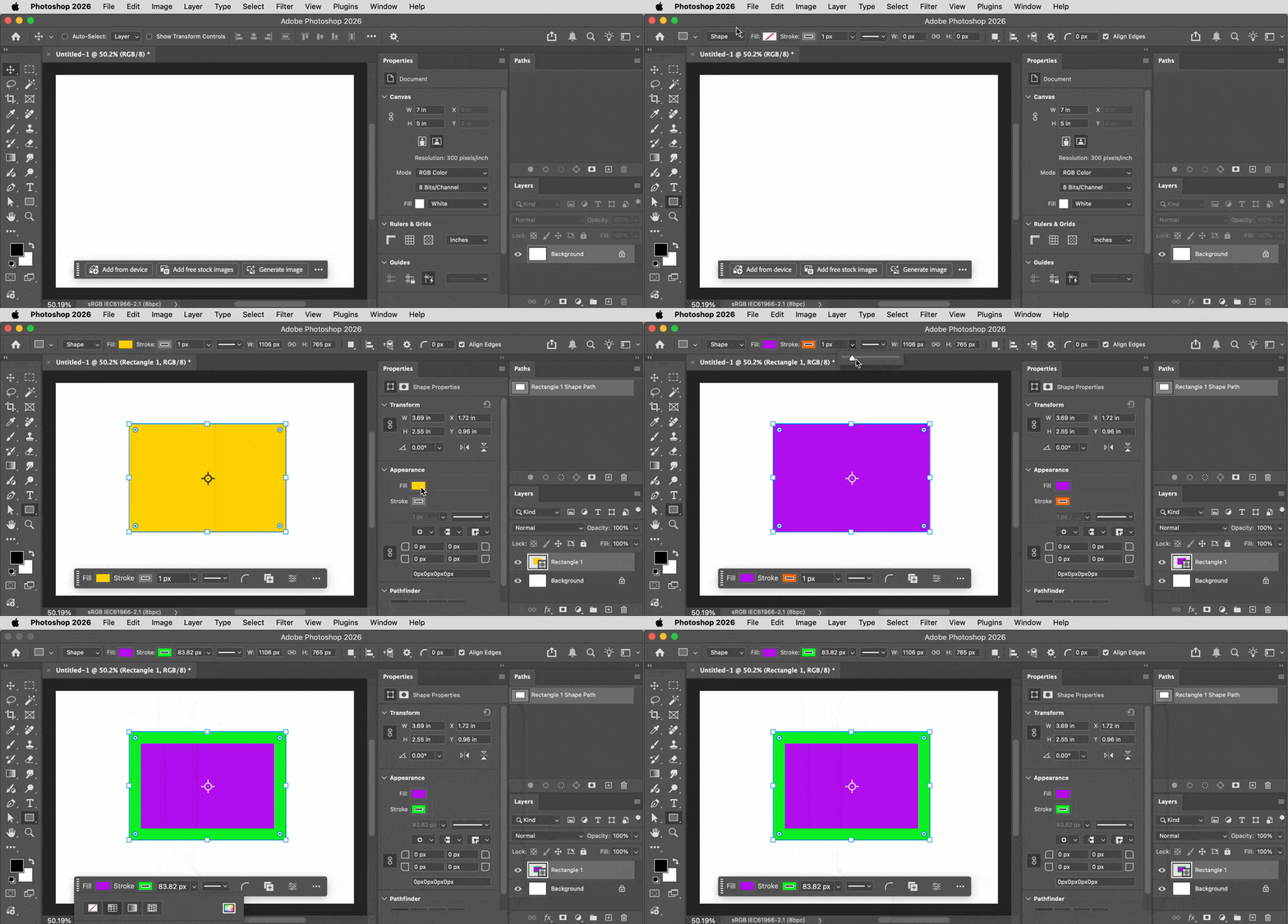
To get what you want, make sure the options bar for the selected shape tool is set to Shape, as shown in the demo below. Also notice that when working with paths and shapes, it can help to have the Paths panel open as a reminder of what kind of path you’ve selected. 
 

Photoshop path vs shape layer.gif


Also notice that if a shape layer is selected, you may find Fill and Stroke options in up to three places: The options bar, the Properties panel, and the Contextual Task Bar.


1 reply

Conrad_C
Community Expert
Conrad_CCommunity ExpertCorrect answer
Community Expert
January 11, 2026

Your video shows the problem: When you drew the shape, the options bar for the selected shape tool was set to Path. That creates a vector path , not a full shape layer. A path can only be used for operations such as selection, but if you want to be able to fill, stroke, print, or export that path it needs to be a shape layer. 


No-fill-option.jpg


To get what you want, make sure the options bar for the selected shape tool is set to Shape, as shown in the demo below. Also notice that when working with paths and shapes, it can help to have the Paths panel open as a reminder of what kind of path you’ve selected. 


Photoshop path vs shape layer.gif


Also notice that if a shape layer is selected, you may find Fill and Stroke options in up to three places: The options bar, the Properties panel, and the Contextual Task Bar.

Known Participant
January 12, 2026

Thanks a lot for the comprehensive detailed reply appreciat. that did answer my question.

Best regards
