
Participant
Aug 13, 2025 8:14 AM UTC
Answered

unable to edit layers panel in photoshop

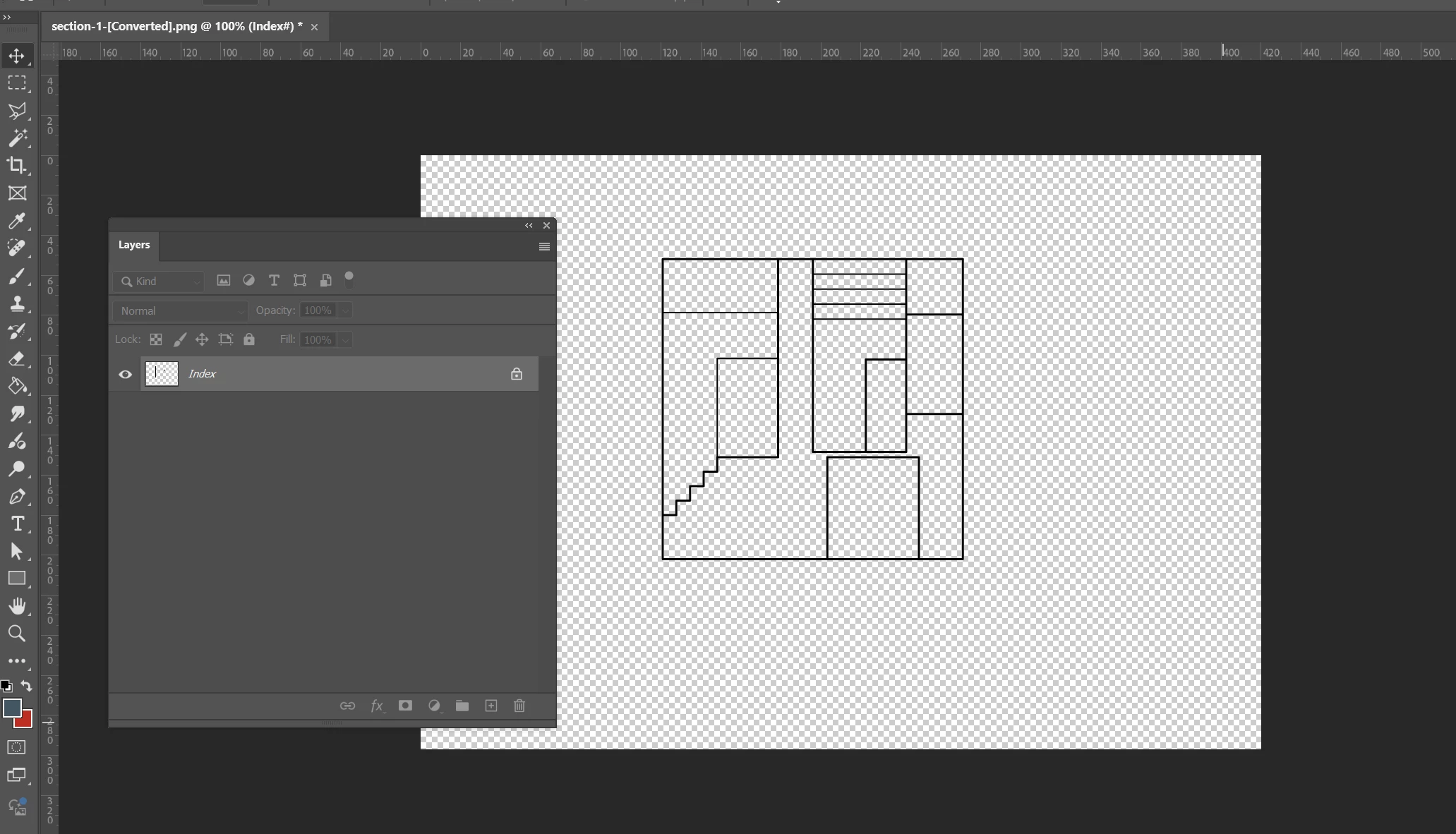
I have a drawing in illustrator that I want to keep in the exact same dimensions in photoshop. (eg 16mm in ai is 16mm in ps). So I exported from illustrator as a save as web and opened the file in photoshop, but found that I'm unable to edit in the layers panel. Can't even add a new layer. Is there a fix or alternative way to do this?
 

M-HCorrect answer
Inspiring
Aug 13, 2025 1:18 PM UTC

PNG is a rastor graphic format and doesnt support layers - literally the opposite of illustrator.

To edit illustrator layers you need to export it in a format which supports it e.g psd. Its available in "Export As..." and you might need to release your clipping paths/objects before you export.

"Save for web" its not really an option for any further editing, can you guess what is it for?:P

3 replies

Ged_Traynor
Community Expert
Community Expert
Aug 13, 2025 8:20 AM UTC

@Charlotte39002488wbaq why don't you export it as a PSD from Illustrator, also the reason why you can't add layers is because it's an Index layer, go to Image > Mode and change it to RGB Colour

Alternatively, you can just unlock the Index layer

Translate
Participant
Aug 13, 2025 8:28 AM UTC

But save as web doesn't have photoshop format as an option, and i dont know whether if i export as photoshop format the dimensions will be the same. Also, i already tried clicking the lock multiple times before posting in this forum. It cannot toggle between locked and unlocked.

Translate
M-HCorrect answer
Inspiring
Aug 13, 2025 1:18 PM UTC

PNG is a rastor graphic format and doesnt support layers - literally the opposite of illustrator.

To edit illustrator layers you need to export it in a format which supports it e.g psd. Its available in "Export As..." and you might need to release your clipping paths/objects before you export.

"Save for web" its not really an option for any further editing, can you guess what is it for?:P

Translate