
Participant
January 12, 2025
Answered

Unable to install all apps

  • January 12, 2025
  • 6 replies
  • 315 views

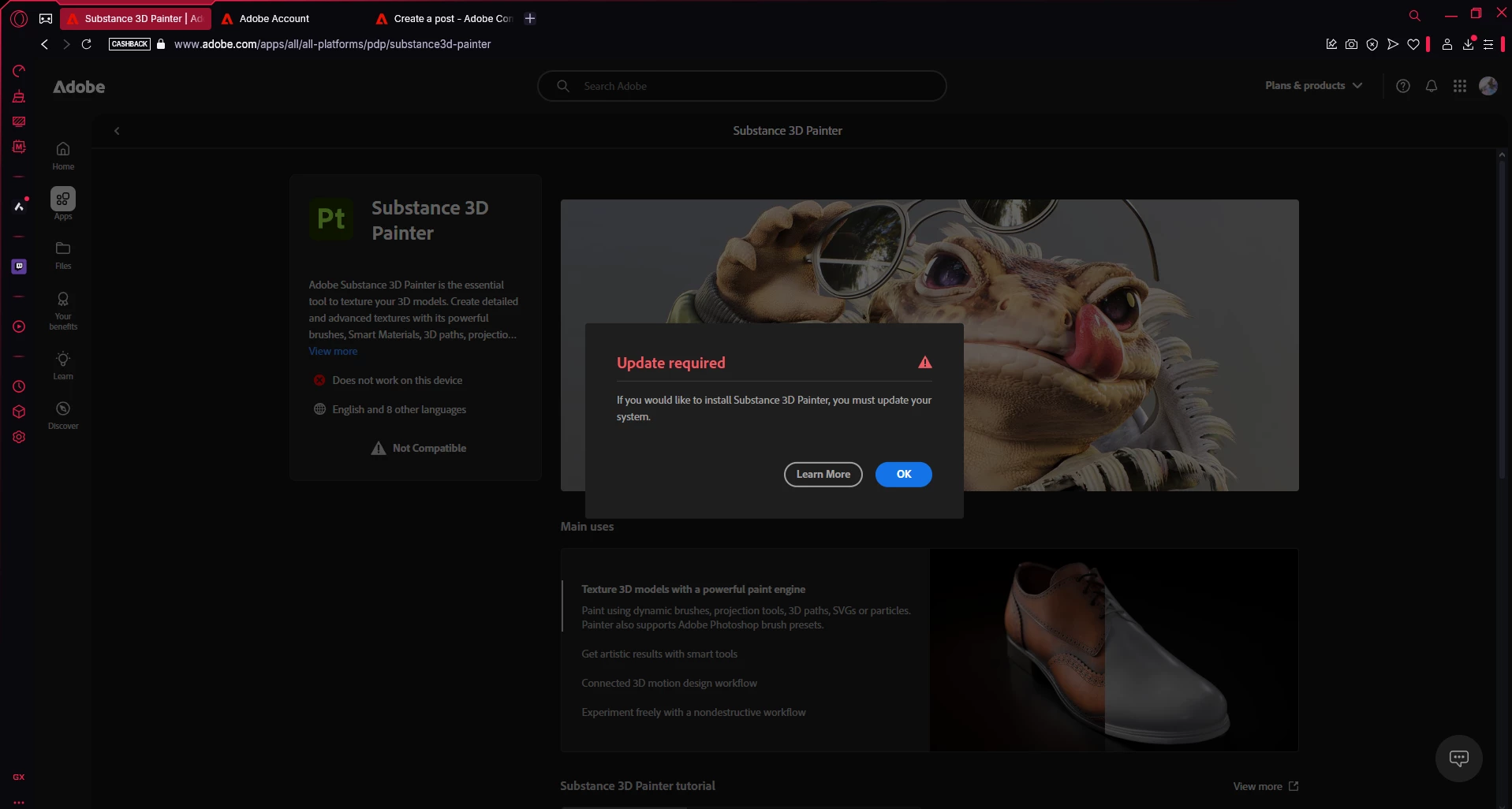
On my account I am unable to download or install any of my apps nor even install my creative cloud. When I log onto my account to install an app it tells me that im unable too and that I need to update my system (shown in picture). It also wont let me install the creative cloud, everytime I do it gives me a DMG file and not the actual set up file (shown in picture). Can someone please help me with this. I've done everything thing I can think of. I've changed plans around, i've tried to get in contact with agents, which are all unavailable, i've gotten a friend to see if he can install the creative cloud which he can, and I've also reset my pc and is still not working.

Correct answer davescm

Some browsers can mis-report operating system info, resulting in incorrect files being downloaded for your system. I would try the following with the symptoms you describe.

1. Log out of the CC app (if you are logged in)
2. Uninstall the CC desktop app
3. Run the Adobe CC cleaner https://helpx.adobe.com/uk/creative-cloud/kb/cc-cleaner-tool-installation-problems.html

4. Go to your account using a different browser to that which you used previously, and download then install the CC app direct from that account
5. Install the apps direct from the CC app.

Dave


6 replies

davescm
Community Expert
Community Expert
January 12, 2025

No problem - glad to help.
That is why step 4 above included 'using a different browser'. It might sound like an unnecessary step, but if the browser does not report the OS correctly, switching to a different browser will get around that.


Dave


Participant
January 12, 2025

Hi Dave, THAT WORKED!!!!!! I LOVE YOU SOOOOOO MUCH RN U HAVE NO IDEA! I was using Opera GX so I reinstalled Chrome and now it is downloading. Thank you soooo much.

D Fosse
Community Expert
Community Expert
January 12, 2025

What browser? Opera is known to do this.

davescm
Community Expert
Community Expert
January 12, 2025

The DMG file is for Mac, which supports the incorrect reporting of your system info which should be Windows according to the tag in your first post. What browser are you using? This problem has occured previously when using Opera. In those cases, switching to Chrome resolved it.


Dave

Participant
January 12, 2025

Hi Dave. I've just done that and it still didn't work. Still gives me the DMG file.

davescm
Community Expert
davescmCommunity ExpertCorrect answer
Community Expert
January 12, 2025

Some browsers can mis-report operating system info, resulting in incorrect files being downloaded for your system. I would try the following with the symptoms you describe.

1. Log out of the CC app (if you are logged in)
2. Uninstall the CC desktop app
3. Run the Adobe CC cleaner https://helpx.adobe.com/uk/creative-cloud/kb/cc-cleaner-tool-installation-problems.html

4. Go to your account using a different browser to that which you used previously, and download then install the CC app direct from that account
5. Install the apps direct from the CC app.

Dave