

Inspiring
April 11, 2025
Answered

Unable to start software

  • April 11, 2025
  • 1 reply
  • 225 views

Hello, have a good day.
when I start ps, occur error, then close. and I attch error report, pls help , thanks
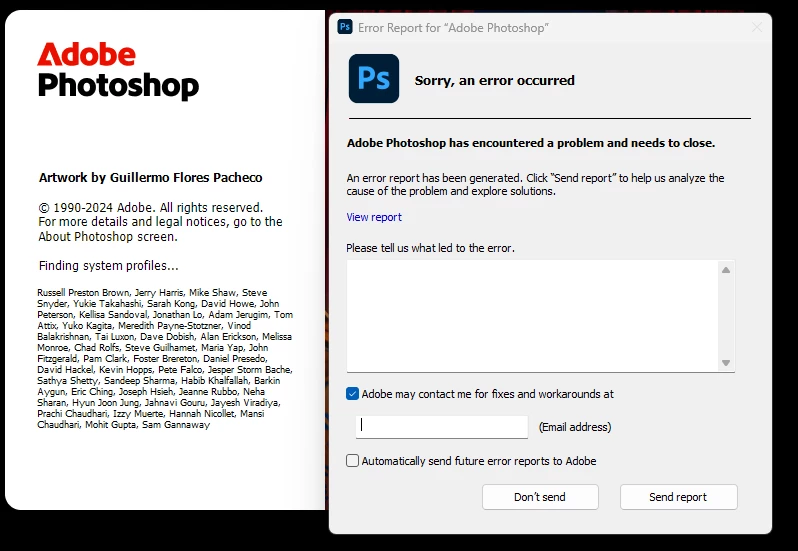
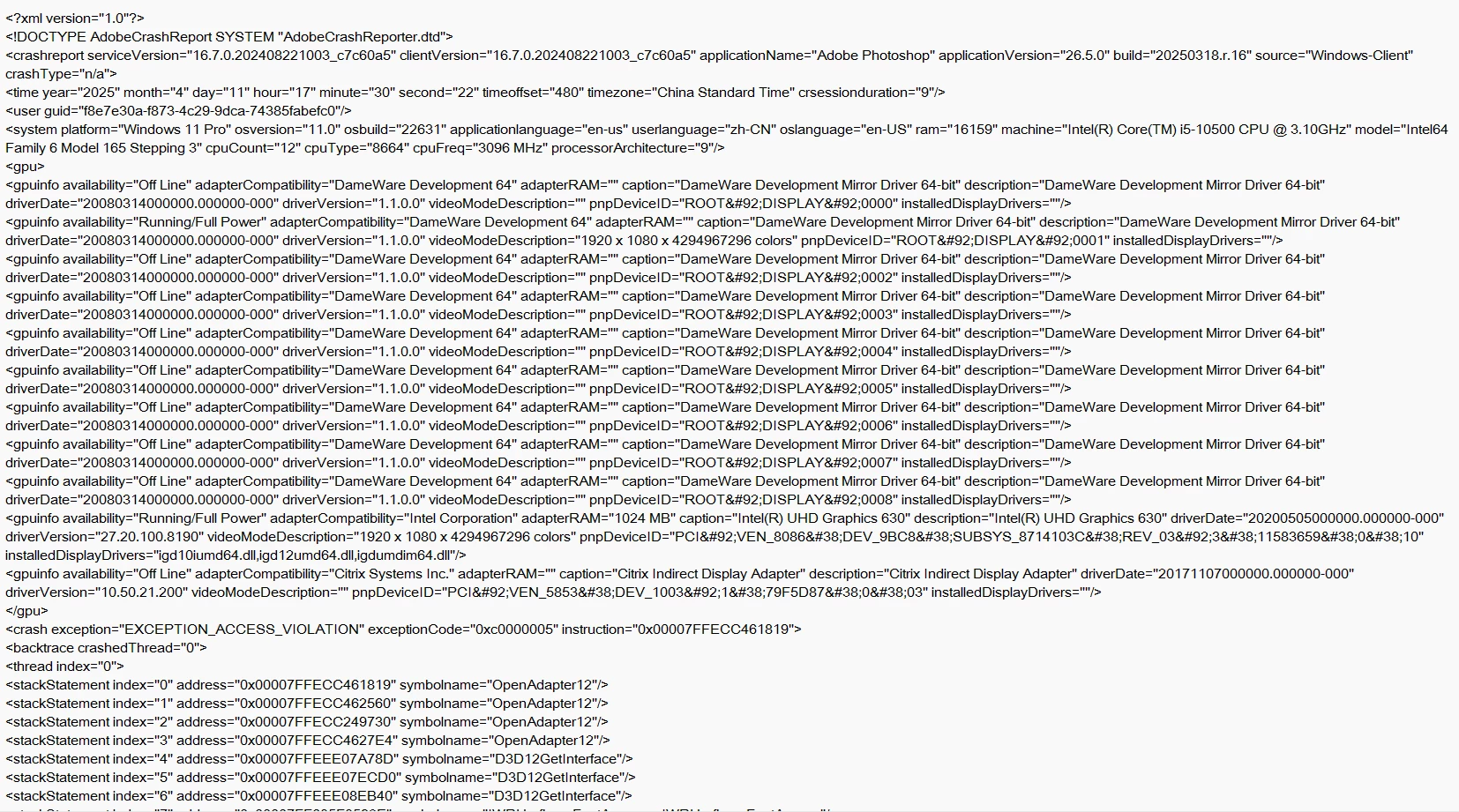


Correct answer Ged_Traynor

@rui huang try manually resetting your Photoshop preferences
https://helpx.adobe.com/ie/photoshop/using/preferences.html#Manually
Remember to back up your settings before doing the preference reset
https://helpx.adobe.com/ie/photoshop/using/preset-migration.html


If that doesn't help, try using the Adobe cleaner tool

https://helpx.adobe.com/ie/creative-cloud/kb/cc-cleaner-tool-installation-problems.html

1 reply

Ged_Traynor
Community Expert
Ged_TraynorCommunity ExpertCorrect answer
Community Expert
April 11, 2025

@rui huang try manually resetting your Photoshop preferences
https://helpx.adobe.com/ie/photoshop/using/preferences.html#Manually
Remember to back up your settings before doing the preference reset
https://helpx.adobe.com/ie/photoshop/using/preset-migration.html


If that doesn't help, try using the Adobe cleaner tool

https://helpx.adobe.com/ie/creative-cloud/kb/cc-cleaner-tool-installation-problems.html

rui huangAuthor
Inspiring
April 12, 2025

Thank you for your reply. "Manually resetting your Photoshop preferences" did not work. Due to account permission issues, I cannot use the "Adobe cleaner tool"

