New Participant
December 31, 2016
Answered

undo photo filter without original file

  • December 31, 2016
  • 3 replies
  • 3549 views

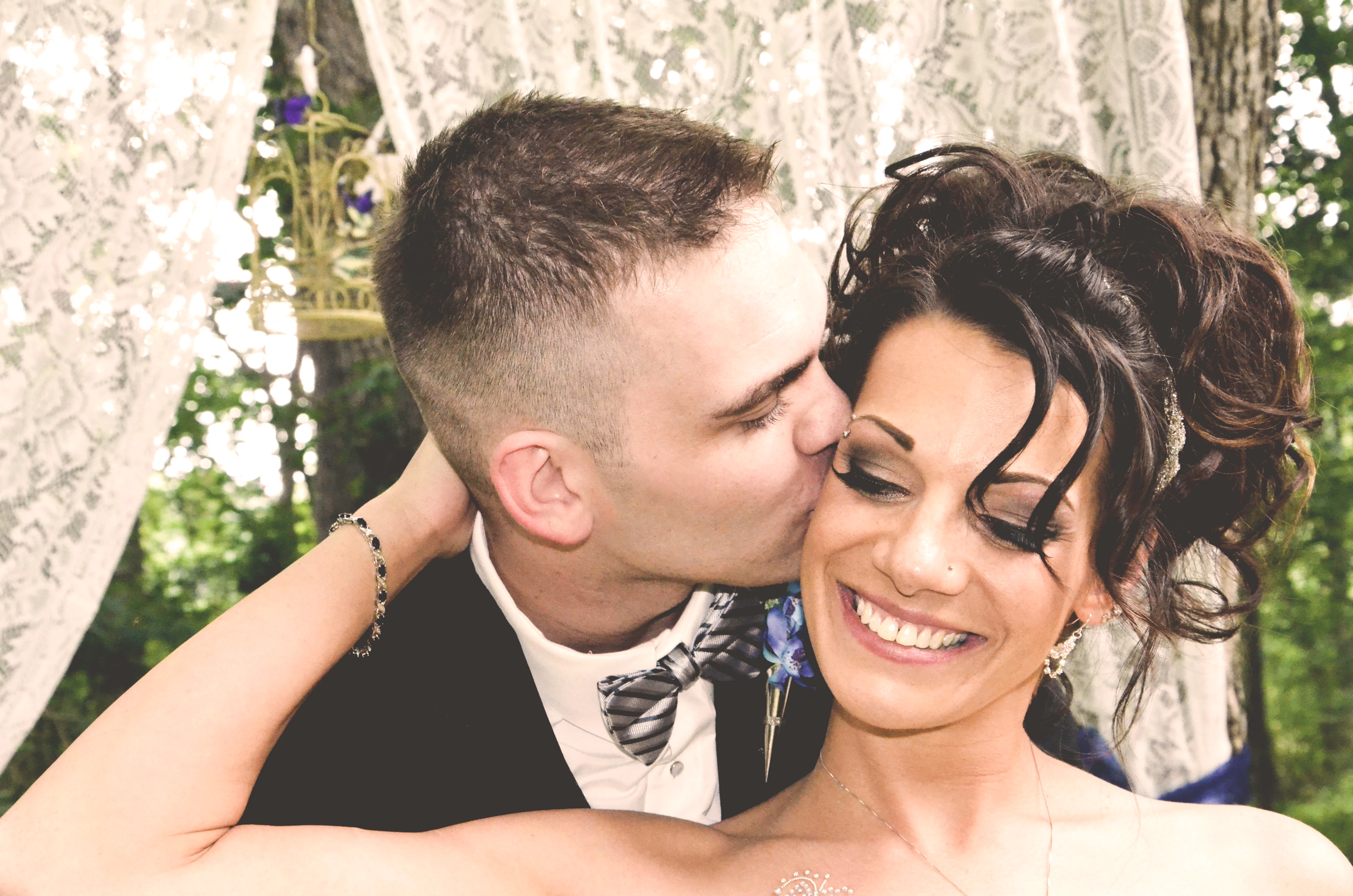
My son's wedding photographer was a mistake. She applied filters to several of the best photos without saving the original versions! I want to recolor one that she faded and (maybe) applied sepia to. Here is the one I have that needs to be recolored:
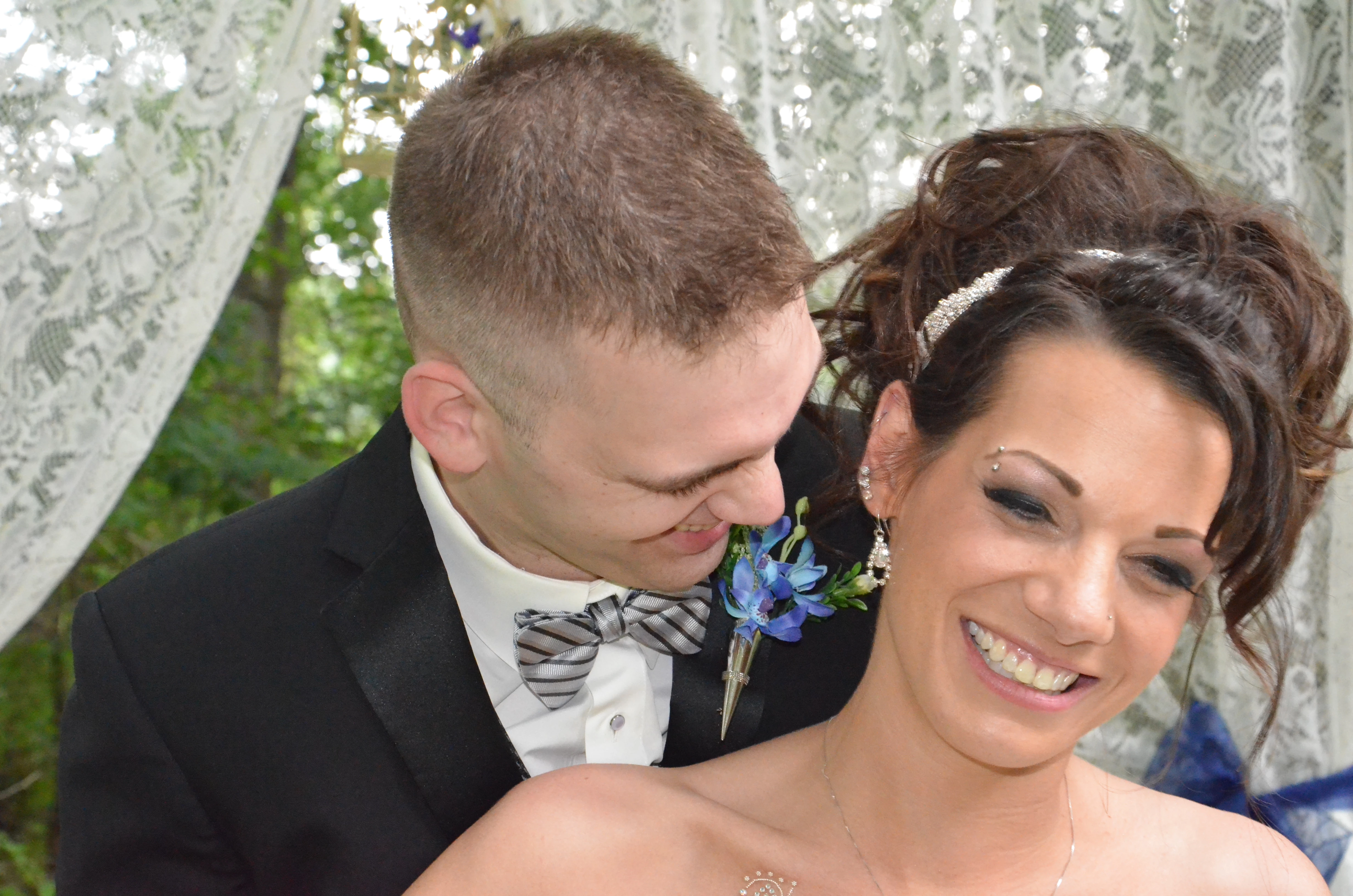
Here is the color the way it was originally:
Can this be done? If so, how?

Thanks a million! Jeanne
    This topic has been closed for replies.
    Correct answer sishamIAGD

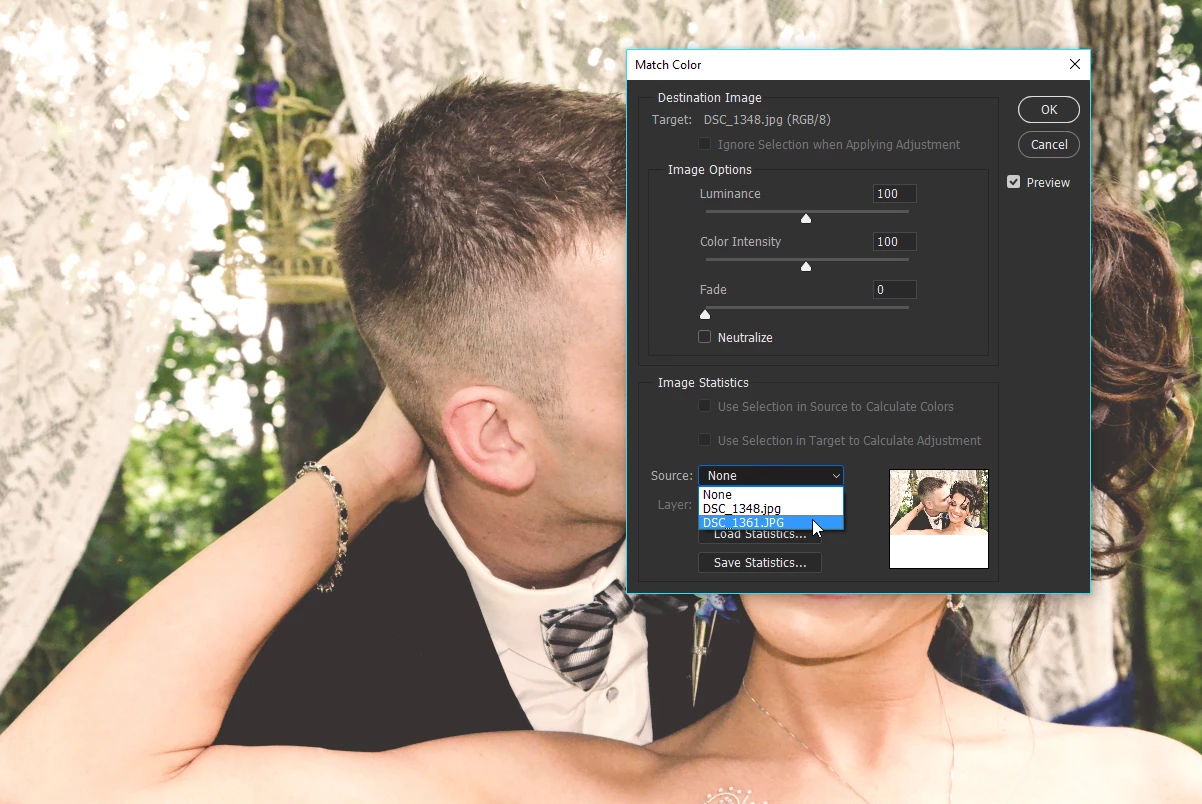
    You could get it close using 'Match Color'.

    If you have both files open in Photoshop and then with the one with the discoloration go to Image>Adjustments>Match Color...

    Select source:

    Then make slight adjustments to the Luminance/Color Intensity/Fade you should be able to get pretty close to the original colors.

    It may take a few attempts to get it near what you want but worth a go.

    Let us know how you get on?

    3 replies

    Inspiring
    January 4, 2017

    Its just needed some basic adjustment in brightness/contrast!

    josephlavine
    Community Expert
    January 3, 2017

    Once you get a workable solution, whether it be using Color Match or another sequence, make sure to save the process as an Action so you can apply it to the remainder of the images.

    Derek Cross
    Community Expert
    December 31, 2016

    If you have the original memory card and the pics have not been overwritten it may be possible to retrieve them. But it's a cautionary tale to always save a copy of your original photographs!

    CardRecovery Download - Photo Recovery from Memory Card

    New Participant
    December 31, 2016

    No, I don't have the original card, unfortunately. Yeah, this photographer was a really let down. I would NEVER save my work to the original file. Ugh!

    sishamIAGD
    sishamIAGDCorrect answer
    Community Expert
    January 3, 2017

    You could get it close using 'Match Color'.

    If you have both files open in Photoshop and then with the one with the discoloration go to Image>Adjustments>Match Color...

    Select source:

    Then make slight adjustments to the Luminance/Color Intensity/Fade you should be able to get pretty close to the original colors.

    It may take a few attempts to get it near what you want but worth a go.

    Let us know how you get on?