Participant
March 3, 2025
Answered

Unrequested cut occurs when using Marquee/Free Transformation

  • March 3, 2025
  • 2 replies
  • 147 views

Photoshop 26.4.1


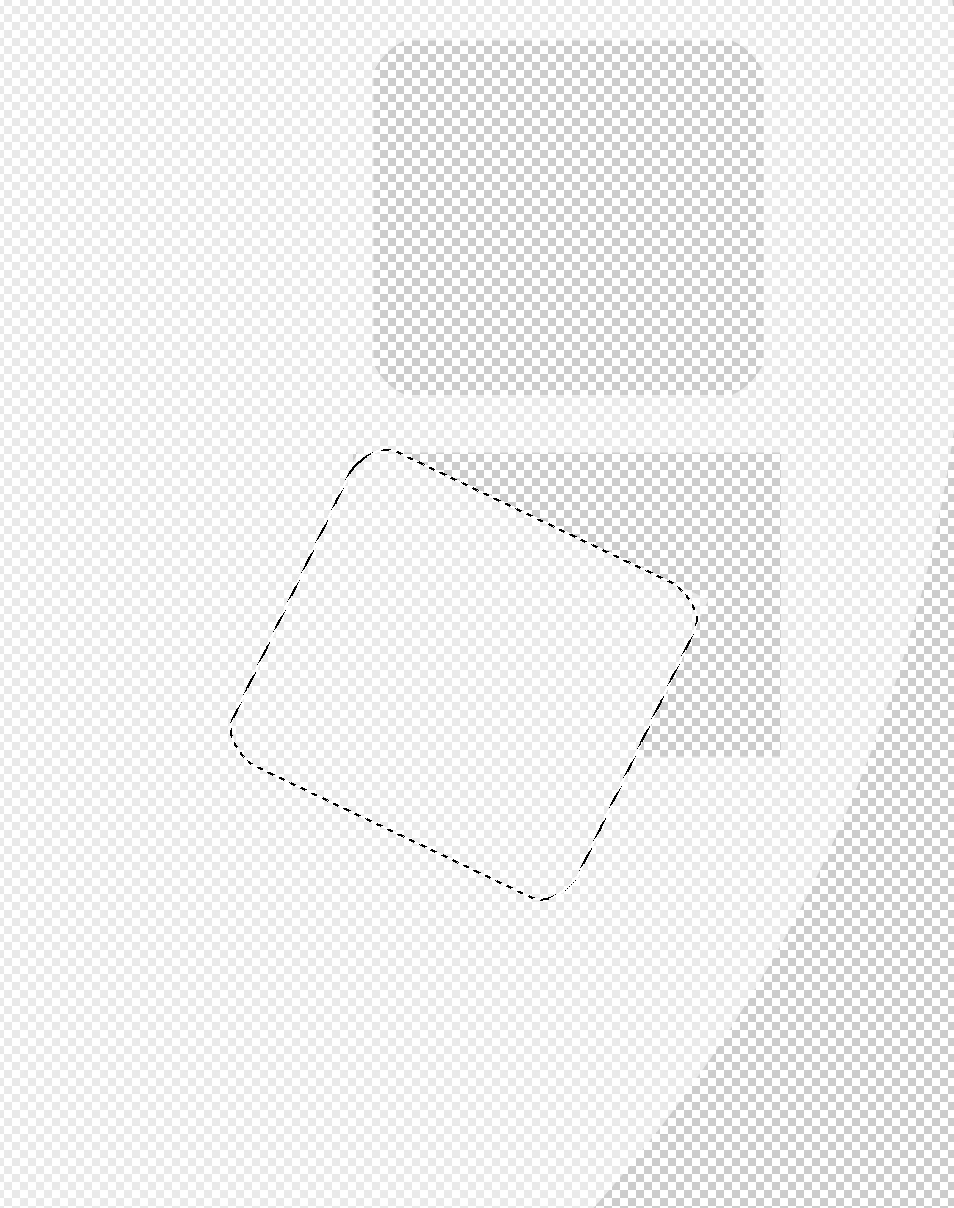
I am creating a shape with the Rectangular Marquee tool and modifying it with Free Transform. However, when I checked I found a cut where I made the initial tool. I did not set a cut there but it is there anyway. 


To reproduce:

  1.  Select the rectangular Marquee tool and create a shape.
  2. Select free transform, move the shape, and/or rotate it.
  3.  You will see a cut where the shape was created.

 

Correct answer Jeff Arola

If you just want to transform the selection outline and not the contents inside the selection use Select>Transform Selection.

2 replies

Bojan Živković11378569
Community Expert
Community Expert
March 4, 2025

That's how things work; it's not a bug. I will move the post to the discussions section.

Jeff Arola
Community Expert
Jeff ArolaCommunity ExpertCorrect answer
Community Expert
March 3, 2025

If you just want to transform the selection outline and not the contents inside the selection use Select>Transform Selection.