


Participant
July 29, 2025
Answered

Urgent: Photoshop Crashes When Opening Any Image – Immediate Assistance Required

  • July 29, 2025
  • 3 replies
  • 262 views

Dear Adobe Support Team,

I hope this message finds you well.

I am writing to urgently request assistance regarding a critical issue with Adobe Photoshop on my Windows system. I am currently unable to open any image file in Photoshop, as the application consistently displays the error:

"Could not open [filename] ^0." 

…followed immediately by a crash.
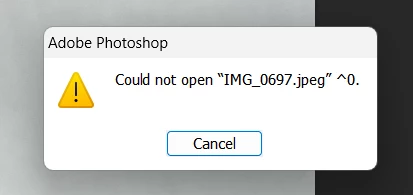
This issue occurs with all image files, regardless of format or size. Photoshop opens normally without loading any image, but crashes the moment I attempt to open a file. 

This problem has brought my workflow to a complete standstill. We are currently in the middle of several time-sensitive design projects that depend heavily on Photoshop.

I kindly request immediate assistance or escalation to a senior support engineer, as this issue is significantly impacting business operations.

Please let me know if you require any logs, crash reports, or system information. I am available to provide details or join a support call as soon as possible.

Thank you in advance for your prompt help.

 

Correct answer Sameer K

Hey, @Jatinder36205117p29r. Welcome to the Photoshop Community. I've located the crash log submitted with the account you've used for Community & I found the following details:


1—You're using Windows 8, or the way your machine is set up is uniquely flawed, so it is being recognized as Windows 8. If you're using Windows 8, you'll need to update to Windows 10 or 11 for continued support and compatibility. Head here to learn more: https://adobe.ly/46yG9AW


2—Your machine has integrated Intel UHD graphics that are running drivers from about 2 years ago. You'll need to update the GPU drivers, as drivers older than 6 months can be unstable. Follow the content here for steps: https://adobe.ly/46yGaF0;


Let me know how it goes. Thanks!

Sameer K

(Type '@' and type my name to mention me when you reply)

3 replies

davescm
Community Expert
Community Expert
July 29, 2025

Can you confirm that this happens when you open a file from a local (i.e. internal non-network) drive.

If so, can you open Photoshop and go to Help > System Info click on 'Copy' and paste the info here. In addition, can you go to the Windows search box and type reliability. Then choose relaibility history which should open the reliability monitor. There should be a critical event at the time of your crash and clicking on it should give additional information. Can you paste that also.

Note : This community is predominently answered by volunteer Photoshop users. We are not Adobe employees, although some Adobe staff do answer here also. When they do they are identified as such under their user name. Please do not respond to private messages asking for account details or access to your system. Scammers are known to do that.

Dave

Sameer K
Community Manager
Sameer KCommunity ManagerCorrect answer
Community Manager
July 29, 2025

Hey, @Jatinder36205117p29r. Welcome to the Photoshop Community. I've located the crash log submitted with the account you've used for Community & I found the following details:


1—You're using Windows 8, or the way your machine is set up is uniquely flawed, so it is being recognized as Windows 8. If you're using Windows 8, you'll need to update to Windows 10 or 11 for continued support and compatibility. Head here to learn more: https://adobe.ly/46yG9AW


2—Your machine has integrated Intel UHD graphics that are running drivers from about 2 years ago. You'll need to update the GPU drivers, as drivers older than 6 months can be unstable. Follow the content here for steps: https://adobe.ly/46yGaF0;


Let me know how it goes. Thanks!

Sameer K

(Type '@' and type my name to mention me when you reply)

Participant
July 29, 2025

Hi Dave, 


Yes, I did reset it. I also tried re-installing older version of photoshop. Nothing helped. 

davescm
Community Expert
Community Expert
July 29, 2025

@Jatinder36205117p29r Have you tried resetting your Preferences? The preference files contain internal settings, not just the user settings, and are saved each time Photoshop closes. Any corruption can lead to issues.
You can back them up first:

https://helpx.adobe.com/uk/photoshop/using/preferences.html


Dave