
Participating Frequently
November 15, 2024
Answered

Use a imge to generate other images?

  • November 15, 2024
  • 3 replies
  • 773 views

I used one of my painting (portrait) to generate other images, it was much faster and easier than use a very long prompt. It kept the colors and the style of the image.
I just can't find it again, how to import the image to the feature
    This topic has been closed for replies.
    Correct answer Conrad_C

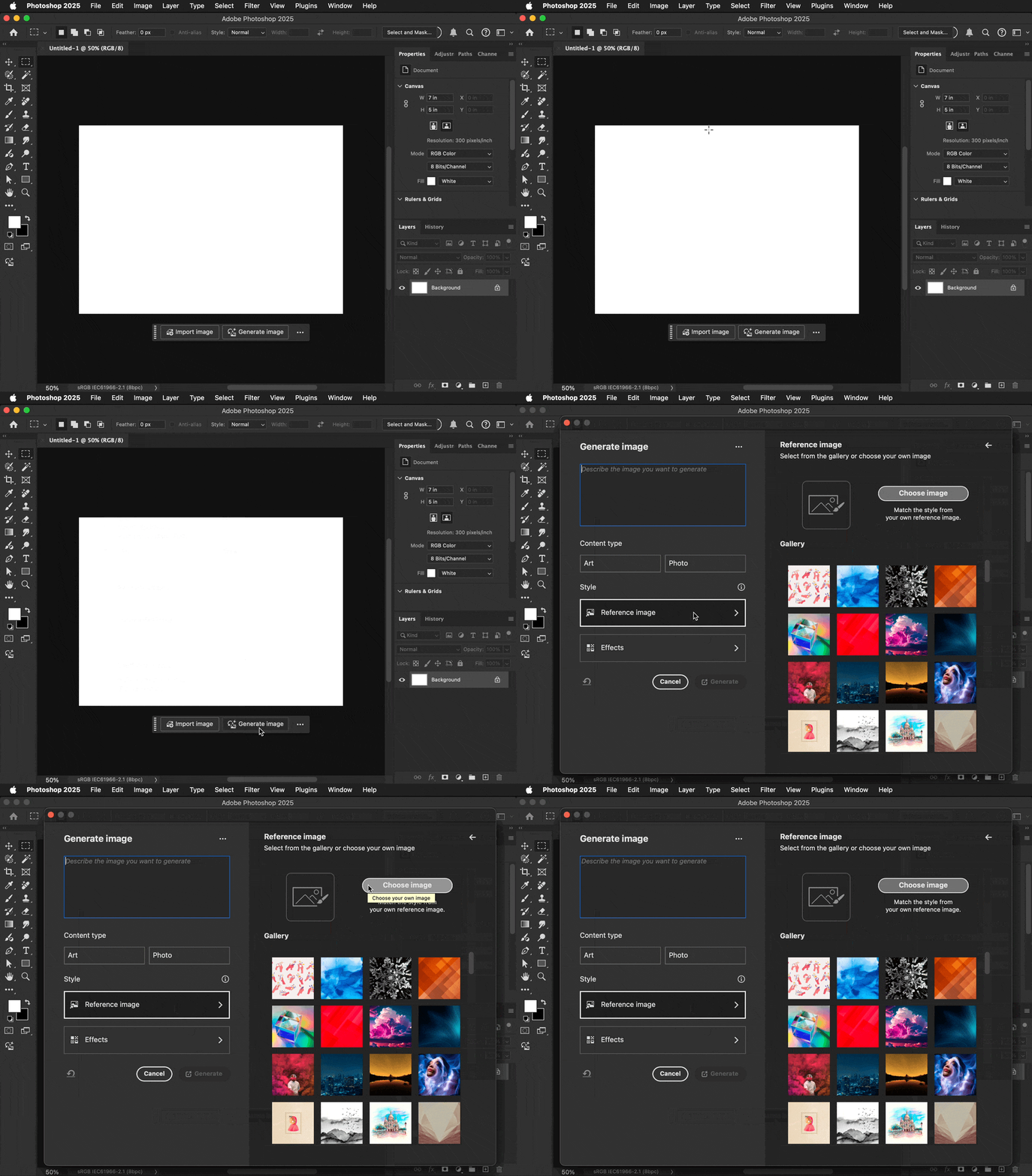
    As shown in the demo below, Reference Image is an option when you use Generate Image, either by clicking its button on the Contextual Task Bar or choosing its command on the Edit menu.


    Reference Image is not available when you use Generative Fill. I think that’s because Generative Fill is based on a selection in an existing image, so it’s meant to generate content that matches the rest of that image and not a different image.


    3 replies

    Conrad_C
    Community Expert
    Community Expert
    November 15, 2024

    Was it the Reference Image option?


    Participating Frequently
    November 16, 2024

    It was! Where do I find that again?

    Conrad_C
    Community Expert
    Conrad_CCommunity ExpertCorrect answer
    Community Expert
    November 16, 2024

    As shown in the demo below, Reference Image is an option when you use Generate Image, either by clicking its button on the Contextual Task Bar or choosing its command on the Edit menu.


    Reference Image is not available when you use Generative Fill. I think that’s because Generative Fill is based on a selection in an existing image, so it’s meant to generate content that matches the rest of that image and not a different image.


    Participating Frequently
    November 15, 2024

    I am sorry. Adobe Photoshop 2024

    kglad
    Community Expert
    Community Expert
    November 15, 2024

    <moved to ps from using the community >

    Peru Bob
    Community Expert
    Community Expert
    November 15, 2024

    This is the Using the Community forum (which is the forum for issues using the forums.

    Please tell us what Adobe application you are using so that this can be moved to the proper forum for help.

    Scroll down here to see a list of the forums:
    https://community.adobe.com/