

Use graphic processor messed up
Hello,
I have:
M1 Pro Macbook Pro, 16 gb ram
I have a file that I can't export it PDF because of an error. I have read on the internet that I should uncheck the " use graphic procesor" before I should try export it PDF. I tried it and it didn't work.
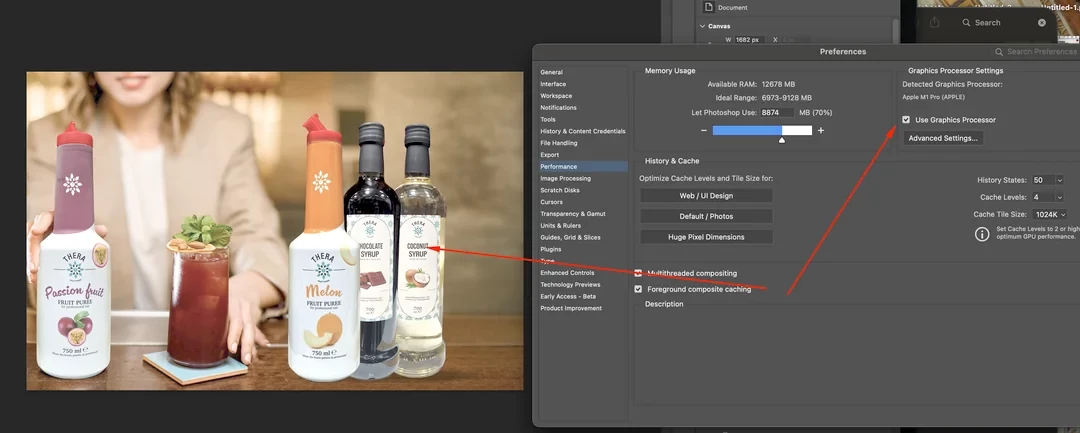
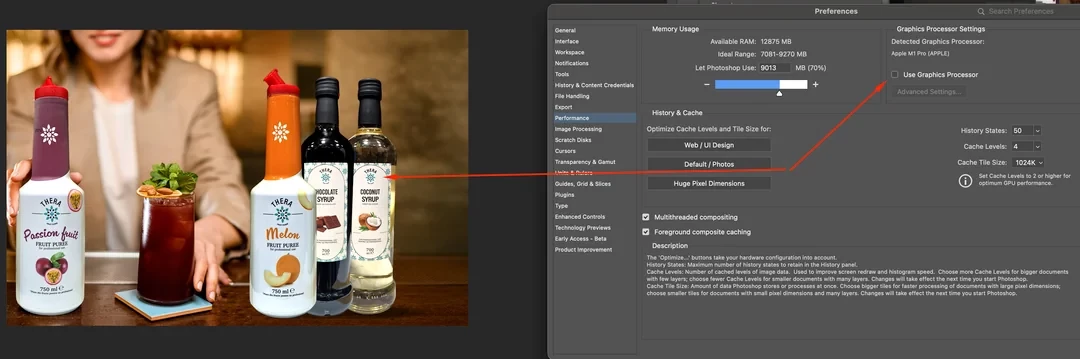
When I unchecked the graphic procesor the images went FADED as if I worked in cmyk ( or when you hit "cmd+Y " ) After that I checked the ' use graphic procesor ' as it was before and restarted the PS.
PRobleem is here: The images are still FADED with the processor toggled on and I don't know what to do.
After a few restarts now i'm in a complet mess. The photos are faded when the procesor is on and normal when the procesor is off. Before that it was the other way around.
I need to have my procesor on because of the performance and I don t know what do to.
One thing: If i m exporting the photo, the colors are normal.
I have:
- Reinstalled PS
- Update MACOS
- Open the PS with CMD SHIFT CONTROL
- Delete cach
UPDATE 1: From what i m seeing it's like photoshop is making my rgb photos looks like in cmyk and my cmyk looks like they are in rgb. If I m creating a document and just place photo the colors are really off. When I switch on the proof color, everything is ok.
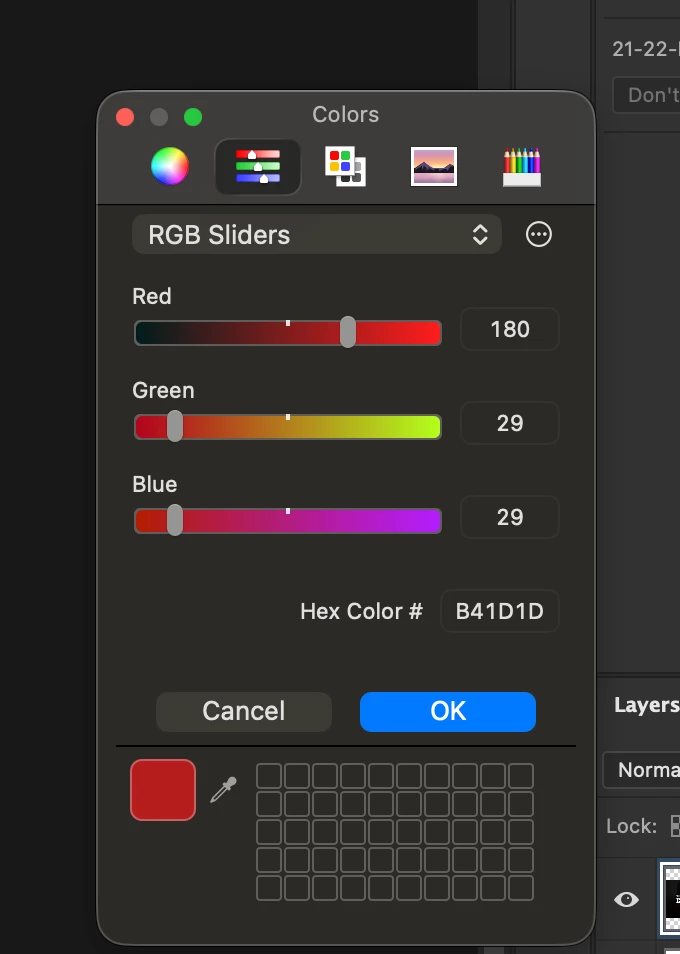
Also when I click on color picker the window appears like this


 AdChoices