


Answered
Use legacy “New Document” interface is grayed out in Photoshop CC 21.1
I'm using the latest version of Photoshop and it's been going great so far. But when I open it up it shows the old legacy "new document" interface which drives me crazy. And when I want to un-check it. It's not possible because it's grayed out. Here is the preview:-
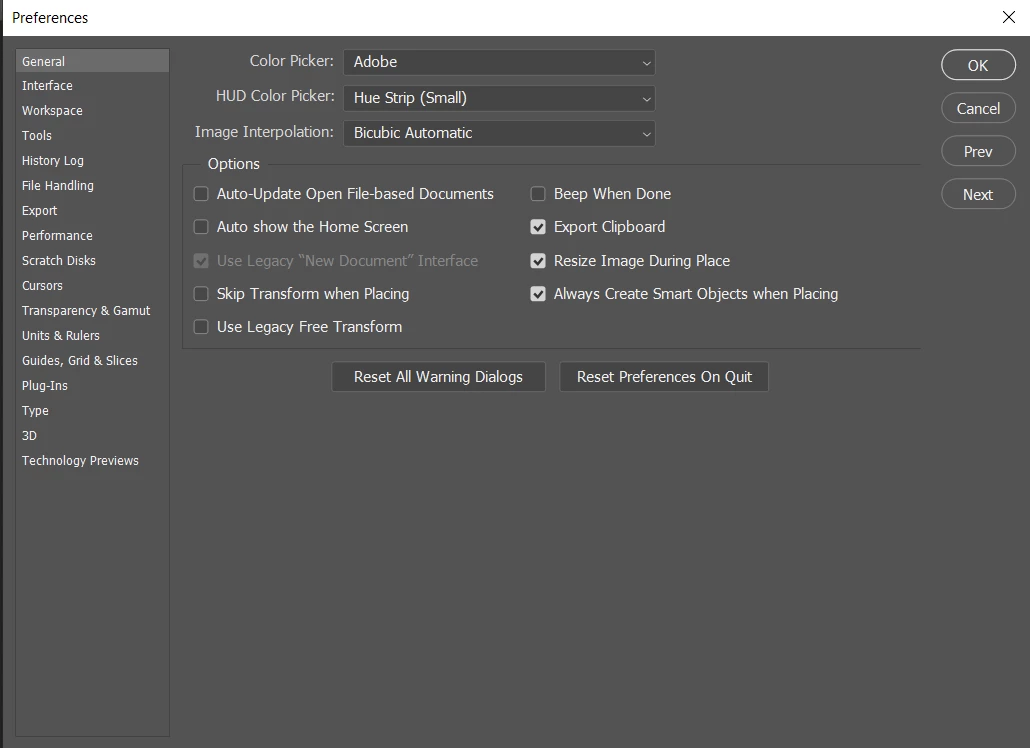
What I have tried so far.
- I installed and re-installed it
- Checked and unchecked all the boxes near it (In the general tab only to know if it will be released but no)
- And have reset the Preferences (edited)
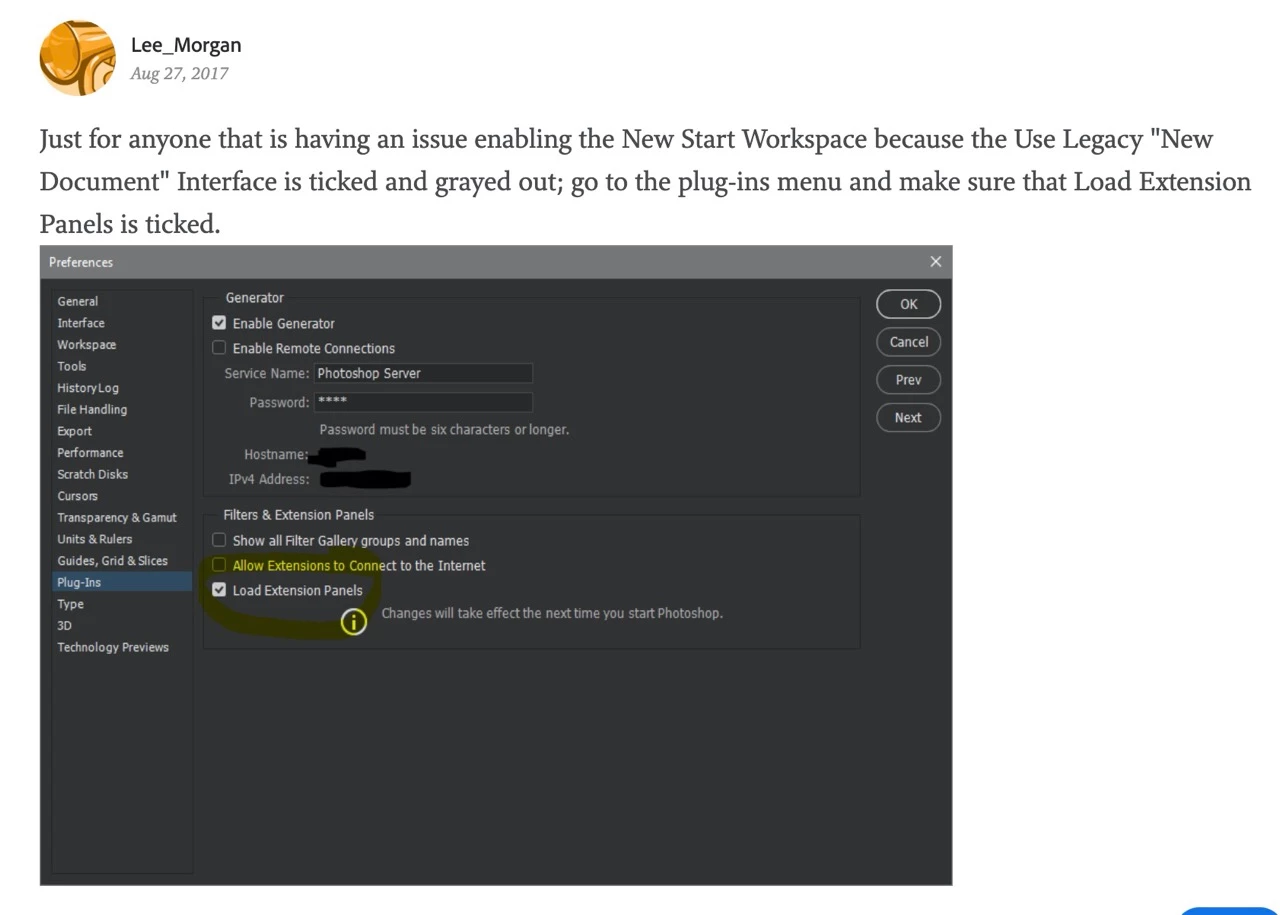
- Have checked the "Load extensions panel" (edited)
- Uninstalled and reinstalled Photoshop after cleaning up with the CC cleaner tool (edited)
- Added a new user account (admin) to try it but to no avail
Please, what could be the issue? Thanks in advance
 AdChoices