


"Use Legacy 'New Document' Interface" setting is incorrectly enabled and locked if new document created quickly after startup
Photoshop version: 26.11.6 (also occurred in 26.5.0)
OS: Windows 10 Home 22H2, build 19045
GPU: NVIDIA GeForce GTX 1660 Ti
STEPS TO REPRODUCE
1. Make sure the setting “Use Legacy 'New Document' Interface” is disabled.
2. Launch Photoshop.
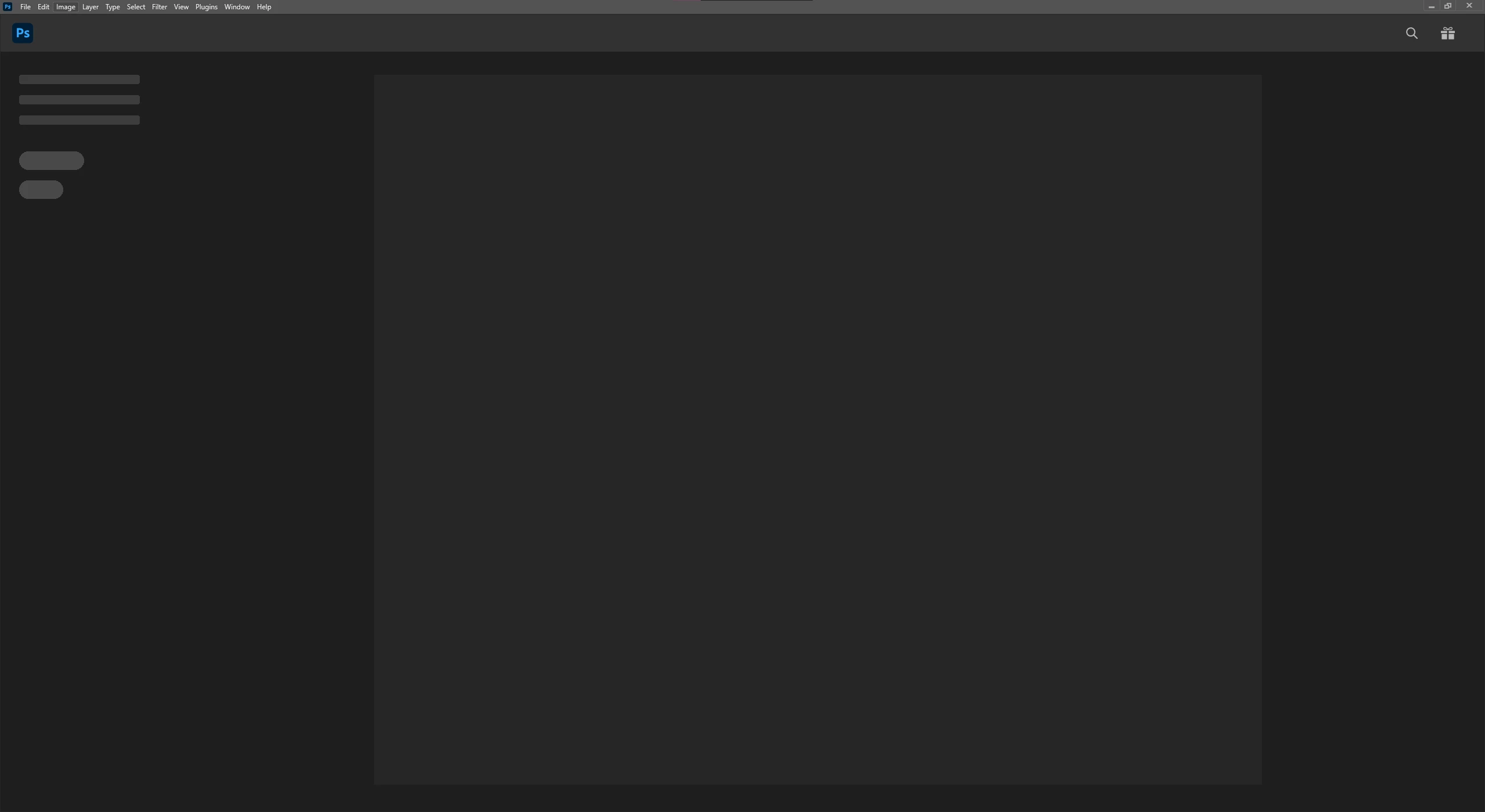
3. As soon as the main Photoshop window opens, but before the UI has finished initializing, immediately press Ctrl+N or click File->New.
EXPECTED RESULT
The standard New Document dialog should open, not the legacy dialog. The "Use Legacy 'New Document' Interface" setting should remain disabled.
ACTUAL RESULT
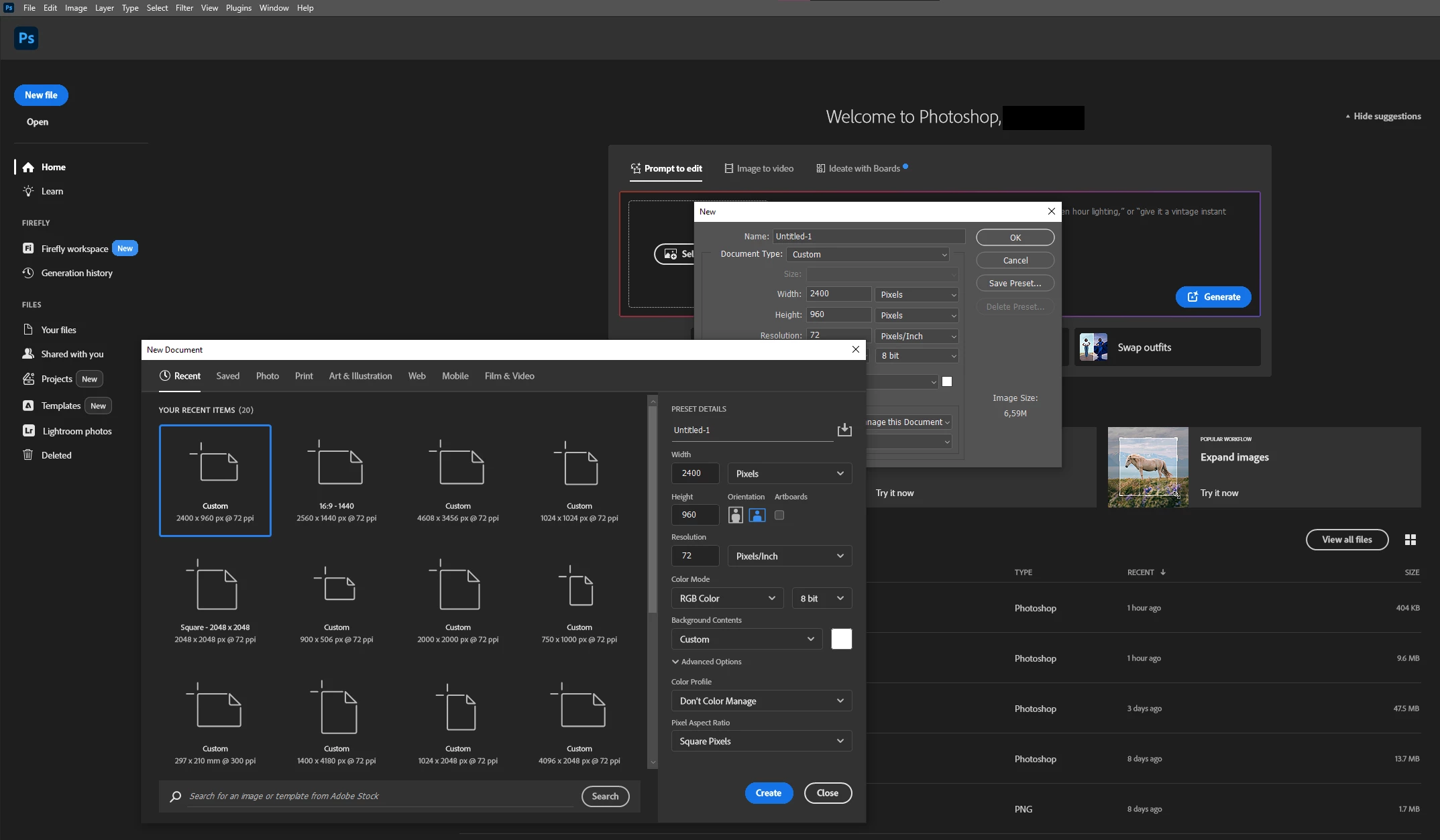
- Both the legacy and current New Document dialogs open.
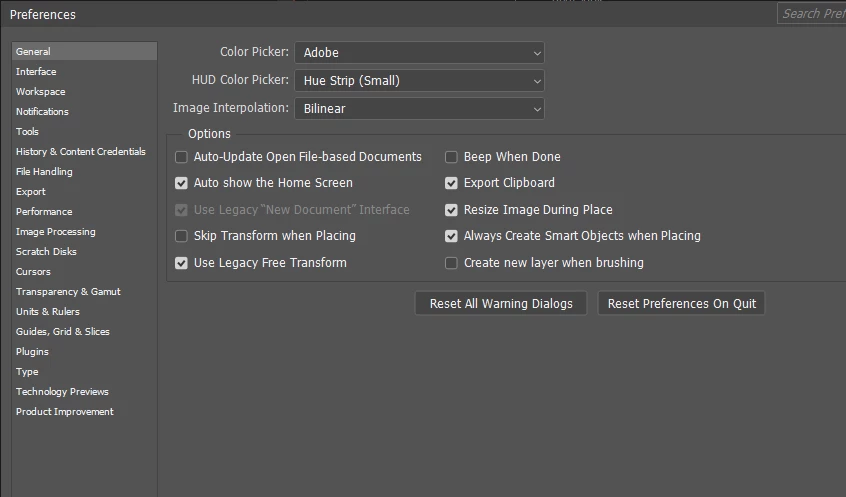
- After closing the dialogs, Photoshop behaves as though "Use Legacy 'New Document' Interface" has been enabled.
- This setting becomes checked and greyed out, so it cannot be changed.
- All subsequent attempts to create a new document during that Photoshop session open only the legacy New Document dialog.
- Restarting Photoshop restores normal behavior and the setting is once again disabled and editable.
ADDITIONAL INFORMATION
I can reliably reproduce the problem by opening New Document before the Home screen fully appears. Waiting until the UI finishes initializing prevents the problem.
The bug can also be reproduced when Photoshop is launched by opening an existing file, so the Home screen doesn't seem to be required to trigger the issue.
If the "Use Legacy 'New Document' Interface" setting is already enabled, no issue occurs. Only the legacy dialogue opens, and the setting remains editable.
Both Ctrl+N and File->New can be used to reproduce the bug.
The file UIPrefs.psp in the settings folder seems to contain the relevant flag (UseOldFileNewDialog). This file is not modified by triggering the bug, indicating the issue is occurring in memory and not being written to the settings file.
Renaming the UXP folder and resetting preferences did not resolve the issue.
I have no third-party plugins installed.
 AdChoices