

Question
Using arrow keys on "Canvas Size" attempts to resize by a hundredth of a pixel
My workflow for Canvas Size has always been using the up/down arrow keys to resize by one step at a time. However, recent updates to the UI have made it so the numbers nonsensically move 0.01 pixels at a time:
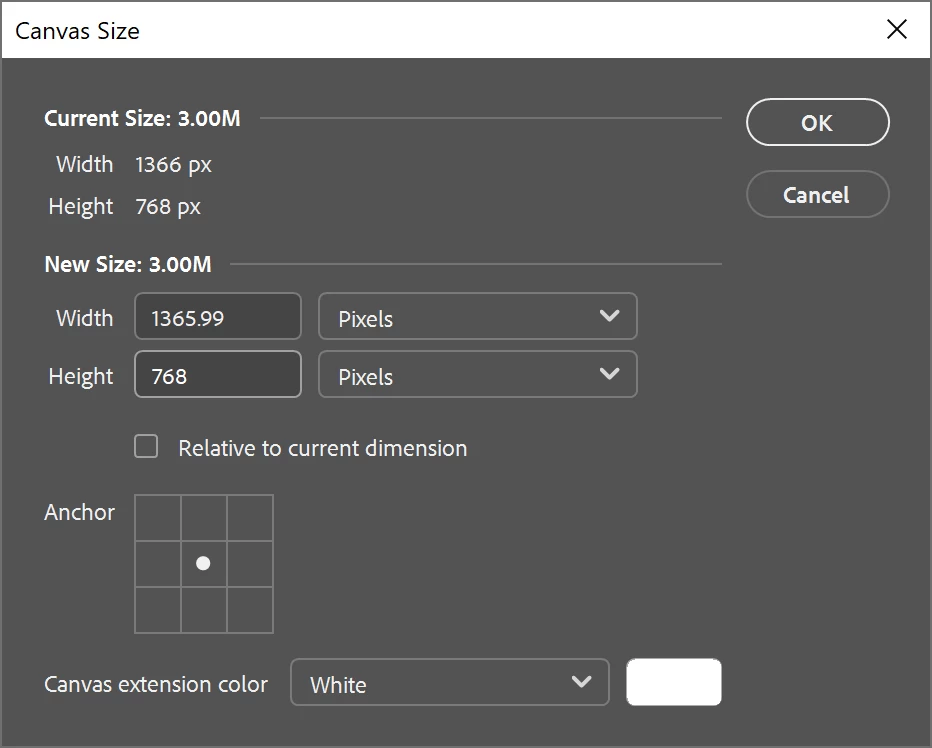
If I go into Preferences > Technology Previews and uncheck “Enable Modern User Interface”, I can restore the classic interface which functions as expected – pressing ‘down’ once moves the value down by one pixel:
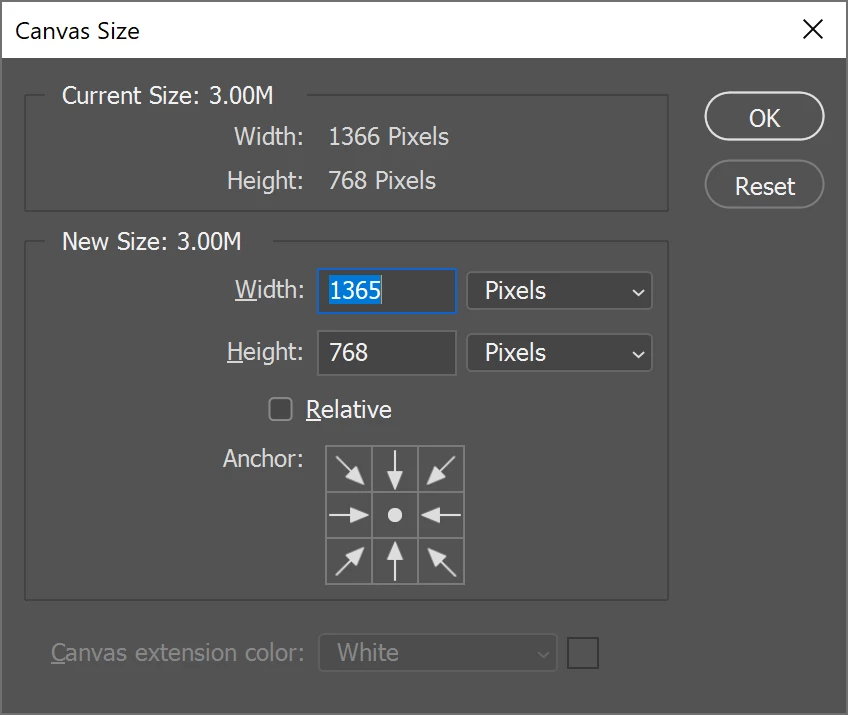
This solves the problem for the time being, but I am concerned that a future update will force the “modern” UI with its attendant issue. Is there a way to force the modern UI to iterate only by whole pixels?
---
A few addn’l notes:
- Obviously an image cannot have dimensions a fraction of a pixel. Once “OK” is pressed, it rounds to the nearest whole; i.e., in the first screenshot pressing “OK” at 1365.99 px just results in a width of 1366 px.
- The “Image Size” UI behaves as expected - the arrow keys iterate the size by whole pixels instead of 1/100 of one.


 AdChoices