


Answered
UXP-plugin panel entrypoints position set is doesn‘t work
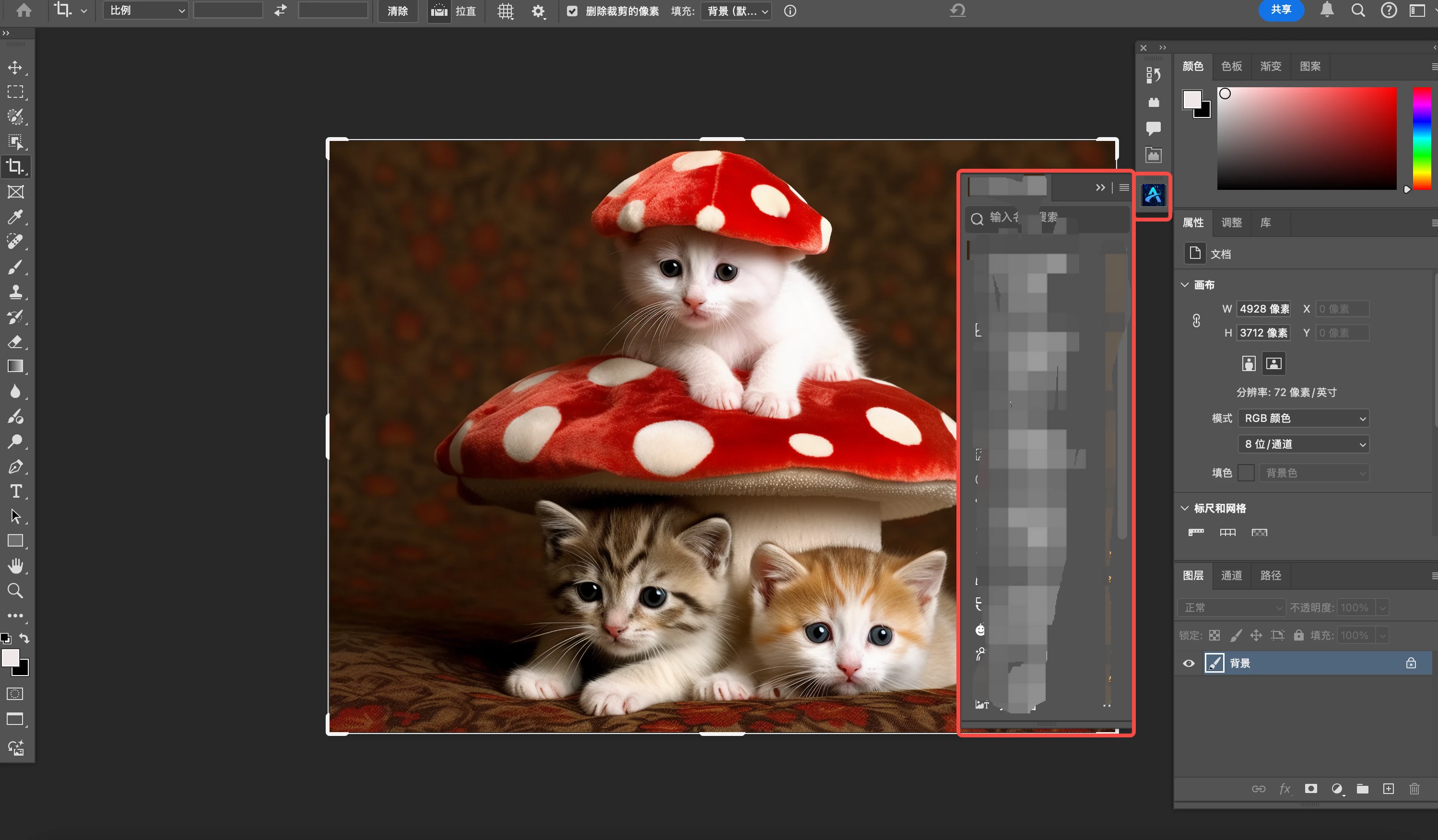
uxp plugin,i want set the plugin position to the right panel in PS, the code like blew:
  "entrypoints": [
    {
      "type": "panel",
      "id": "layout",
      "label": {
        "default": "some label"
      },
      "location": {
        "type": "panel",
        "dockConfig": {
          "dockTarget": "right",
          "dockState": "docked",
          "group": "pluginPanels"
        }
      },
      "minimumSize": {
        "width": 230,
        "height": 200
      },
      "maximumSize": {
        "width": 2000,
        "height": 2000
      },
      "preferredDockedSize": {
        "width": 280,
        "height": 500
      },
      "preferredFloatingSize": {
        "width": 280,
        "height": 500
      },
      "icons": [
        {
          "width": 32,
          "height": 32,
          "path": "icons/icon_D.png",
          "scale": [
            1,
            2
          ],
          "theme": [
            "dark",
            "darkest"
          ],
          "species": [
            "generic"
          ]
        },
        {
          "width": 32,
          "height": 32,
          "path": "icons/icon_N.png",
          "scale": [
            1,
            2
          ],
          "theme": [
            "lightest",
            "light"
          ],
          "species": [
            "generic"
          ]
        }
      ]
    },
        {
      "type": "panel",
      "id": "navbar",
      "label": {
        "default": "图虫AI导航栏"
      },
      "location": {
        "type": "panel",
        "dockConfig": {
          "dockTarget": "right",
          "dockState": "docked",
          "group": "pluginPanels"
        }
      },
      "minimumSize": {
        "width": 100,
        "height": 200
      },
      "maximumSize": {
        "width": 200,
        "height": 400
      },
      "preferredDockedSize": {
        "width": 100,
        "height": 200
      },
      "preferredFloatingSize": {
        "width": 100,
        "height": 200
      },
      "icons": [
        {
          "width": 32,
          "height": 32,
          "path": "icons/icon_D.png",
          "scale": [
            1,
            2
          ],
          "theme": [
            "dark",
            "darkest"
          ],
          "species": [
            "generic"
          ]
        },
        {
          "width": 32,
          "height": 32,
          "path": "icons/icon_N.png",
          "scale": [
            1,
            2
          ],
          "theme": [
            "lightest",
            "light"
          ],
          "species": [
            "generic"
          ]
        }
      ]
    }
  ],
set the "location", but it is not works
i want set the position like this:
 AdChoices