


anastasiaa58810844
Participant
May 15, 2017
Answered

Vanishing Point - can't paste elements

Tried to paste an element (not vector) into the field when using vanishing point filter. Usual command+v does't work. The upper tabs in the menu don't work either.

(Function command+v, however, works perfectly with other actions in photoshop)
    jameso87424167
    jameso87424167Correct answer
    Participant
    July 18, 2018

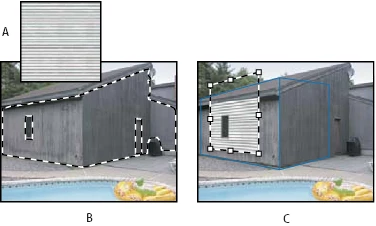
    - You have to make sure your layers are rasterized.

    - The vanishing point has to be an a seperate blank layer.

    - Make sure the vanishing point grid is blue.

    - When you copy the layer, select the layer with marquee tool, then copy. ( I don't know if this helps, but is worth trying)

    This is what helped me.

    14 replies

    Participant
    October 1, 2023

    use copy Merged Ctrl+Shift+C

    Translate
    jameso87424167
    jameso87424167Correct answer
    Participant
    July 18, 2018

    - You have to make sure your layers are rasterized.

    - The vanishing point has to be an a seperate blank layer.

    - Make sure the vanishing point grid is blue.

    - When you copy the layer, select the layer with marquee tool, then copy. ( I don't know if this helps, but is worth trying)

    This is what helped me.

    Translate
    Participant
    January 22, 2021

    It helped!

    I saw a tutorial, and they skipped mentioning the part with marquee tool.

    I was trying to make it right for like an hour before I lost my patience and found your responce.

    Thanks a million!

    Translate
    rafael750
    Participant
    March 24, 2021

    this is the real correct answer

    Translate
    Participant
    July 17, 2018

    I have the same problem, have you figured it out?

    Translate
    Sebastian Bleak
    Community Expert
    Community Expert
    May 15, 2017

    Hi Anastasiaa

    I've recently played with this tool and Comm+V is the way to go, so you're doing this correctly. How are you bringing your artwork into your clipboard? I like to select the artwork from a pixel based layer before going into the filter.

    Here is a video of my steps:  https://youtu.be/rs_Dta-eDGY

    Adobe Photoshop "Vanishing Point Filter Mock-Up" wk297 - YouTube

    I hope you find this information helpful Cheers!

    Translate
    rafael750
    Participant
    March 24, 2021

    dont work, waste of time

    Translate
    Mylenium
    Legend
    May 15, 2017

    Nobody can tell you anything without exact system info or other technical details like exact PS version. Just saying that it doesn't work is not good enough.

    Mylenium

    Translate