The5thbeatle
Known Participant
Aug 16, 2026 12:46 AM UTC
Answered

version 27.9.1 legacy gradients

Since the update to v. 27.9.1 my gradients are all different. I know you can access the legacy gradients (Adobe hides classic and older preset libraries by default. To get them back, open the standalone Gradients panel via Window > Gradients, click the panel's fly-out menu (the four horizontal lines icon) but only a few of the many legacy gradients load. 

Is there anyplace online where I can download the complete legacy gradients from the version just before this current update?
Thanks for your help.

    Jeff Arola
    Jeff ArolaCorrect answer
    Community Expert
    Aug 16, 2026 7:39 PM UTC

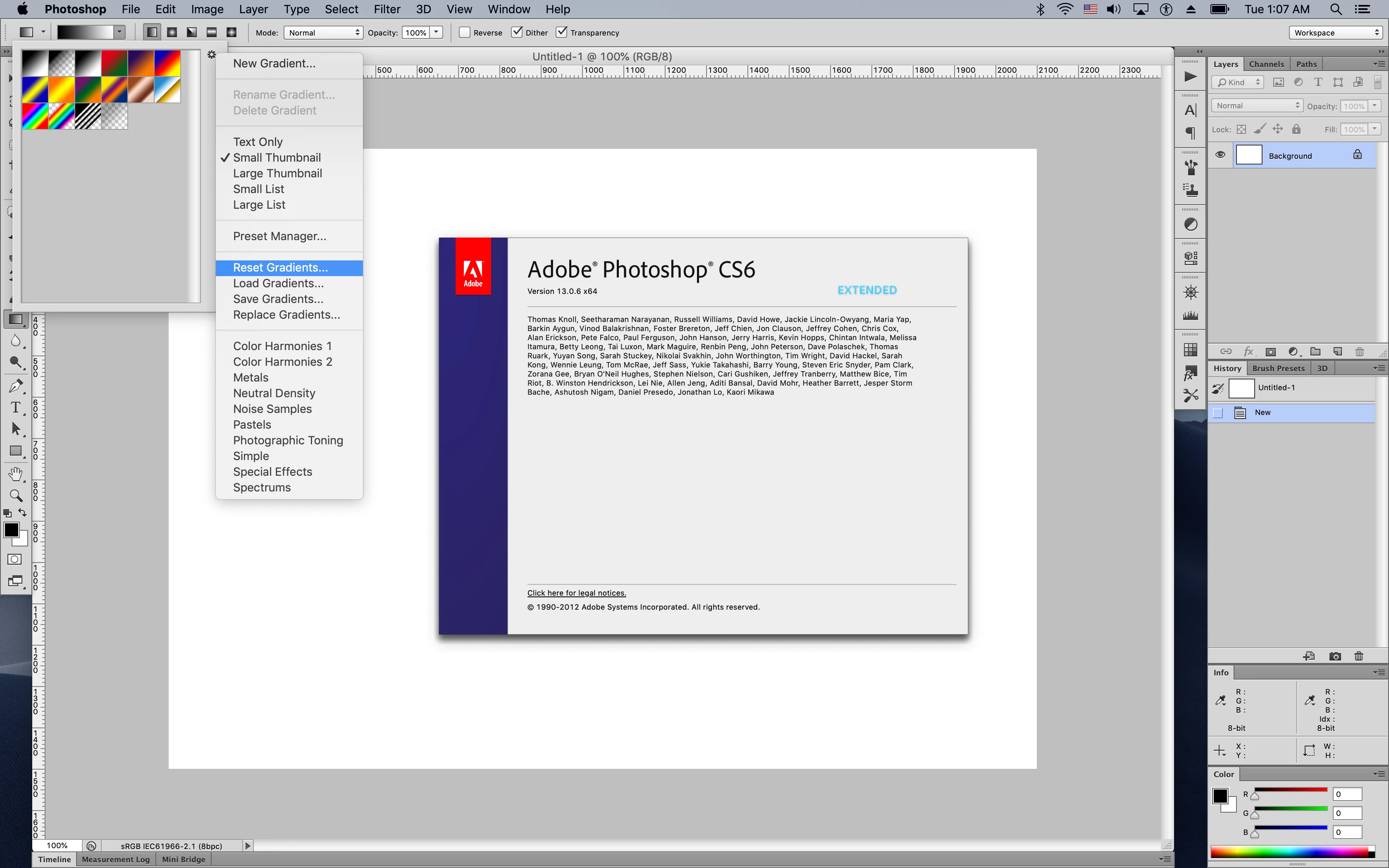
    I checked in both Photoshop CS6 and Photoshop 2021 and the Default and Metals gradients look like the same ones you have in Photoshop 27.9.1

    Is it possible you added some other Gradients other than what ships with Photoshop?


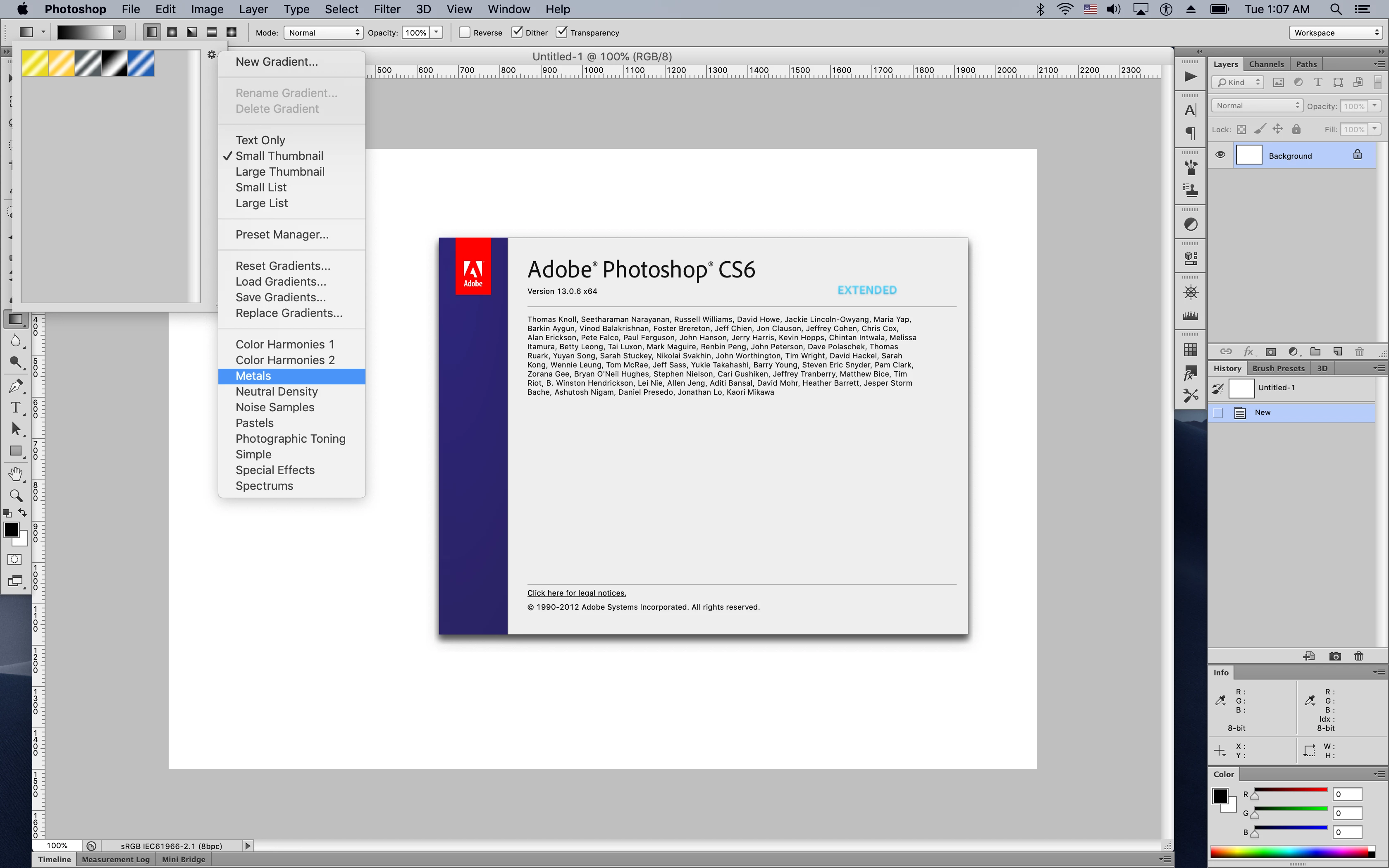
    Photoshop CS6


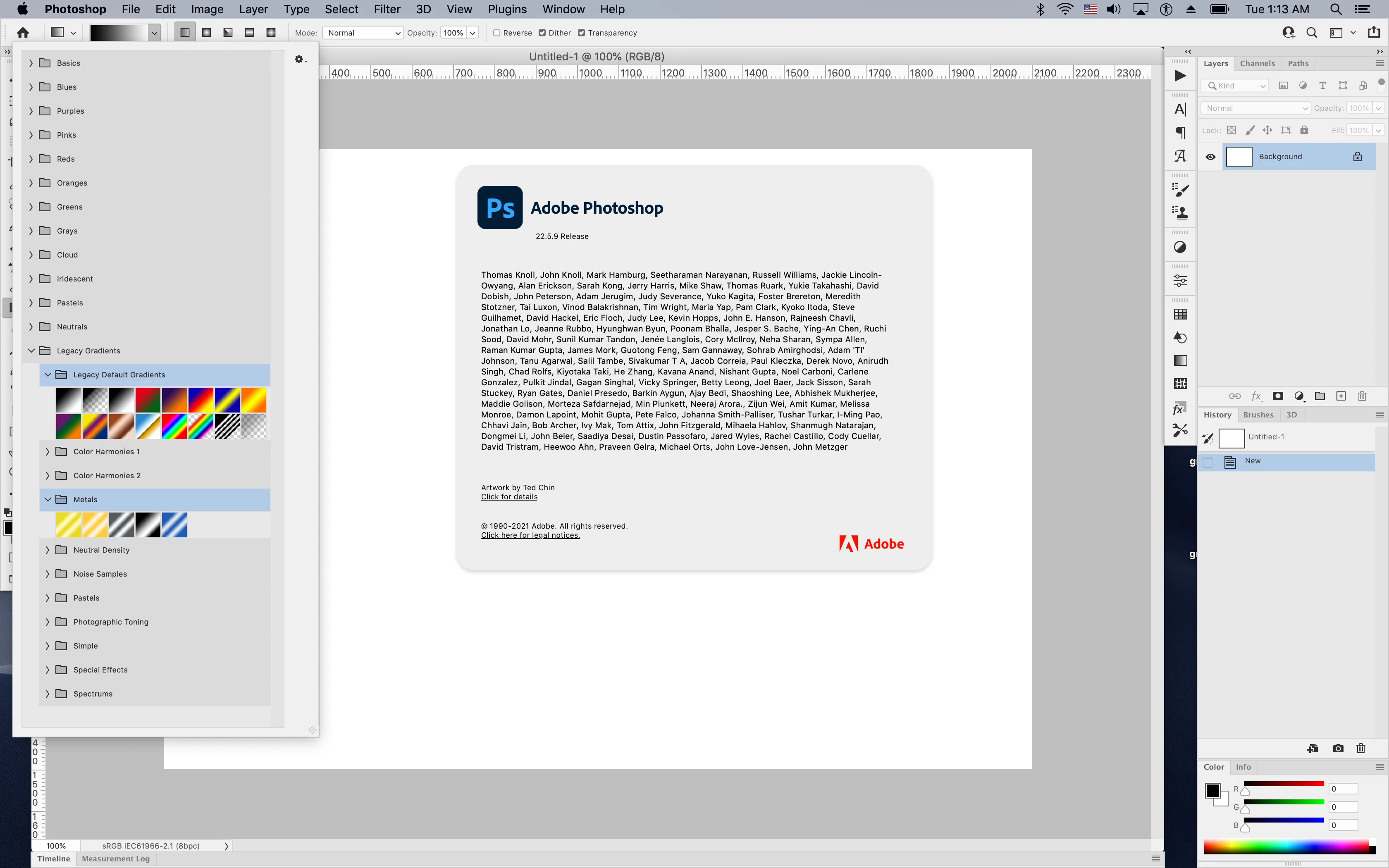
    Photoshop 2021 (ps ver 22.5.9)


    6 replies

    Jeff Arola
    Community Expert
    Community Expert
    Aug 19, 2026 8:39 PM UTC

    As far as i can tell, you have all the Gradients that install with Photoshop?


    There are a Gold and Silver gradients in the Metals.

    If you hold your mouse over the Gradient thumbnails or switch to list view you will see the names.


    Which ones do you believe are missing?


    Do you have an older Photoshop version you can compare it with?


    Translate
    The5thbeatle
    Known Participant
    Aug 20, 2026 5:56 PM UTC

    Previously, the must have been at least 20 (or more) options in gold, alone. And they really looked like metallic gold. There were also a range of silvers, copper, chromes, metallic looking colors. Very easily 50+ metallics total. 
    In your screen shot I see you only have the same 5  metallics that I have. 

    No, I only recently threw out an older photoshop version. I tried opening a photoshop file created years ago (with a different version) that contained metallics, thinking the old gradient palet might load, but it didn’t. 

    For what it’s worth, if you spend time searching the internet you can find photoshop gradients (.GRD files) in most of the old colors, so I did that.
    Thank you for hanging on and trying to help. I appreciate it. 

    t

    Translate
    The5thbeatle
    Known Participant
    Aug 19, 2026 6:55 PM UTC

    I posted a screenshot of the 5 metallics the legacy gradients gave me. 
    I’m not making this up.

    Translate
    Jeff Arola
    Community Expert
    Jeff ArolaCommunity ExpertCorrect answer
    Community Expert
    Aug 16, 2026 7:39 PM UTC

    I checked in both Photoshop CS6 and Photoshop 2021 and the Default and Metals gradients look like the same ones you have in Photoshop 27.9.1

    Is it possible you added some other Gradients other than what ships with Photoshop?


    Photoshop CS6


    Photoshop 2021 (ps ver 22.5.9)


    Translate
    Jeff Arola
    Community Expert
    Community Expert
    Aug 16, 2026 5:07 AM UTC

    What operating system are you using?


    How many of the Legacy Gradients do load?


    Translate
    The5thbeatle
    Known Participant
    Aug 16, 2026 12:58 PM UTC

    Mac OS  Tahoe 26.5.2, and my Photoshop is 27.9.1

    When I load the Legacy Gradients, I get just 5 metallics, none of them are gold or silver, and just 16 of the default gradients: 


    Translate