Hi Dave, sorry off subject here but you seem very knowledgable! do you happen to know how to create the lines all going into the distance on this image?
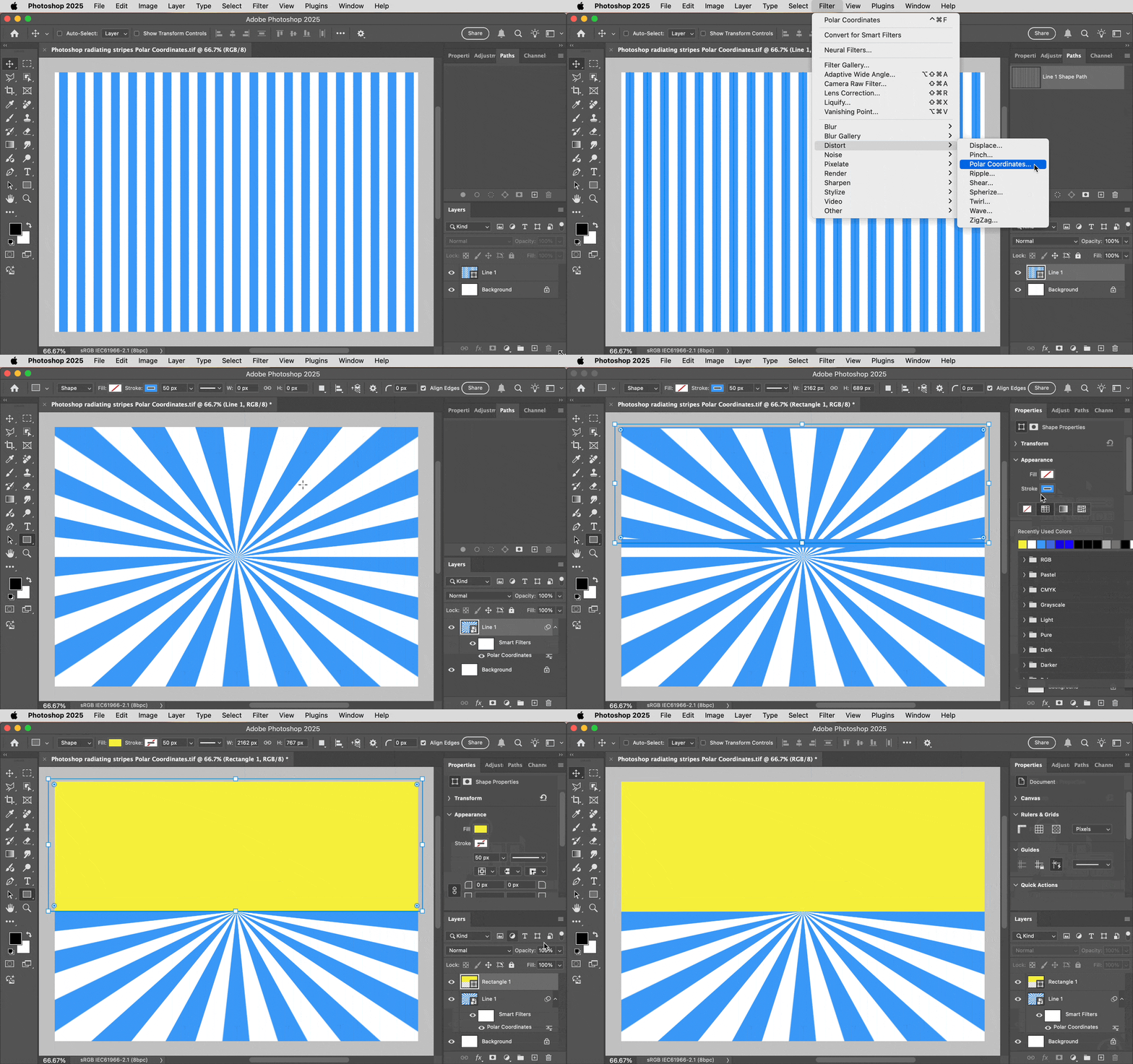
I’m not Dave, but it occurred to me that if you start with a bunch of stripes, the Polar Coordinates filter can take you the rest of the way, as shown in the demo below.
If you want to try and do it all inside Photoshop, one approach is to create a texture using something on the Filter menu. In the example shown below, I created a 50% Solid Color Fill layer, converted it to a Smart Object to make the next steps editable, chose the command Filter > Filter Gallery, and applied the Grain filter from the Texture category. After closing the Filter Gallery, I applied the Overlay blending mode to that layer to control how that 50% gray layer applies the texture to the layers below it. You can try different filters and settings to see if you can create the exact paper texture you want. In Filter Gallery you can mix multiple filters if that helps.
If you already have some paper with the correct texture, it’s probably faster and easier to scan and apply that as davescm suggested.
I should have mentioned that the 'paper' pattern I used in the screenshot of my post above was a built in pattern from Photoshop. I added an empty layer and used Edit > Fill > Pattern and for the pattern chose Legacy Patterns > Grayscale Paper > Gray Granite.
It looks like a paper type texture. You could photograph a real piece of paper or find a paper texture pattern. Use blend mode 'multiply', adjusting the layer opacity as required, to add it to your image.




 AdChoices