

Answered
Want to Disable the Feature That Automatically Creates New Layers
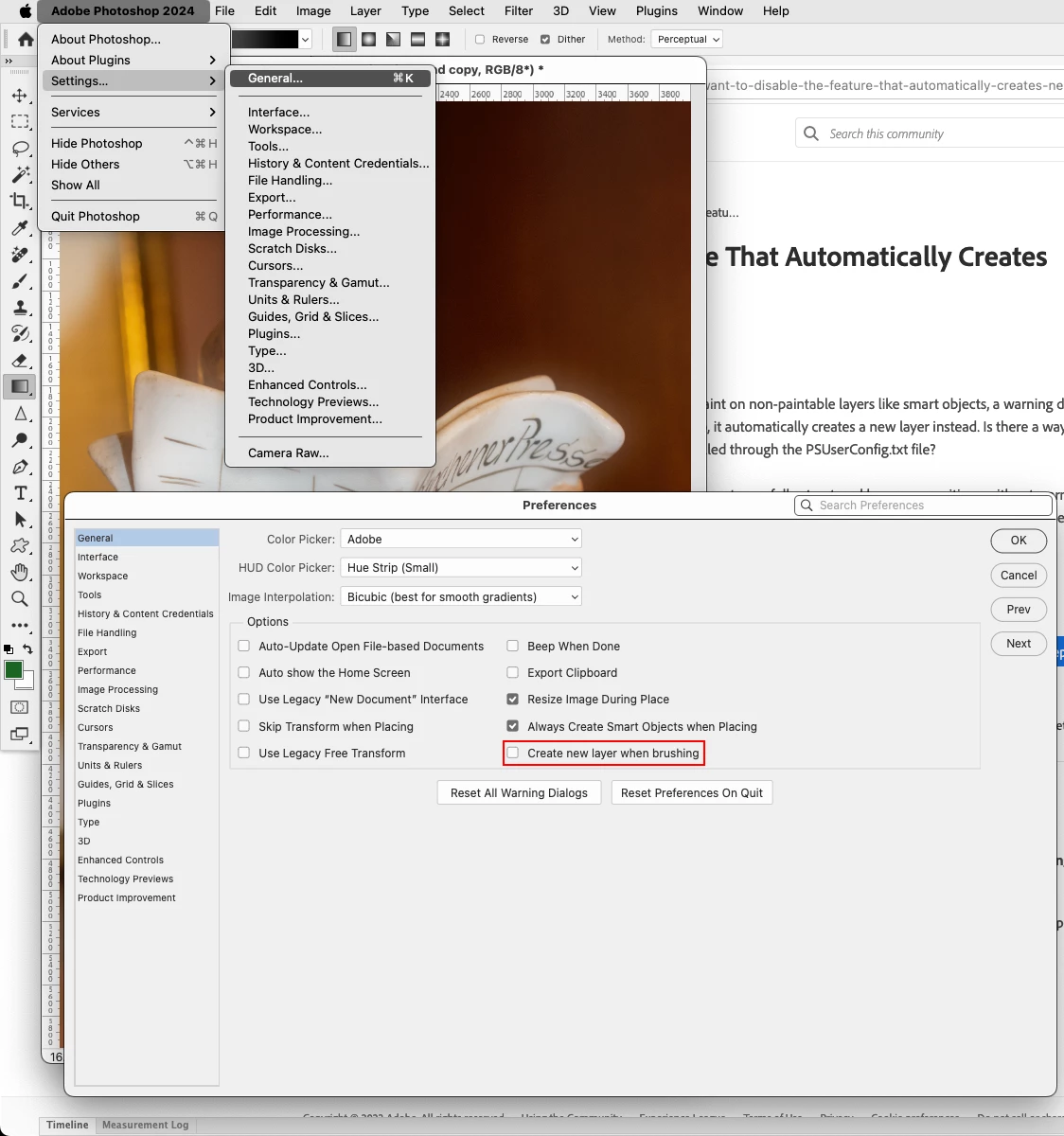
In previous versions of Photoshop, when trying to paint on non-paintable layers like smart objects, a warning dialog box used to appear. However, in the new Photoshop, it automatically creates a new layer instead. Is there a way to turn off this behavior? For example, can it be controlled through the PSUserConfig.txt file?
(This seems to be a very poor design change as it disrupts carefully structured layer compositions without warning. This could also be confusing for beginners. I would appreciate if an option to turn this off could be added to the settings soon.)


 AdChoices