
Inspiring
March 27, 2023
Question

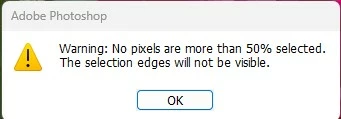
Warning: No pixels are more than 50% selected.

  • March 27, 2023
  • 1 reply
  • 2439 views

Why sometimes when I am doing a focus stack merge in PhotoShop I get the following message?

Warning: No pixels are more than 50% selected.  The selection edges will not be visible

What does this mean and how do I fix this?
 

Thanks

1 reply

Kevin Stohlmeyer
Community Expert
Community Expert
March 27, 2023

Hi @tonymuffin that warning generally means when the process was running it could not find enough pixel data to make a selection. In terms for Focus Stacking, it means there wasnt enough unique data to select and make a mask. It could be due to a duplicate layer or two layers with very similar pixel data/depth.

https://creativecloud.adobe.com/cc/discover/article/focus-stacking-in-photoshop?locale=en


Inspiring
March 28, 2023

Thanks for your quick response Kevin

However, I am still not clear exactly what is causing this.  I do know how to do focus stacking in Photoshop and each of the images I use are unique shots.  So I am confused.

Kevin Stohlmeyer
Community Expert
Community Expert
March 28, 2023

@tonymuffin check your results when its complete - do any of the layers have nothing masked?